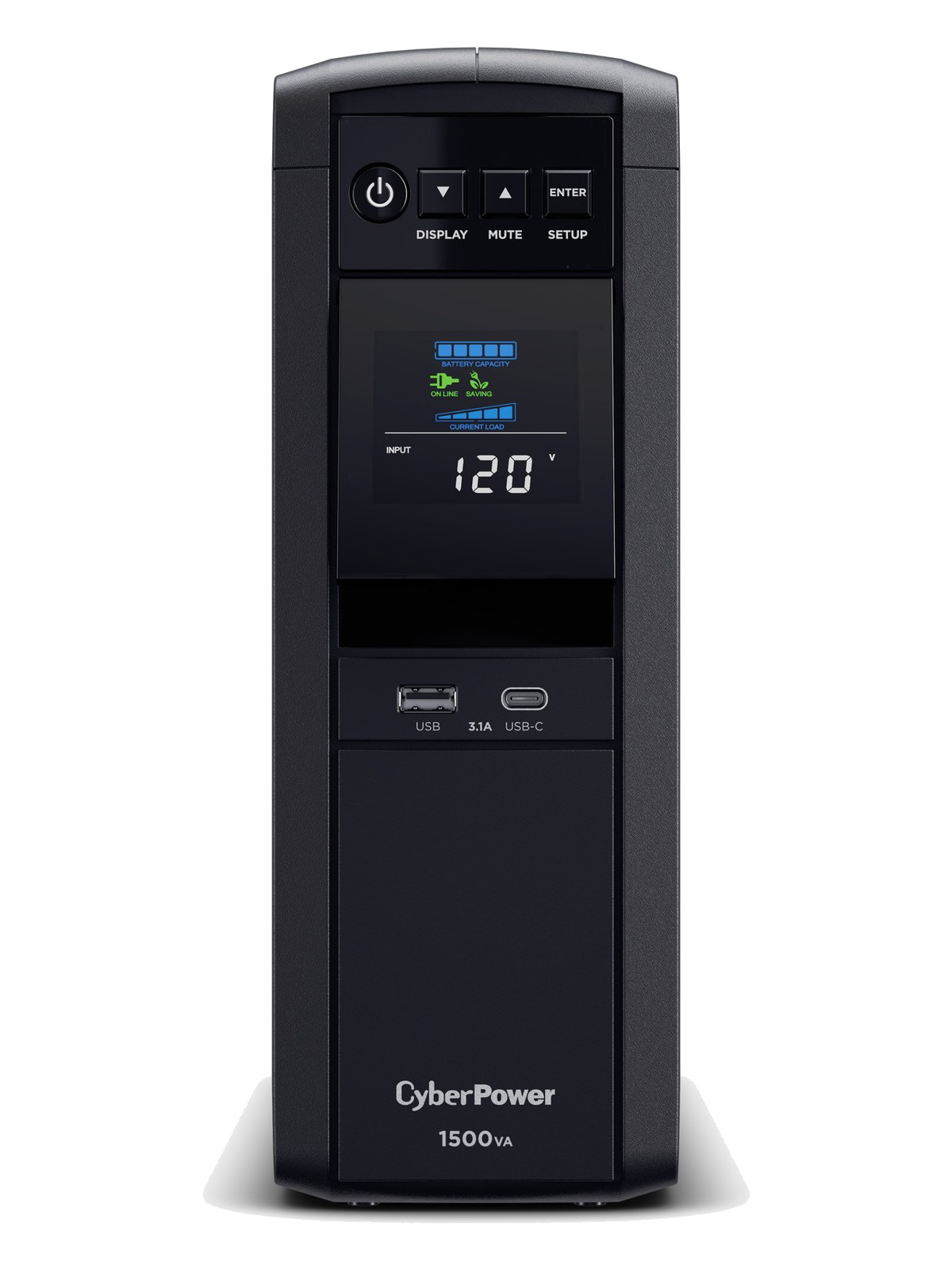
The CyberPower CP1500PFCLCD provides pure sine wave output, which is important for audio gear that can behave erratically on the simulated sine wave output of cheaper UPS units. At 1000W, it comfortably sustains a playback computer, interface, and network switch through power interruptions. The LCD display provides clear status information, and the pure sine wave output ensures clean power delivery to sensitive audio equipment.
UnverifiedPower requirement is not verified in the catalog
Catalog estimate
~$289Use retailer rows for current price and stock
01 · What it does—and what that changes in your rig.
Product overview
Start with the payoff, then work through how it functions, where it fits, and the details that change a real build.
The payoff
UPS decisions, organized around the whole rig.
A UPSUninterruptible Power Supply — a battery that rides the rig through brownouts and generator hiccups so computers never reboot mid-song. earns its place in a playback or IEMIn-Ear Monitor — earpieces that replace floor wedges, feeding each player their own mix. The reason this whole rack exists. rig by doing one thing no power conditionerFilters venue AC, clamps surges, and gives the rack one tidy inlet. Not a voltage regulator and not a battery — just cleaner power. can: keep the show running when venue power disappears. The CP1500PFCLCD is a 1500VA/1000W pure sine wave unit, meaning the power it delivers from battery is the same smooth waveform your gear expects from the wall — not the stepped approximation that cheaper UPS units output. For a playback rig where a surprise cut-to-black means a missed cue or a crashed session, that distinction matters enormously. Think of it as the last line of defense between a dodgy venue panel and your entire show.
Documented outputs
1010 destination connections
Documented inputs
1Based on documented inputs
Rack space
Outside rackPlan a shelf, tray, or stage position
CyberPower product panelOutside rack · Unverified
Function
How it works in the path
The 1000W continuous output is the practical ceiling you need to respect. A playback computer, audio interface, and a small network switch will typically sit well inside that limit, leaving you headroomThe margin between your normal level and where things clip — headroom is what absorbs the snare hit you didn’t see coming. on the battery bank to ride out a brief interruption and execute a clean shutdown if power doesn't return. The six battery-backed NEMA outlets are where your critical gear lives; the four surge-only outlets are fine for a monitor or a laptop charger that doesn't need runtime. At 12.2 kg and 356mm deep, this is a heavy, substantive box — the tower form means it isn't racking in a standard rail without a tray, and that depth demands honest space planning.
Best fit
Where it earns its place in the system
This unit belongs in a dedicated playback rig, a touring IEMIn-Ear Monitor — earpieces that replace floor wedges, feeding each player their own mix. The reason this whole rack exists. rack running a computer-based show, or any setup where an uncontrolled shutdown carries real consequences. If your rig is purely analog — a hardware splitter, some power amps, a console — a good power conditionerFilters venue AC, clamps surges, and gives the rack one tidy inlet. Not a voltage regulator and not a battery — just cleaner power. is probably sufficient and far lighter. Also be honest about what a UPSUninterruptible Power Supply — a battery that rides the rig through brownouts and generator hiccups so computers never reboot mid-song. is not: it won't rescue you from sustained generator instability or a long outage, and it isn't a substitute for a proper line conditioner upstream. The CP1500PFCLCD is a bridge, not a bunker.
In the rack
Details worth deciding before load-in.
Place only your truly show-critical gear — playback computer, audio interface, network switch — on the six battery-backed outlets. Saving runtime for those devices alone can mean the difference between a graceful pause and a full show crash.
Because this is a tower unit, mount it on a rack tray and account for the 356mm depth before you finalize your rack build. Some shallow touring racks simply won't accommodate it without the rear of the unit hanging exposed.
Use the USB data port and CyberPower's PowerPanel software to configure an automatic safe-shutdown sequence on your playback computer. A UPSUninterruptible Power Supply — a battery that rides the rig through brownouts and generator hiccups so computers never reboot mid-song. that shuts the OS down cleanly on low battery is significantly more useful than one that just cuts power when the battery dies.
Check the LCD's battery health indicator at every load-in, not just when something feels wrong. UPSUninterruptible Power Supply — a battery that rides the rig through brownouts and generator hiccups so computers never reboot mid-song. batteries degrade silently over time, and discovering reduced runtime during a show is far worse than replacing a battery on a maintenance day.
02 · Know the whole path before you buy.
Signal path
Learn the route as a block diagram: source, product function, transport, and destination. Select any block to see what enters, what changes, and what leaves.
Interactive block diagramAuto-looping · hover, focus, or tap to hold a stage
Port-type signalProduct functionSystem boundary
Follow one signal from source to destination
Each block answers the same three questions: what arrives, what changes here, and what leaves.
01 · Source · selected
nema 5 15
nema 5 15
01 · Source
1 documented input
nema 5 15
Arrives as
1 documented input
Connector
nema 5 15
Signal
power
03 · What this product asks of the rest of the system.
Compatibility
Treat connector names as the start of the check—not the answer. These are the boundaries that determine a complete working path.
Best fit · UPS
Use it as ups tracked outside rack rails; follow the manufacturer’s mounting and form-factor guidance.
Plan the companion path
Complete the path with upstream and downstream gear that matches connector, direction, signal type, protocol, and wiring standard.
Connector boundary
Documented connectors: nema 5 15, usb b. Match connector, direction, and signal type—not shape alone.
04 · Every connector, grouped by job.
I/O ports
Switch the product view and the documented port inventory updates with it—hardware and data stay side by side.
Every connector, grouped by job.
Switch panels to keep the hardware view and the documented port list in sync.
Front panelRear panel
All documented ports for CyberPower CP1500PFCLCD UPS
Port
Panel
Connector
Direction
Signal
Channels
Power In (NEMA)
rear
nema 5 15
input
power
—
Battery Backup Out 1
rear
nema 5 15
output
power
—
Battery Backup Out 2
rear
nema 5 15
output
power
—
Battery Backup Out 3
rear
nema 5 15
output
power
—
Battery Backup Out 4
rear
nema 5 15
output
power
—
Battery Backup Out 5
rear
nema 5 15
output
power
—
Battery Backup Out 6
rear
nema 5 15
output
power
—
Surge Only Out 1
rear
nema 5 15
output
power
—
Surge Only Out 2
rear
nema 5 15
output
power
—
Surge Only Out 3
rear
nema 5 15
output
power
—
Surge Only Out 4
rear
nema 5 15
output
power
—
USB
rear
usb b
bidirectional
data
—
Showing 12 of 12 documented physical ports. Scroll to review the remaining rows.
05 · Compare the decision, not just the price.
Alternatives
The rows are organized around fit, power, I/O, and system role so a cheaper unit cannot hide a more expensive workflow.
CP1500PFCLCDThe CyberPower CP1500PFCLCD provides pure sine wave output, which is important for audio gear that can behave erratically on the simulated sine wave output of cheaper UPS units. At 1000W, it comfortably sustains a playback computer, interface, and network switch through power interruptions. The LCD display provides clear status information, and the pure sine wave output ensures clean power delivery to sensitive audio equipment.View gear →
BR1500GThe APC BR1500G provides 1500VA of battery backup with automatic voltage regulation that keeps your equipment running through brownouts and brief power outages. Its tower form factor requires a rack shelf to mount but offers high capacity at a reasonable price. The AVR feature continuously adjusts incoming voltage without switching to battery, extending battery life for when you truly need it during a complete power loss.View gear →
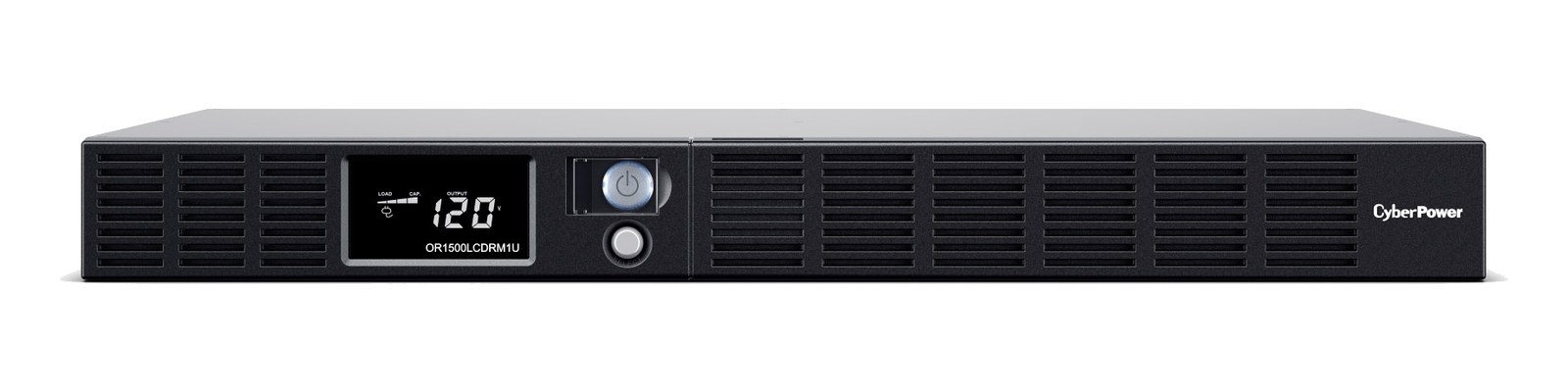
OR1500LCDRM1UThe CyberPower OR1500LCDRM1U provides battery backup in a slim 1U rack-mount form factor, ensuring your playback computer and critical gear stay running through power dips and brief outages. At 900W, it can sustain a typical playback rig for several minutes, giving you time to gracefully handle a power event mid-show. The LCD display shows real-time power stats, and the 1U design is the most rack-efficient UPS option available.View gear →
5SC1500The Eaton 5SC1500 offers 1500VA of line-interactive UPS protection in a form factor that converts between tower and rack-mount configurations, giving you deployment flexibility. Its higher wattage rating of 1050W provides more headroom than similarly priced units, and Eaton's reputation for reliability makes it a trusted choice in professional installations. The convertible design means you can use it in your rack today and repurpose it as a tower unit for a studio setup later.View gear →
06 · Resolve the questions that can change the purchase or build plan.
Planning questions
Short, source-backed answers surface rack fit, power, cabling, and connection details before they become surprises.
Where does the CyberPower CP1500PFCLCD UPS live in a complete rig?
The catalog assigns it no rack units. Builder tracks it as non-rack gear; follow the manufacturer’s mounting, case, and form-factor guidance.
How much power does the CyberPower CP1500PFCLCD UPS draw?
Its power requirement is not yet verified in the catalog.
What connections does the CyberPower CP1500PFCLCD UPS have?
12 documented physical ports, including Power In (NEMA), Battery Backup Out 1, Battery Backup Out 2, Battery Backup Out 3, Battery Backup Out 4, Battery Backup Out 5.
07 · See this gear inside a complete system plan.
Builder preview
Builder keeps non-rack gear in the same bill of materials, budget, dependency, and connection plan as the rack-mounted system around it.Open in Builder