Network Switch

Cisco SG110D-08 8-Port Switch

Cisco·Model SG110D-08·cisco-sg110d-08

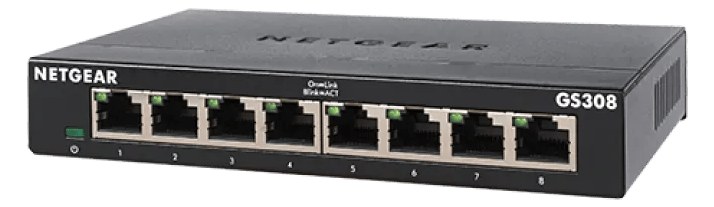
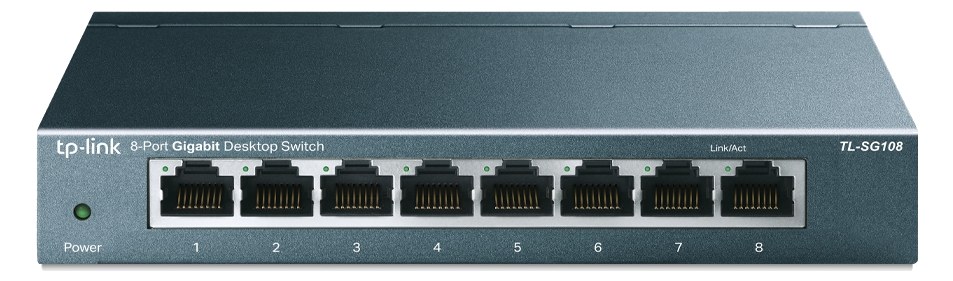
CISCO8-Port Gigabit SwitchPower12345678SG110D-08
CiscoSG110D-08

About the Cisco SG110D-08

The Cisco SG110D-08 is a step up from consumer-grade switches with Cisco's reputation for reliability, while still being unmanaged and plug-and-play. Its metal chassis and slightly higher build quality make it a sensible choice for rigs that will see regular touring use. The Cisco name also provides confidence when integrating with IT infrastructure at corporate venues.

The SG110D-08 is Cisco's unmanaged eight-port gigabit switch — the network hub that ties your IEM rack together when you need a laptop, a wireless system, a personal mixer hub, and a stage box all talking to each other over Cat5. It lives in the same category as a dozen cheap plastic switches you'd find at any big-box store, but the metal chassis and Cisco manufacturing standards push it meaningfully above that tier. At $49, it's not trying to be a managed network appliance — it's trying to be the reliable, invisible backbone that never causes a problem at midnight in a loading dock.

All eight ports run gigabit, which matters when you're pushing Dante or AVB streams alongside show-control traffic. The 4-watt typical draw (6-watt max) means it barely registers on your power budget, and the 300-gram weight won't shift your rack's balance. What this switch is not: it has no VLANs, no QoS prioritization, no port mirroring — none of the managed features that a serious Dante network with heavy channel counts might require to isolate audio traffic from control traffic. It also requires a rack shelf to mount; it does not have its own rack ears. The 100mm depth is shallow enough to sit cleanly on almost any half-rack shelf.

Pick this switch if your network needs are straightforward — a handful of devices, moderate Dante channel counts, or a corporate gig where the venue IT team will feel better seeing a Cisco logo than a no-name white box. Pass on it if you're running high-density Dante with multiple domains, or if you need to enforce network segmentation between audio and control data — in that case, step up to a managed switch with QoS configuration. For a clean, uncomplicated IEM rig where network reliability matters more than network configurability, this earns its half-rack shelf space without argument.

In the rack

  • Mount it on a half-rack shelf toward the rear of the rack — you rarely need to touch an unmanaged switch mid-show, so save front-panel real estate for gear you actually interact with.
  • Label each port at patch time with a strip of colored tape or a label maker: laptop, wireless hub, stage box, and so on. With no management interface, visual identification at the switch itself is your only troubleshooting aid under pressure.
  • Run this switch off your conditioned rack power, not a wall wart dangling outside the rack — losing network mid-show because someone kicked a plug is an avoidable problem at 6 watts.
  • At corporate venues with in-house IT infrastructure, having Cisco on your switch often removes a friction point when you need to plug into their backbone — it's a recognized name in IT conversations that a generic switch isn't.

Unmanaged 8-port gigabit desktop switch — requires rack shelf to mount.

I/O Ports (9)

PortConnectorDirectionSignalChannels
Ethernet 1RJ45bidirectionaldata
Ethernet 2RJ45bidirectionaldata
Ethernet 3RJ45bidirectionaldata
Ethernet 4RJ45bidirectionaldata
Ethernet 5RJ45bidirectionaldata
Ethernet 6RJ45bidirectionaldata
Ethernet 7RJ45bidirectionaldata
Ethernet 8RJ45bidirectionaldata
Power
  • DC In (12V) (DC BARREL)

Requires

This component depends on the following gear to function in a typical rig:

Deciding between two?

Rack space, watts, weight and every connector, side by side.

Related gear

Related articles

Guides from our library that cover planning around network switch gear.