Network Switch

Netgear GS308 8-Port Switch

Netgear·Model GS308·netgear-gs308

Photos

Manufacturer product photography — the drawn faceplate above stays true to panel layout; these show the hardware itself.

Photo: NETGEARClick to zoom

About the Netgear GS308

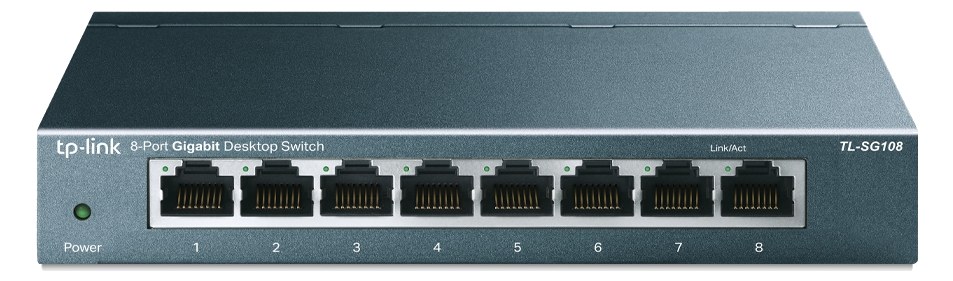
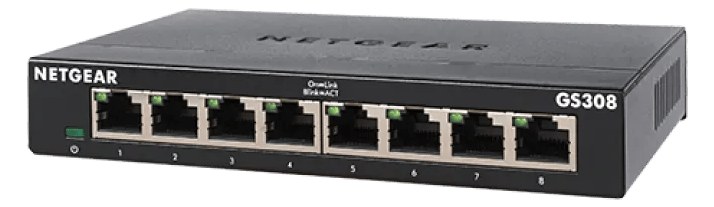
The Netgear GS308 is another solid budget option for simple networking needs in a small audio rig. It provides eight gigabit ports in a metal desktop chassis that is compact enough to velcro inside a rack or place on a shelf. Like other unmanaged switches, it is plug-and-play with no configuration needed, making it ideal for basic device interconnection when you do not need advanced network management.

The Netgear GS308 is the unglamorous backbone of a small audio network — eight gigabit ports in a metal desktop chassis barely longer than your hand. In a live rig its job is straightforward: connect your console, stagebox, personal monitor controllers, and any networked playback or IEM devices so they can all talk to each other. It is unmanaged, meaning there is no login page, no VLAN configuration, no quality-of-service tuning — you plug in cables and it works. For rigs where all your network traffic is already on a single protocol and you are not trying to segment anything, that simplicity is the whole point.

Eight ports sounds like plenty until load-in. Count carefully: console control surface, FOH laptop, monitor world tablet, dante-enabled stagebox, wireless system manager — you can chew through ports faster than expected. At 4–5 watts draw and 0.3 kg, the GS308 contributes almost nothing to your power budget or case weight, which matters when you are already fighting every pound in a fly rig. The desktop form factor is the real operational consideration: this is not rack-mountable in the traditional sense, so you need a shelf or a velcro solution to keep it from rattling around inside the rack.
This switch belongs in a compact IEM or playback rig where the entire network is one simple, flat architecture and budget is tight. At $22 it is hard to argue with for a rehearsal setup or a secondary rack where you just need connectivity. It is not the right call if you need to segment audio-over-IP traffic from control traffic, if you are running multiple protocols that benefit from managed QoS, or if you need the switch to live cleanly in a rack without a shelf eating up extra U space. For those situations, a managed switch with proper rack ears is worth the investment.

In the rack

  • Velcro the GS308 to the underside of a rack shelf rather than letting it sit loose — a cable snag mid-show will pull an unanchored switch right out of position.
  • Count your ports before committing: eight sounds like enough, but label each connection at patch time so a fast swap in the dark doesn't mean unplugging the wrong device.
  • Run the power brick outside the rack if possible, or secure it to the shelf with a cable tie — the wall-wart is the least elegant part of this unit and the most likely to cause a problem if it gets knocked.
  • If you are mixing this into a rig with any audio-over-IP (Dante, AVB), confirm that all your network devices share the same protocol and that traffic volume stays well within gigabit headroom — the GS308 has no tools to help you troubleshoot congestion if something goes wrong.

Unmanaged 8-port gigabit switch. Desktop form — requires rack shelf to mount.

I/O Ports (8)

PortConnectorDirectionSignalChannels
Ethernet 1RJ45bidirectionaldata
Ethernet 2RJ45bidirectionaldata
Ethernet 3RJ45bidirectionaldata
Ethernet 4RJ45bidirectionaldata
Ethernet 5RJ45bidirectionaldata
Ethernet 6RJ45bidirectionaldata
Ethernet 7RJ45bidirectionaldata
Ethernet 8RJ45bidirectionaldata

Requires

This component depends on the following gear to function in a typical rig:

Deciding between two?

Rack space, watts, weight and every connector, side by side.

Related gear

Related articles

Guides from our library that cover planning around network switch gear.