01 · Source
12 documented inputs
¼-inch TS + IEC C14
- Arrives as
- 12 documented inputs
- Connector
- ¼-inch TS + IEC C14
- Signal
- analog audio

~$4,500
Catalog estimate
No verified retailer history yet. The catalog estimate is a planning reference; retailer prices and availability may differ.
~$4,500
Catalog estimate
No verified retailer history yet. The catalog estimate is a planning reference; retailer prices and availability may differ.
Focusrite Red 16Line Thunderbolt 3 Audio Interface. Plan its source-defined physical connections and placement in your rig.
Learn the route as a block diagram: source, product function, transport, and destination. Select any block to see what enters, what changes, and what leaves.
Each block answers the same three questions: what arrives, what changes here, and what leaves.
¼-inch TS + IEC C14
Switch the product view and the documented port inventory updates with it—hardware and data stay side by side.
Switch panels to keep the hardware view and the documented port list in sync.
| Port | Panel | Connector | Direction | Signal | Channels |
|---|---|---|---|---|---|
| INSTRUMENT INPUT1 ·TS | front | ¼-inch TS | input | analog audio | — |
| INSTRUMENT INPUT2 ·TS | front | ¼-inch TS | input | analog audio | — |
| HEADPHONE OUTPUT1 ·TRS | front | ¼-inch TRS | output | analog audio | — |
| HEADPHONE OUTPUT2 ·TRS | front | ¼-inch TRS | output | analog audio | — |
| AC MAINS INPUT | rear | IEC C14 | input | power | — |
| DANTE 1 | rear | RJ45 | bidirectional | data | — |
| DANTE 2 | rear | RJ45 | bidirectional | data | — |
| WORD CLOCK IN | rear | bnc | input | data | — |
| WORD CLOCK OUT | rear | bnc | output | data | — |
| LOOP SYNC IN | rear | bnc | input | data | — |
| LOOP SYNC OUT | rear | bnc | output | data | — |
| THUNDERBOLT3 1 | rear | usb c | bidirectional | data | — |
| THUNDERBOLT3 2 | rear | usb c | bidirectional | data | — |
| PRIMARY 1 ·MINI DIGILINK | rear | mini digilink | bidirectional | digital audio | — |
| PRIMARY 2 ·MINI DIGILINK | rear | mini digilink | bidirectional | digital audio | — |
| OPTICAL 9–16 IN | rear | toslink | input | digital audio | — |
| OPTICAL 9–16 OUT | rear | toslink | output | digital audio | — |
| OPTICAL 1–8 IN | rear | toslink | input | digital audio | — |
| OPTICAL 1–8 OUT | rear | toslink | output | digital audio | — |
| S/PDIF IN | rear | rca | input | digital audio | — |
| S/PDIF OUT | rear | rca | output | digital audio | — |
| MONITOR OUTPUT R | rear | ¼-inch TRS | output | analog audio | — |
| MONITOR OUTPUT L | rear | ¼-inch TRS | output | analog audio | — |
| LINE OUTPUTS 9–16 | rear | db25 | output | analog audio | — |
| LINE OUTPUTS 1–8 | rear | db25 | output | analog audio | — |
| LINE INPUTS 9–16 | rear | db25 | input | analog audio | — |
| LINE INPUTS 1–8 | rear | db25 | input | analog audio | — |
| MIC INPUT 2 | rear | XLR female | input | analog audio | — |
| MIC INPUT 1 | rear | XLR female | input | analog audio | — |
Showing 29 of 29 documented physical ports. Scroll to review the remaining rows.
| Compare |  | |||
|---|---|---|---|---|
| Fit | 📐 1U | 📐 1U | 📐 2U | 📐 1U |
| Power | ⚡ 120W | ⚡ 30W | ⚡ Unverified | ⚡ Unverified |
| Weight | ⚖️ 11.1 lb | ⚖️ 9.1 lb | ⚖️ 12.3 lb | ⚖️ 7.3 lb |
| I/O | 🔌 29 | 🔌 24 | 🔌 50 | 🔌 33 |
| Estimate | 💵 ~$4,499.99 | 💵 ~$899.99 | 💵 ~$2,299.99 | 💵 ~$769.99 |
| Deep dive | Current selection | Full comparison → | Full comparison → | Full comparison → |
Short, source-backed answers surface rack fit, power, cabling, and connection details before they become surprises.
It occupies 1U. Its documented depth is 340 mm.
Typical draw is 120W and documented maximum draw is 0W.
29 documented physical ports, including INSTRUMENT INPUT1 ·TS, INSTRUMENT INPUT2 ·TS, HEADPHONE OUTPUT1 ·TRS, HEADPHONE OUTPUT2 ·TRS, AC MAINS INPUT, DANTE 1.
Computer
Record, play back or run a virtual soundcheck through the host interface.
Check: Confirm the host connector, operating-system support, audio driver and recording software.
2U · 8 ports · ~$2,999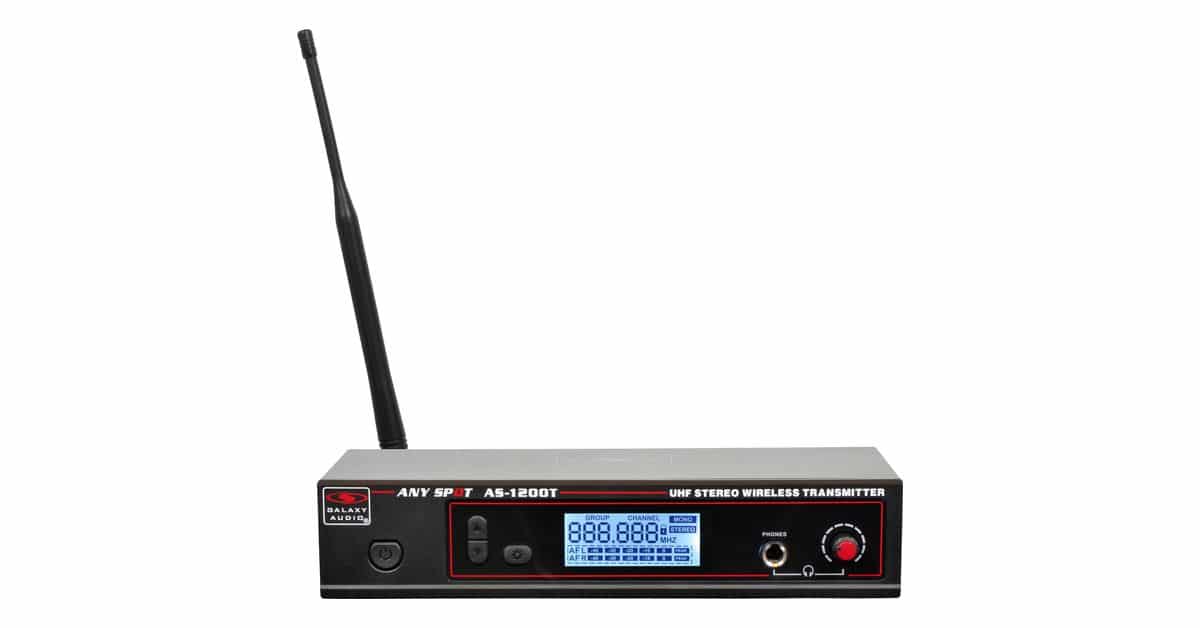
IEM Transmitter
Send a dedicated monitor mix to a performer without a trailing headphone cable.
Check: Check line-output level, mono/stereo routing, RF band and local frequency requirements.
1U · half-rack · 5 ports · ~$230
Patch Bay
Bring frequently used connections to an accessible patch point.
Check: Match the signal format and connector; document normalled or pass-through routing.
1U · 2 ports · ~$49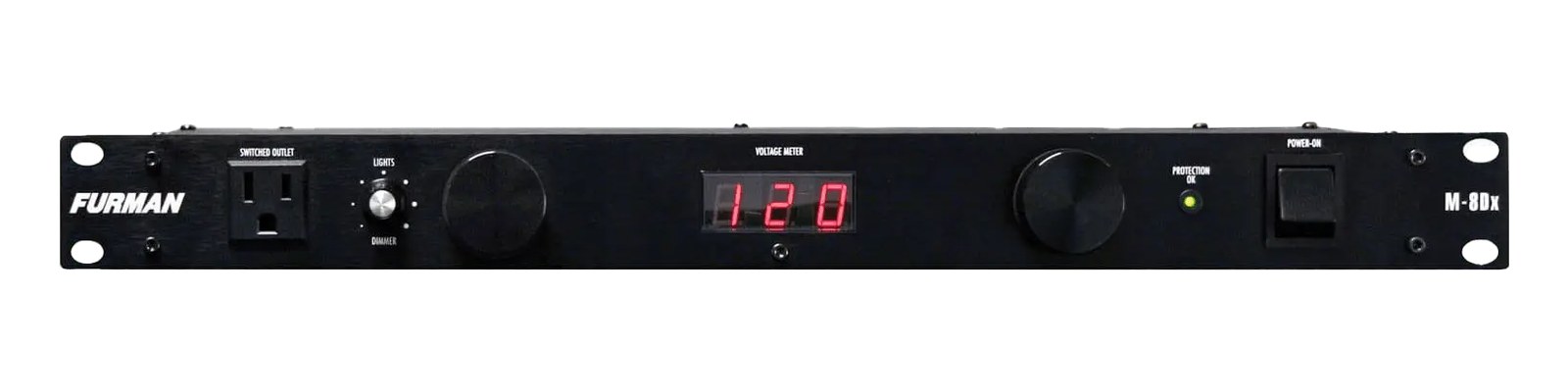
Power Conditioner
Organize power connections for the assembled rack.
Check: Check mains voltage, plug format, total load and the number of outlets.
1U · 10 ports · ~$149Planning guides for audio interface systems.
Workflow · 7 min
How to choose between a digital mixer, a Thunderbolt interface, and a Dante converter as the brain of your IEM rack — with concrete picks at each tier.
Workflow · 14 min
How to build a live-performance playback rig that runs click + backing tracks reliably — interface sizing, routing rules, software comparison, and what to do when the laptop crashes.
Workflow · 12 min
How to build a fail-safe live playback rig with primary + backup laptops, an auto-switching audio interface, and a failover workflow you can actually trust on a Sunday morning.
Workflow · 11 min
LTC vs MTC vs MIDI Clock, how to generate timecode from Ableton or Playback, how lighting and video receive it, and the frame-rate mistake that drifts every show.


