Computer

Apple Mac Studio (M4 Max)

Apple·Model Mac Studio M4 Max·mac-studio-rack

Photos

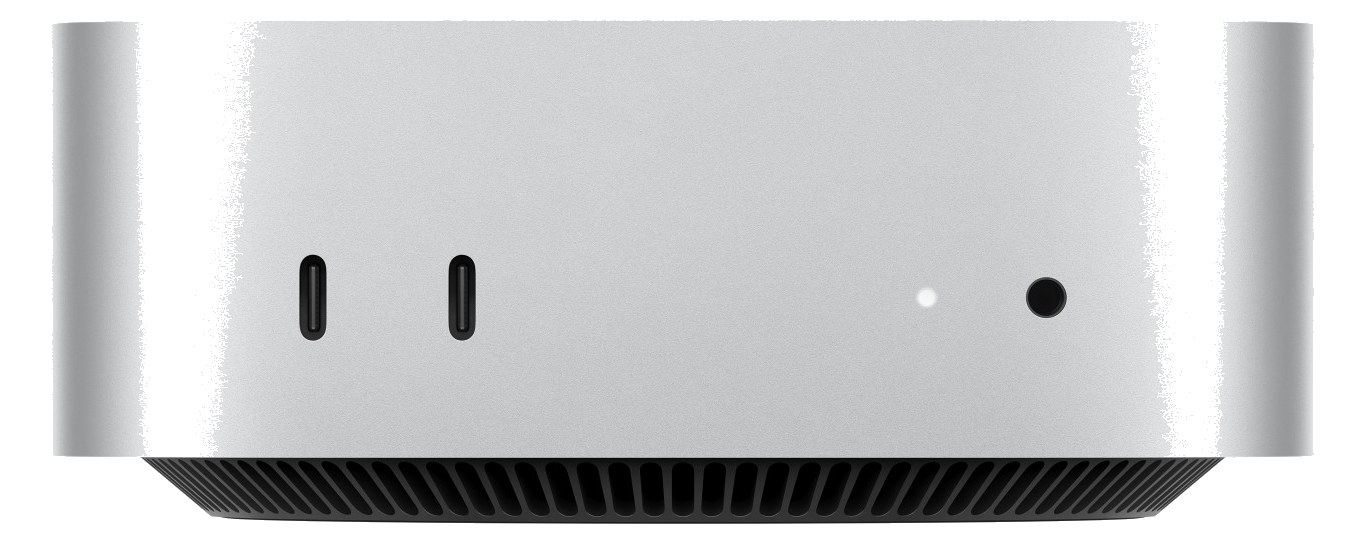
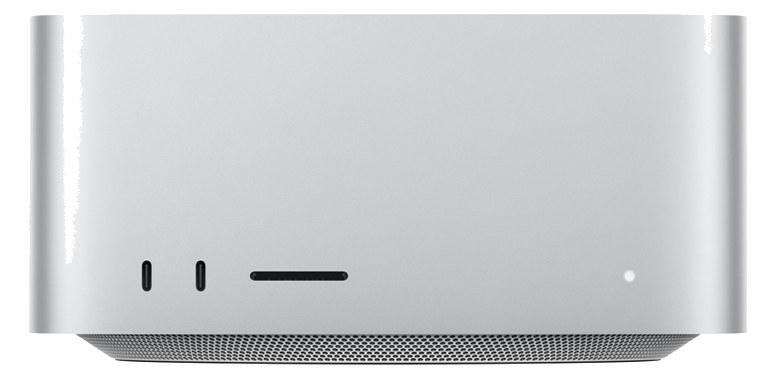
Manufacturer product photography — the drawn faceplate above stays true to panel layout; these show the hardware itself.

Photo: AppleClick to zoom

About the Apple Mac Studio M4 Max

The Mac Studio with Apple Silicon offers desktop-class performance in a compact form factor that fits on a 2U rack shelf, making it an excellent primary or backup playback computer for Ableton Live, MainStage, or Logic-based rigs. Multiple Thunderbolt ports let you connect high-end audio interfaces, and the M2 Max chip handles large session files with plenty of headroom. Its silent operation means no fan noise bleeding into nearby microphones on a quiet stage.

The Mac Studio M4 Max is the closest thing to a purpose-built playback computer that Apple has ever put in a box this small. It is not rack-mountable in the traditional sense — you need a 2U shelf — but once it is sitting in that shelf, it earns its place as the brain of an Ableton Live, MainStage, or Logic-based playback rig. Four Thunderbolt ports mean you can run a primary audio interface, a backup interface, a key-store dongle hub, and still have a port free for a second machine handoff drive, all without a hub daisy-chain holding your rig together with string.

At idle the M4 Max draws around 70 watts, peaking at 150 under full load — modest enough that a standard power conditioner slot handles it without drama. The fanless-in-practice operation at moderate loads matters more than the spec sheet suggests: on a quiet theatrical stage or during a sparse acoustic set, a spinning laptop fan can actually bleed into nearby condensers on an open monitor wedge. The 10Gb Ethernet port opens the door to Dante or AVB network audio routing without a dedicated interface if your workflow supports it. Depth is 300mm, which fits most standard rack bags, but measure your specific case before load-in.

This machine makes sense if you are running dense Ableton sets with heavy plugin loads, hosting MainStage with a large patch library, or acting as a show-critical playback source where a laptop's hinge and battery are genuine failure points. If your playback rig is a single stereo backing track and a click, you are buying a lot of headroom you will never use. If you are on Windows-based software or your interfaces lack Thunderbolt support, look elsewhere. And if budget is the constraint, the base M4 Mac Mini sits in the same shelf footprint for significantly less money and handles most moderate playback workloads without complaint.

In the rack

  • Secure the power cable with a Velcro tie-off to the shelf rail — the IEC socket sits at the rear and a kicked cable during changeover is a show-stopper with no graceful recovery.
  • Assign one Thunderbolt port exclusively to your primary audio interface and leave it labeled with colored tape; in a rushed changeover you do not want to be re-patching and restarting Core Audio to find the right port.
  • Use the 10Gb Ethernet port for a direct Ethernet connection to a backup Mac Studio or MacBook Pro and configure a session-sync workflow — having the session mirrored and ready to launch on a second machine is the best insurance policy this rig can have.
  • Position the unit toward the middle of the shelf rather than flush against the rack rail sides, and confirm airflow is not blocked by cable bundles — the M4 Max can throttle under sustained load in a sealed, poorly ventilated rack bag.

Requires 2U rack shelf. Primary or backup playback machine.

I/O Ports (9)

PortConnectorDirectionSignalChannels
Thunderbolt 1THUNDERBOLTbidirectionaldata
Thunderbolt 2THUNDERBOLTbidirectionaldata
Thunderbolt 3THUNDERBOLTbidirectionaldata
Thunderbolt 4THUNDERBOLTbidirectionaldata
USB-A 1USB Abidirectionaldata
USB-A 2USB Abidirectionaldata
HDMIHDMIoutputvideo
Ethernet (10Gb)RJ45bidirectionaldata
Power
  • Power (IEC) (IEC C14)

Deciding between two?

Rack space, watts, weight and every connector, side by side.

Related gear

Community rigs using this gear (3)

Browse all rigs →

Related articles

Guides from our library that cover planning around computer gear.