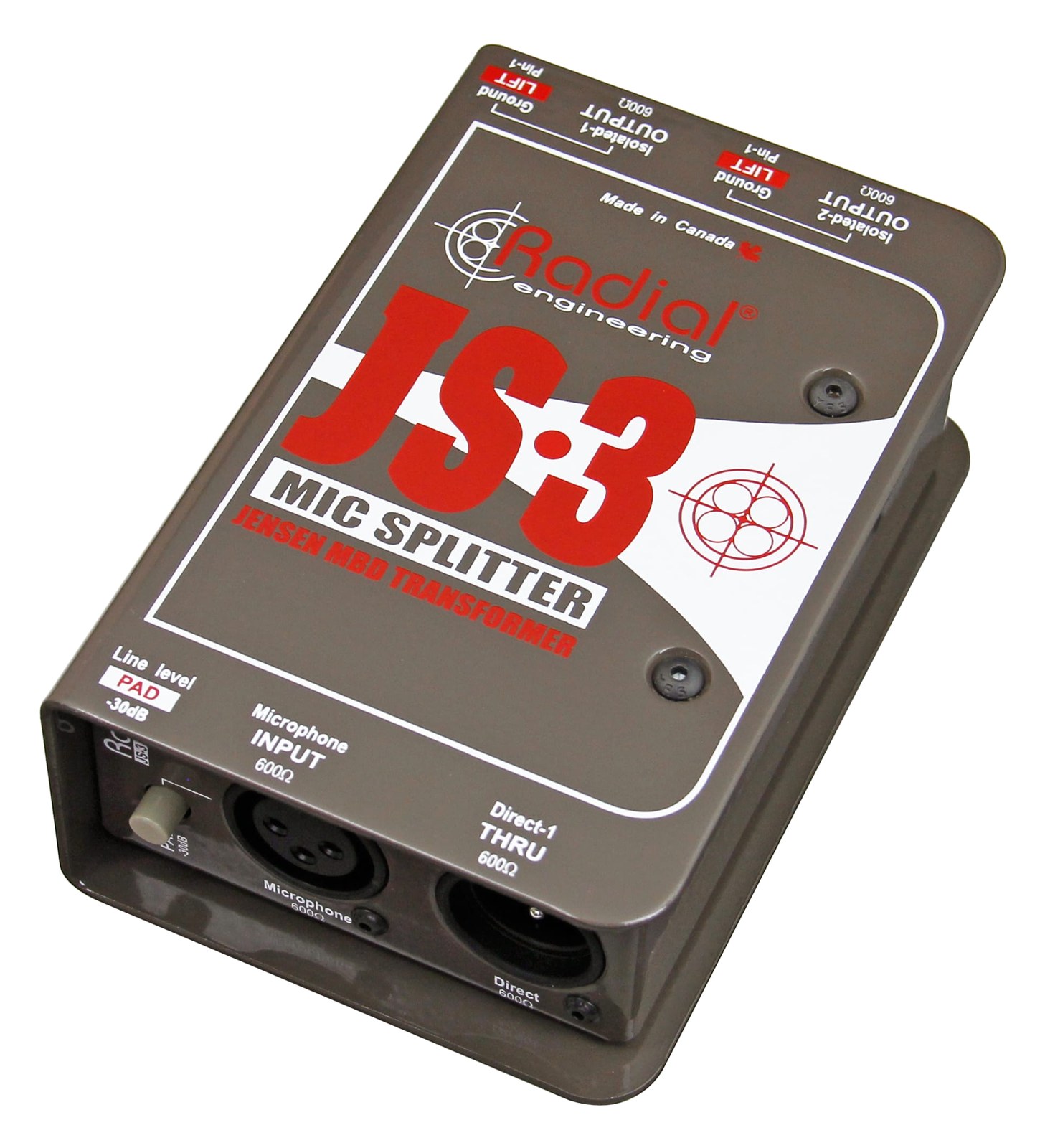
Splitter

Radial JS3 Splitter

The Radial JS3 is a premium single-channel mic splitter with Jensen transformer isolation that cleanly splits one microphone signal to three destinations without ground loops or signal degradation. Use it to feed a mic signal simultaneously to FOH, monitors, and a recording rig. The passive design with transformer isolation is the gold standard for preventing hum and buzz between separate audio systems.

Compare

Photos

Manufacturer product photography showing the hardware, controls, and physical form.

Photo: Radial Engineering1 / 2
Documented outputs
33 destination connections
Documented inputs
1Based on documented inputs
Rack space
Outside rackPlan a shelf, tray, or stage position
Power draw
UnverifiedPower requirement is not verified in the catalog
Catalog estimate
~$299Use retailer rows for current price and stock

01 · What it does—and what that changes in your rig.

Product overview

Start with the payoff, then work through how it functions, where it fits, and the details that change a real build.

The payoff

Splitter decisions, organized around the whole rig.

The JS3 is a single-channel passive mic splitter that takes one microphone input and feeds it cleanly to three destinations simultaneously — one direct output and two transformer-isolated outputs. In a live rig that requires a single source to reach FOH, a monitor console, and a recording or broadcast feed at the same time, this is exactly the device that sits in the chain and keeps those three worlds from interfering with each other. The Jensen transformers doing the isolation work are widely regarded as the benchmark for this application, which is why the JS3 appears on professional touring rigs rather than just budget builds.

Documented outputs
33 destination connections
Documented inputs
1Based on documented inputs
Rack space
Outside rackPlan a shelf, tray, or stage position
Radial JS3 Splitter — additional view
Photo: Radial EngineeringOutside rack · Unverified
Function

How it works in the path

Passive operation means zero power draw and no wall-wart to forget — that matters at load-in when you're tracing a ground hum at 30 minutes to doors. The Jensen-isolated outputs break the ground path between consoles, which is where hum and buzz between separate systems almost always originates. The direct output passes the signal without isolation and should go to whichever console holds phantom power for the mic; the isolated outputs can accept phantom from their respective consoles independently without conflict. At 1.5 kg and 150 mm deep, it's compact enough to surface-mount or fit in a shallow utility drawer, though it is rackmountable despite having no rack-unit height of its own.
Best fit

Where it earns its place in the system

If you're splitting a single mic to two or more consoles on the same show — any combination of FOH, monitors, and recording — the JS3 earns its place immediately. Where it doesn't make sense is if you need to split multiple channels: one JS3 per channel adds up fast in cost and space, and a purpose-built multi-channel split snake will be a more practical answer once you're past two or three sources. It's also overkill if all destinations are on a single console or a single gain-sharing digital network where splitting is handled internally.

In the rack

Details worth deciding before load-in.

  • Always send the direct (non-isolated) output to the console that supplies phantom power for the mic — this keeps the phantom path clean and unbroken.
  • Label which output goes where with colored heat-shrink or flagging tape on the XLR connectors before the gig; under stage lighting, all three outputs look identical.
  • If a downstream console is also sending phantom on an isolated output, verify the JS3's Jensen transformers block it from reaching the other consoles — they do, but it's worth confirming with a quick continuity check the first time you use an unfamiliar rental unit.
  • Surface-mount or velcro the JS3 near the mic's first point of entry into the rack system rather than burying it mid-rack — shorter cable runs to the split point reduce the opportunity for noise pickup before isolation happens.

02 · Know the whole path before you buy.

Signal path

Learn the route as a block diagram: source, product function, transport, and destination. Select any block to see what enters, what changes, and what leaves.

Interactive block diagramAuto-looping · hover, focus, or tap to hold a stage
Port-type signalProduct functionSystem boundary
Follow one signal from source to destination

Each block answers the same three questions: what arrives, what changes here, and what leaves.

01 · Source · selected
01 · Source

1 documented input

XLR female

Arrives as
1 documented input
Connector
XLR female
Signal
analog audio

03 · What this product asks of the rest of the system.

Compatibility

Treat connector names as the start of the check—not the answer. These are the boundaries that determine a complete working path.

Best fit · Splitter

Use it as splitter tracked outside rack rails; follow the manufacturer’s mounting and form-factor guidance.

Plan the companion path

Complete the path with upstream and downstream gear that matches connector, direction, signal type, protocol, and wiring standard.

Connector boundary

Documented connectors: XLR female, XLR male. Match connector, direction, and signal type—not shape alone.

04 · Every connector, grouped by job.

I/O ports

Switch the product view and the documented port inventory updates with it—hardware and data stay side by side.

Every connector, grouped by job.

Switch panels to keep the hardware view and the documented port list in sync.

Front panel
front connector map for Radial JS3 SplitterEXTERNAL UNIT · FRONTNo documented front ports
Rear panel
rear connector map for Radial JS3 SplitterEXTERNAL UNIT · REARXLR femaleinputXLR maleoutputXLR maleoutputXLR maleoutput
All documented ports for Radial JS3 Splitter
PortPanelConnectorDirectionSignalChannels
Input (XLR)rearXLR female inputanalog audio—
Direct Out (XLR)rearXLR male outputanalog audio—
Isolated Out 1 (XLR)rearXLR male outputanalog audio—
Isolated Out 2 (XLR)rearXLR male outputanalog audio—

Showing 4 of 4 documented physical ports.

05 · Compare the decision, not just the price.

Alternatives

The rows are organized around fit, power, I/O, and system role so a cheaper unit cannot hide a more expensive workflow.

Compare
Radial JS3 Splitter
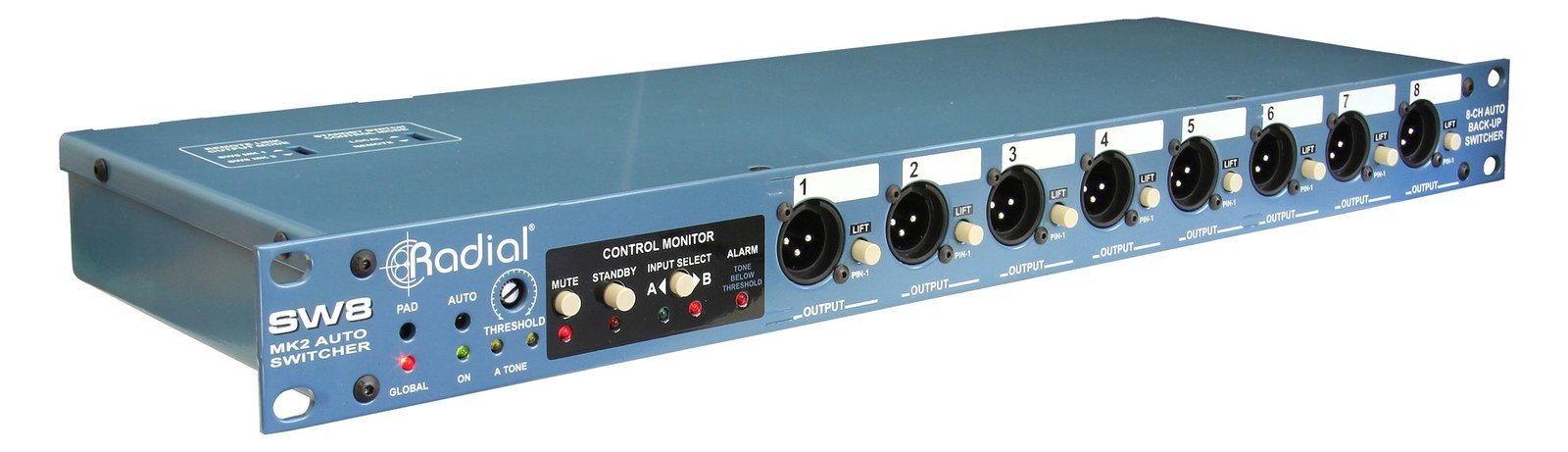
Radial SW8 Auto-Switcher
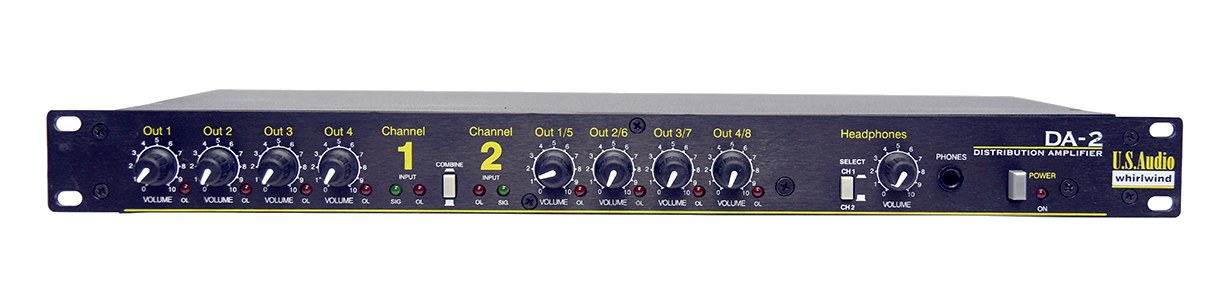
Whirlwind DA-2 Distribution Amp
Fit📐 Outside rack📐 1U📐 1U📐 1U
Power⚡ Unverified⚡ 0W⚡ 15W⚡ 10W
Weight⚖️ 3.3 lb⚖️ 4.0 lb⚖️ 4.4 lb⚖️ 3.1 lb
I/O🔌 4🔌 24🔌 13🔌 7
Estimate💵 ~$299💵 ~$249💵 ~$1,400💵 ~$349
Deep diveCurrent selectionFull comparison →Full comparison →Full comparison →

06 · Resolve the questions that can change the purchase or build plan.

Planning questions

Short, source-backed answers surface rack fit, power, cabling, and connection details before they become surprises.

Where does the Radial JS3 Splitter live in a complete rig?

The catalog assigns it no rack units. Builder tracks it as non-rack gear; follow the manufacturer’s mounting, case, and form-factor guidance.

How much power does the Radial JS3 Splitter draw?

Its power requirement is not yet verified in the catalog.

What connections does the Radial JS3 Splitter have?

4 documented physical ports, including Input (XLR), Direct Out (XLR), Isolated Out 1 (XLR), Isolated Out 2 (XLR).

07 · See this gear inside a complete system plan.

Builder preview

Builder keeps non-rack gear in the same bill of materials, budget, dependency, and connection plan as the rack-mounted system around it.Open in Builder
JS3 Splitter tracked in a complete system planA simplified plan shows the gear tracked outside rack rails, with its documented connection path continuing to a planned destination.Tracked outside rack railsRadialJS3CONNECTED GEARnext signal destinationExternal system gear · no rack units assigned

08 · Related gear, in the order you may need it.

Planning guides for splitter systems.