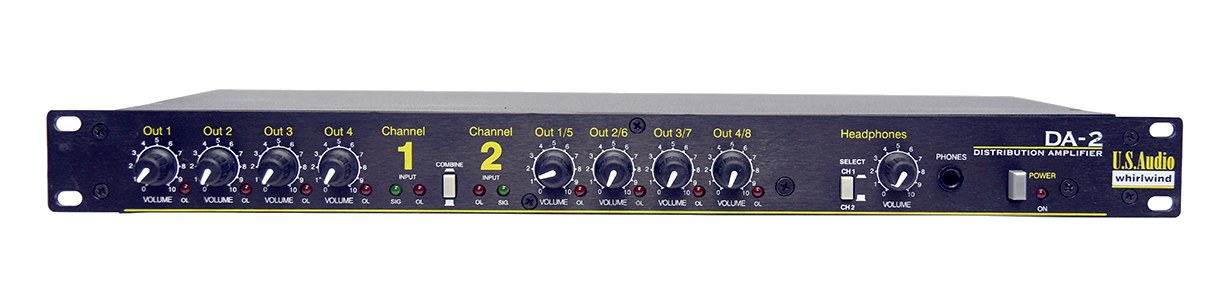
The Whirlwind DA-2 is a simple, reliable audio distribution amplifier for splitting or combining balanced audio signals. Use it to take a single stereo output from your playback rig and distribute it to multiple destinations, or to sum two sources into one feed. Its straightforward design and rugged build make it a dependable utility piece in any rack.
~$349Use retailer rows for current price and stock
01 · What it does—and what that changes in your rig.
Product overview
Start with the payoff, then work through how it functions, where it fits, and the details that change a real build.
The payoff
Splitter decisions, organized around the whole rig.
The Whirlwind DA-2 is a utility piece that solves a problem every playback and IEMIn-Ear Monitor — earpieces that replace floor wedges, feeding each player their own mix. The reason this whole rack exists. rig eventually runs into: you have one signal and more than one place it needs to go, or two sources that need to land on one feed. In a 1UThe standard slice of rack height: 1U = 1.75″. A 3U box takes three slices; half-rack gear pairs two units side by side in one. full-rack footprint, it gives you two independent inputs and four outputs, and can operate as a distribution amp — one source split to multiple destinations — or as a summing device combining two inputs. Whirlwind built their reputation on exactly this kind of unglamorous, reliable signal-routing hardware, and the DA-2 fits squarely in that tradition.
Documented outputs
44 destination connections
Documented inputs
3Based on documented inputs
Rack space
1UBuilder checks available rail space
Whirlwind product panel1U · 10W
Function
How it works in the path
At 180mm deep and 1.4kg, this thing disappears into a rack without drama. The 10W nominal draw means it's barely a rounding error on your power budget, and the IECThe standard three-prong appliance power inlet on rack gear — the kettle lead. C13/C14 in spec-sheet speak. inlet keeps it compatible with any standard conditioner or PDU. What matters practically is the active distribution: because it's buffered rather than a passive split, each output sees a proper driven signal rather than a divided one, so you're not chasing level loss or impedanceOpposition to signal flow, in ohms. Low-impedance IEMs are easier to drive loud; mismatches shift level and tone. mismatches when you're running feeds to a click console, a broadcast hop, and a monitor desk simultaneously. That's the real reason to choose active over a passive spider at load-in.
Best fit
Where it earns its place in the rack
This is the right call for a playback engineer who needs to distribute stereo or mono feeds to two or more destinations without sacrificing headroomThe margin between your normal level and where things clip — headroom is what absorbs the snare hit you didn’t see coming. or fighting ground issues, or for anyone who wants a clean active buffer between a delicate source and a long cable run to FOHFront Of House — the main mix the audience hears, and the console position out in the room where it gets mixed.. It is not a multi-channel solution — two inputs and four outputs is the whole story, so if you're distributing six stemsSub-mixes of a session grouped by instrument (drums, keys, vocals) — how playback rigs run tracks with live control over each group. independently you'll need multiple units or a different tool entirely. At $349 it's priced like the workhorse it is, not a feature-laden router, and you should budget and plan accordingly.
In the rack
Details worth deciding before load-in.
If you're summing two sources into a combined feed, check your levels carefully before the show — the DA-2 will add those signals together, and mismatched gainsHow much the preamp amplifies the incoming signal. Too low and you’re hunting through hiss; too high and peaks clip. between Input 1 and Input 2 will show up immediately in the mix.
Keep it away from the bottom of the rack if your cable runs are long; positioning it closer to the patch bayA panel of front-facing jacks wired to everything behind it — re-route any signal with a short cable instead of climbing behind the rack. reduces the length of internal snakeA multicore cable bundling many channels into one stage-to-console run. A sub-snake collects one corner of the stage into a drop box. needed to reach all four outputs and cuts down on cable management headaches at load-in.
Label each output on the rear panel with a piece of colored gaff and a paint pen before the tour starts — in a dark stage right wing at changeover, knowing at a glance which XLRThe standard 3-pin locking connector for mics and balanced line signals — pin 1 is the shield, pins 2 and 3 carry the balanced pair. feeds the broadcast split versus the IEMIn-Ear Monitor — earpieces that replace floor wedges, feeding each player their own mix. The reason this whole rack exists. system saves real time.
Because the outputs are active and buffered, you can run this directly into a long stage snakeA multicore cable bundling many channels into one stage-to-console run. A sub-snake collects one corner of the stage into a drop box. without a separate line driver — useful when your console or playback source doesn't have enough output headroomThe margin between your normal level and where things clip — headroom is what absorbs the snare hit you didn’t see coming. to push a 50-foot run cleanly on its own.
02 · Know the whole path before you buy.
Signal path
Learn the route as a block diagram: source, product function, transport, and destination. Select any block to see what enters, what changes, and what leaves.
Interactive block diagramAuto-looping · hover, focus, or tap to hold a stage
Port-type signalProduct functionSystem boundary
Follow one signal from source to destination
Each block answers the same three questions: what arrives, what changes here, and what leaves.
01 · Source · selected
XLR female + IEC C14
XLR male
01 · Source
3 documented inputs
XLR female + IEC C14
Arrives as
3 documented inputs
Connector
XLR female + IEC C14
Signal
analog audio
03 · What this product asks of the rest of the system.
Compatibility
Treat connector names as the start of the check—not the answer. These are the boundaries that determine a complete working path.
Best fit · Splitter
Use it when 1U and 180 mm of depth fit the case.
Plan the companion path
Complete the path with upstream and downstream gear that matches connector, direction, signal type, protocol, and wiring standard.
Connector boundary
Documented connectors: XLR female, XLR male, IEC C14. Match connector, direction, and signal type—not shape alone.
04 · Every connector, grouped by job.
I/O ports
Switch the product view and the documented port inventory updates with it—hardware and data stay side by side.
Every connector, grouped by job.
Switch panels to keep the hardware view and the documented port list in sync.
Front panelRear panel
All documented ports for Whirlwind DA-2 Distribution Amp
Port
Panel
Connector
Direction
Signal
Channels
Input 1 (XLR)
rear
XLR female
input
analog audio
—
Input 2 (XLR)
rear
XLR female
input
analog audio
—
Output 1 (XLR)
rear
XLR male
output
analog audio
—
Output 2 (XLR)
rear
XLR male
output
analog audio
—
Output 3 (XLR)
rear
XLR male
output
analog audio
—
Output 4 (XLR)
rear
XLR male
output
analog audio
—
Power (IEC)
rear
IEC C14
input
power
—
Showing 7 of 7 documented physical ports.
05 · Compare the decision, not just the price.
Alternatives
The rows are organized around fit, power, I/O, and system role so a cheaper unit cannot hide a more expensive workflow.
DA-2The Whirlwind DA-2 is a simple, reliable audio distribution amplifier for splitting or combining balanced audio signals. Use it to take a single stereo output from your playback rig and distribute it to multiple destinations, or to sum two sources into one feed. Its straightforward design and rugged build make it a dependable utility piece in any rack.View gear →
S8-3WAYThe ART S8-3WAY splits eight mic channels three ways in one rack space: a direct output plus two transformer-isolated feeds per channel, with ground lifts on the isolated banks. It is the affordable answer when FOH, monitors, and a recording rig all need the same eight inputs. Users searched for it by its full product name before this add — high-intent demand fulfilled.View gear →
S8The ART S8 gives you eight passive Y-splits in a single rack space. Without transformer isolation it does NOT prevent ground loops between the two outputs, so it is best used when both destinations share a common ground (e.g. a stage rack feeding a monitor mixer + a recording rig on the same console). For broadcast or FOH-vs-monitors splits, choose a transformer-isolated splitter instead.View gear →
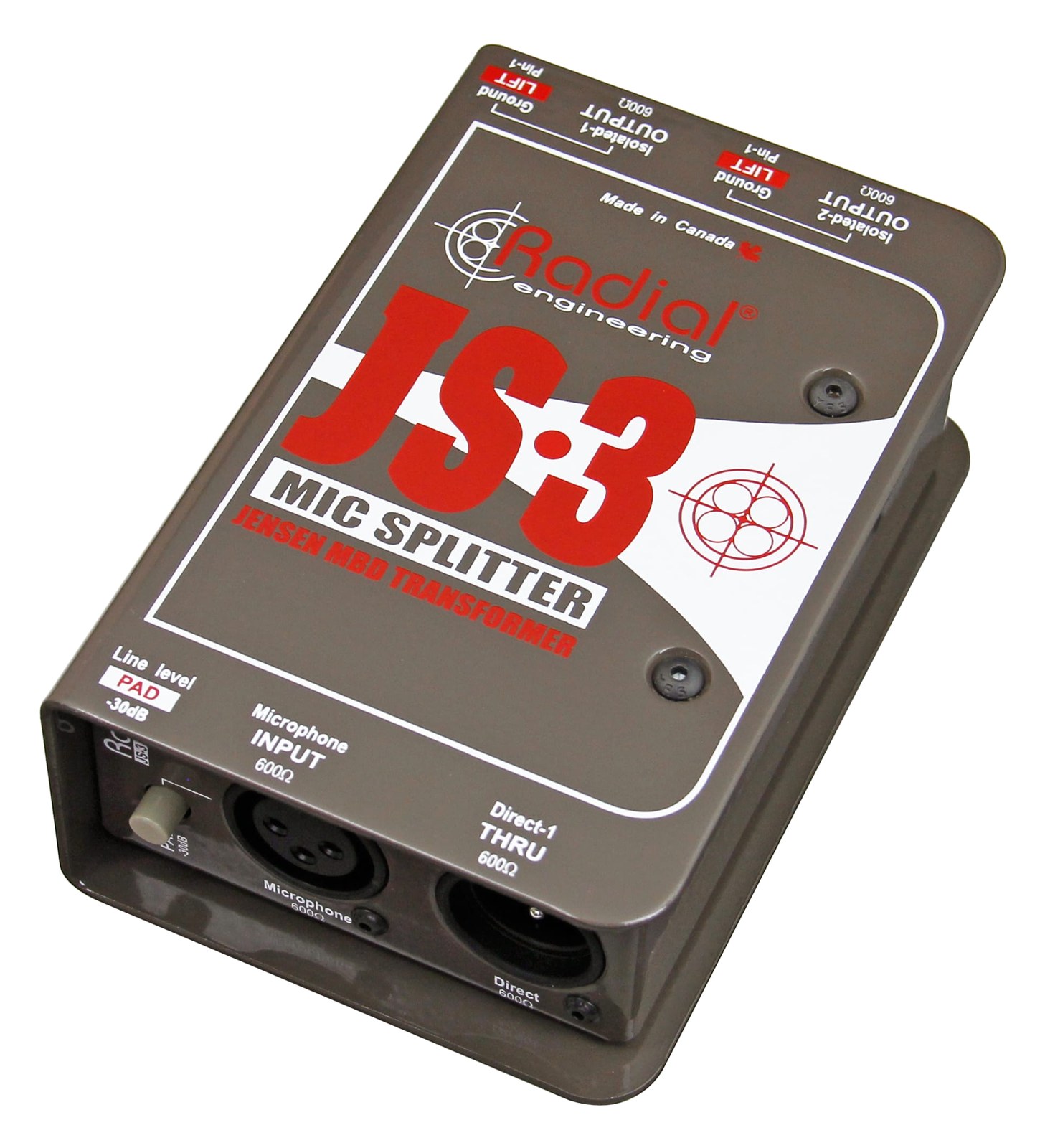
JS3The Radial JS3 is a premium single-channel mic splitter with Jensen transformer isolation that cleanly splits one microphone signal to three destinations without ground loops or signal degradation. Use it to feed a mic signal simultaneously to FOH, monitors, and a recording rig. The passive design with transformer isolation is the gold standard for preventing hum and buzz between separate audio systems.View gear →
Placement is only the start. Builder checks space · depth · weight, power headroom, dependencies, and compatible signal paths around this exact catalog item.Open in Builder