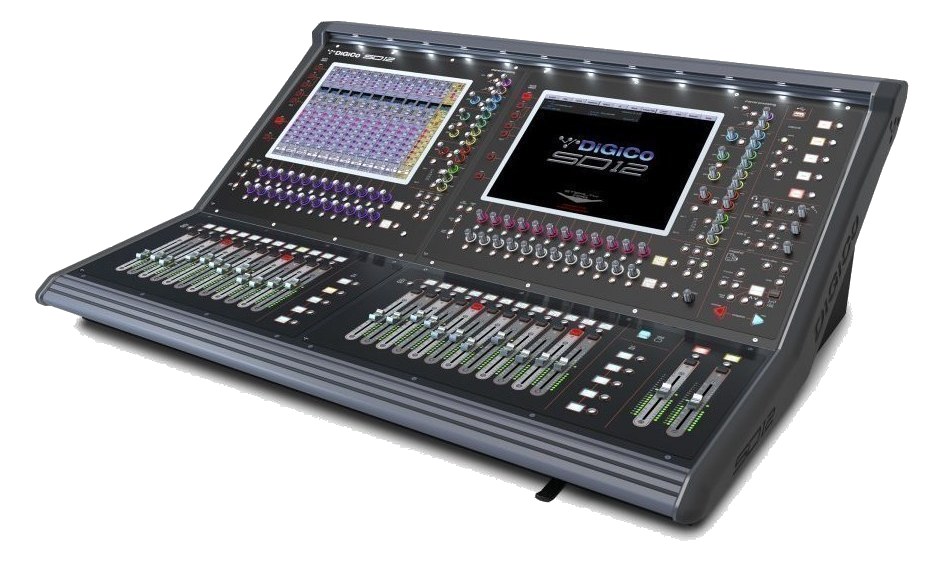
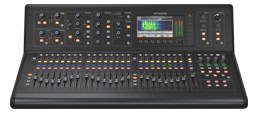
The DiGiCo SD12 is the working-class flagship in DiGiCo's SD line — 72 inputs, 36 outputs, dual 17" touchscreens, and the Stealth Digital Processing engine that defined DiGiCo's sound on theater and touring rigs through the 2010s. Two MADI ports (BNC) plus a copper-MADI option card slot let it interface with DiGiCo SD-Racks, Klang IM, and pretty much any pro digital ecosystem. Sits below the Quantum range but above the SD9 / S-series in capability.
~$36,000Use retailer rows for current price and stock
01 · What it does—and what that changes in your rig.
Product overview
Start with the payoff, then work through how it functions, where it fits, and the details that change a real build.
The payoff
Digital Mixer decisions, organized around the whole rig.
The SD12 is DiGiCo's answer to the mid-size touring and theater console that actually has to do everything: front-of-houseFront Of House — the main mix the audience hears, and the console position out in the room where it gets mixed., monitors, broadcast splits, and stem feeds to a playback rig, often simultaneously. It runs DiGiCo's Stealth Digital Processing engine — the same core that powered the SD7 and SD5 on arena tours — inside a 72-input, 36-output frame with dual 17-inch touchscreens. It is not a rack unitThe standard slice of rack height: 1U = 1.75″. A 3U box takes three slices; half-rack gear pairs two units side by side in one. and it is not a stageboxThe I/O endpoint on stage: mics plug in there and one digital line (AES50, Dante) carries everything to the console. The snake, digitized.; it is a full console that sits at the center of a rig and expects everything else to orbit around it.
Documented outputs
1313 destination connections
Required cable runs
2madi bnc
Rack space
Outside rackPlan a shelf, tray, or stage position
DiGiCo product panelOutside rack · 200W
Function
How it works in the path
The connectivity picture is what makes the SD12 practical at load-in. Four local XLRThe standard 3-pin locking connector for mics and balanced line signals — pin 1 is the shield, pins 2 and 3 carry the balanced pair. inputs handle talkbackThe engineer’s mic into the performers’ ears or monitors — talk to the band without leaving the console., commsProduction intercom — the wired or wireless party line connecting FOH, monitors, stage managers, and lighting during a show., or a quick local source without unwrapping a stageboxThe I/O endpoint on stage: mics plug in there and one digital line (AES50, Dante) carries everything to the console. The snake, digitized., and the eight local XLR outputs give you direct analog feeds for in-ear transmitters, broadcast hops, or a confidence wedgeA floor monitor speaker angled up at the performer — the thing IEMs replace, and the thing you fall back on when they die. without touching MADIA pro digital format carrying 64 channels on one coax or optical cable. Point-to-point — one sender, one receiver, no network required.. The dual BNCThe twist-lock coax connector used for word clock and antenna runs — it locks, so it can’t be pulled out mid-show. MADI ports — A and B — run redundantA second copy of anything critical — supply, computer, network path — already running so one failure can’t stop the show. simultaneously, so a cable fault mid-show doesn't end the gig. An option card slot adds a third MADI path, which is where Klang, a multitrack recorder, or a second SD-Rack typically lives. Dual IECThe standard three-prong appliance power inlet on rack gear — the kettle lead. C13/C14 in spec-sheet speak. power inputs mean you can feed A and B feeds from separate distroOne pair of antennas feeding many receivers through an amplified splitter — replaces the forest of whips and keeps RF levels consistent. legs. Normal draw sits at 200 W, with a 280 W peak — plan your distro accordingly, but it's not a heavy hitter by console standards.
Best fit
Where it earns its place in the system
If you're running an IEMIn-Ear Monitor — earpieces that replace floor wedges, feeding each player their own mix. The reason this whole rack exists. rig or a monitor worldThe side-stage domain of the monitor engineer — console, IEM racks, and everything feeding the band’s ears instead of the audience. that needs real DSPDigital Signal Processing — the number-crunching that does EQ, compression, and effects inside a box. More DSP means more processing at once.headroomThe margin between your normal level and where things clip — headroom is what absorbs the snare hit you didn’t see coming., flexible bussing, and a direct DiGiCo ecosystem path to an SD-Rack or Klang unit, the SD12 earns its place. If your show fits cleanly inside a smaller I/O count and you don't need the second screen or the full SD processing architecture, a DiGiCo SD9 or Quantum 225 might serve you better at a lower cost and weight. The 28.5 kg body and 720 mm depth also mean this is a flightcase and dedicated stage position conversation, not a grab-and-go scenario. Engineers who already live in DiGiCo show files will be at home immediately; everyone else should budget time on the workflow before day one of production.
In the rack
Details worth deciding before load-in.
Run MADIA pro digital format carrying 64 channels on one coax or optical cable. Point-to-point — one sender, one receiver, no network required. A and MADI B on physically separate BNCThe twist-lock coax connector used for word clock and antenna runs — it locks, so it can’t be pulled out mid-show. paths to the stageboxThe I/O endpoint on stage: mics plug in there and one digital line (AES50, Dante) carries everything to the console. The snake, digitized. — different cable runs if possible — so a single point of damage doesn't take both redundantA second copy of anything critical — supply, computer, network path — already running so one failure can’t stop the show. feeds at once.
Plug Power A and Power B into separate distroOne pair of antennas feeding many receivers through an amplified splitter — replaces the forest of whips and keeps RF levels consistent. legs or separate circuits; the dual IECThe standard three-prong appliance power inlet on rack gear — the kettle lead. C13/C14 in spec-sheet speak. inputs only buy you protection if the two feeds are genuinely independent upstream.
Use the four local XLRThe standard 3-pin locking connector for mics and balanced line signals — pin 1 is the shield, pins 2 and 3 carry the balanced pair. inputs for talkbackThe engineer’s mic into the performers’ ears or monitors — talk to the band without leaving the console. mic and commsProduction intercom — the wired or wireless party line connecting FOH, monitors, stage managers, and lighting during a show. return so those signals never compete for MADIA pro digital format carrying 64 channels on one coax or optical cable. Point-to-point — one sender, one receiver, no network required. channel count or stageboxThe I/O endpoint on stage: mics plug in there and one digital line (AES50, Dante) carries everything to the console. The snake, digitized. bandwidth during soundcheck.
Save your show file to USB at the end of every day and keep a second USB stick as a venue spare — the SD12's USB port reads standard drives, and a copied show file has saved more than one load-in when a network sync failed.
02 · Know the whole path before you buy.
Signal path
Learn the route as a block diagram: source, product function, transport, and destination. Select any block to see what enters, what changes, and what leaves.
Interactive block diagramAuto-looping · hover, focus, or tap to hold a stage
Port-type signalProduct functionSystem boundary
Follow one signal from source to destination
Each block answers the same three questions: what arrives, what changes here, and what leaves.
01 · Source · selected
XLR female + madi bnc
madi bnc + RJ45
XLR male + madi bnc
01 · Source
10 documented inputs
XLR female + madi bnc
Arrives as
10 documented inputs
Connector
XLR female + madi bnc
Signal
analog audio
03 · What this product asks of the rest of the system.
Compatibility
Treat connector names as the start of the check—not the answer. These are the boundaries that determine a complete working path.
Best fit · Digital Mixer
Use it as digital mixer tracked outside rack rails; follow the manufacturer’s mounting and form-factor guidance.
Plan the companion path
Complete the path with upstream and downstream gear that matches connector, direction, signal type, protocol, and wiring standard.
Protocol boundary
This product declares MADI; matching plugs alone do not make other protocols compatible.
04 · Every connector, grouped by job.
I/O ports
Switch the product view and the documented port inventory updates with it—hardware and data stay side by side.
Every connector, grouped by job.
Switch panels to keep the hardware view and the documented port list in sync.
Front panelRear panel
All documented ports for DiGiCo SD12
Port
Panel
Connector
Direction
Signal
Channels
Local Mic In 1 (XLR)
rear
XLR female
input
analog audio
—
Local Mic In 2 (XLR)
rear
XLR female
input
analog audio
—
Local Mic In 3 (XLR)
rear
XLR female
input
analog audio
—
Local Mic In 4 (XLR)
rear
XLR female
input
analog audio
—
Local Out 1
rear
XLR male
output
analog audio
—
Local Out 2
rear
XLR male
output
analog audio
—
Local Out 3
rear
XLR male
output
analog audio
—
Local Out 4
rear
XLR male
output
analog audio
—
Local Out 5
rear
XLR male
output
analog audio
—
Local Out 6
rear
XLR male
output
analog audio
—
Local Out 7
rear
XLR male
output
analog audio
—
Local Out 8
rear
XLR male
output
analog audio
—
MADI A In (BNC)
rear
madi bnc
input
digital audio
64
MADI A Out (BNC)
rear
madi bnc
output
digital audio
64
MADI B In (BNC) [redundant]
rear
madi bnc
input
digital audio
64
MADI B Out (BNC) [redundant]
rear
madi bnc
output
digital audio
64
Optical / Copper MADI Option Slot
rear
madi bnc
bidirectional
digital audio
64
AES In 1-4 (DB25)
rear
db25
input
digital audio
8
AES Out 1-4 (DB25)
rear
db25
output
digital audio
8
Word Clock In (BNC)
rear
bnc
input
digital audio
—
Word Clock Out (BNC)
rear
bnc
output
digital audio
—
Network (RJ45)
rear
RJ45
bidirectional
data
—
USB (show file storage)
rear
usb a
bidirectional
data
—
Headphones (1/4")
rear
¼-inch TRS
output
analog audio
—
Power A (IEC)
rear
IEC C14
input
power
—
Power B (IEC) [redundant]
rear
IEC C14
input
power
—
Showing 26 of 26 documented physical ports. Scroll to review the remaining rows.
05 · Compare the decision, not just the price.
Alternatives
The rows are organized around fit, power, I/O, and system role so a cheaper unit cannot hide a more expensive workflow.
SD12The DiGiCo SD12 is the working-class flagship in DiGiCo's SD line — 72 inputs, 36 outputs, dual 17" touchscreens, and the Stealth Digital Processing engine that defined DiGiCo's sound on theater and touring rigs through the 2010s. Two MADI ports (BNC) plus a copper-MADI option card slot let it interface with DiGiCo SD-Racks, Klang IM, and pretty much any pro digital ecosystem. Sits below the Quantum range but above the SD9 / S-series in capability.View gear →
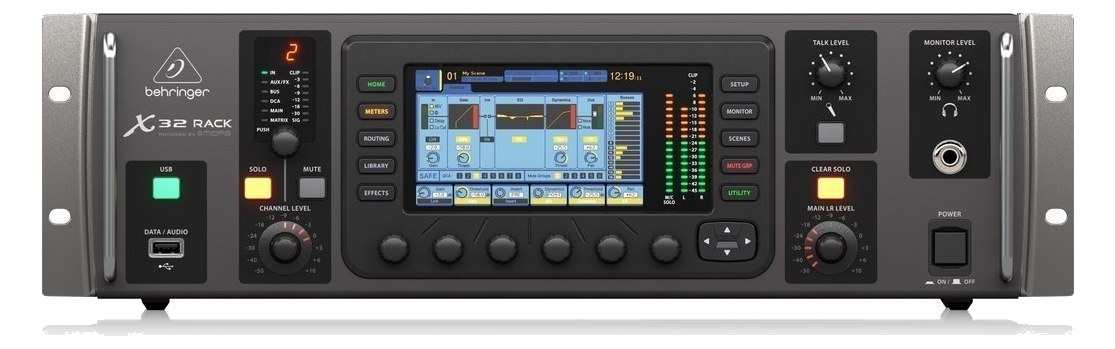
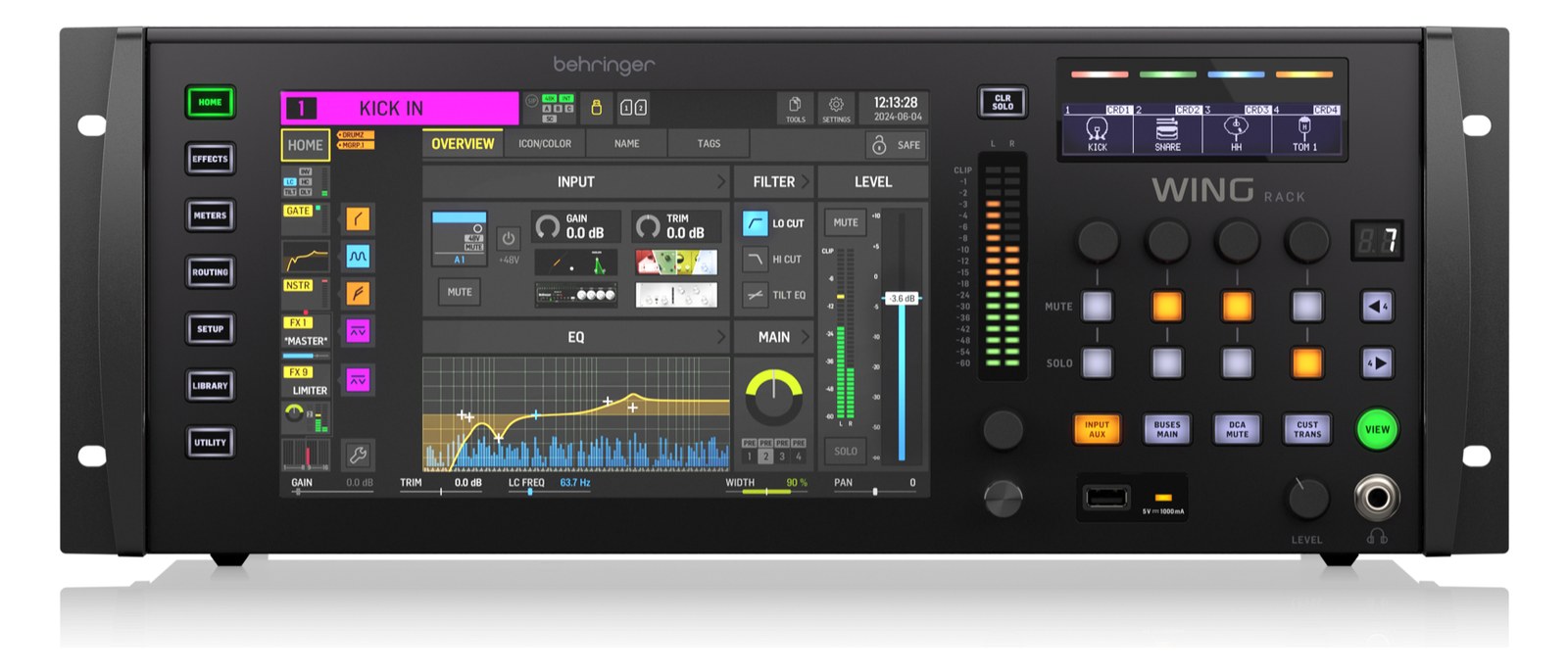
X32 RackThe Behringer X32 Rack packs a full-featured 40-input digital mixer into a 3U rack-mount form factor, making it a popular choice for IEM mixing and playback rigs on a budget. It can serve as both a monitor mixer and a USB audio interface simultaneously, and optional expansion cards add Dante networking or additional digital I/O. The deep bus structure with 25 mix buses means you can create individual IEM mixes for a full band without running out of routing options.View gear →
X32The full-size Behringer X32 brings 32 Midas-designed mic preamps and 16 XLR outputs onto the console itself, eliminating the need for a stage box on small-to-mid stages. Two AES50 ports still let you hang DL or S-series stage boxes when the rig grows. The 25-bus engine delivers a healthy supply of independent IEM mixes, and Ultranet runs to P-16 personal mixers off a single Cat5 to the stage. A long-running workhorse of monitor world for budget-conscious productions.View gear →
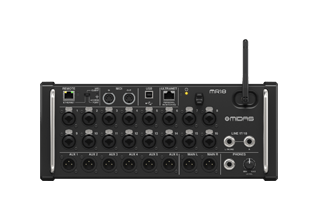
M32R LiveThe Midas M32R Live is the rack-mountable, 16-fader sibling of the flagship M32 console. It brings 16 fully-featured Midas mic preamps, a 40-input mix engine, and two AES50 ports that let you hang Midas DL-series or Behringer S-series stage boxes off a single shielded Cat5e per link — up to 48 channels over one cable. If the rig has a DL16/DL32 or S16/S32 at the stage, the AES50 trunk is the connection back to this console; local XLR inputs on the console itself are reserved for last-minute stage-side patches.View gear →
06 · Resolve the questions that can change the purchase or build plan.
Planning questions
Short, source-backed answers surface rack fit, power, cabling, and connection details before they become surprises.
Where does the DiGiCo SD12 live in a complete rig?
The catalog assigns it no rack units. Builder tracks it as non-rack gear; follow the manufacturer’s mounting, case, and form-factor guidance.
How much power does the DiGiCo SD12 draw?
Typical draw is 200W and documented maximum draw is 280W.
What connections does the DiGiCo SD12 have?
26 documented physical ports, including Local Mic In 1 (XLR), Local Mic In 2 (XLR), Local Mic In 3 (XLR), Local Mic In 4 (XLR), Local Out 1, Local Out 2.
07 · See this gear inside a complete system plan.
Builder preview
Builder keeps non-rack gear in the same bill of materials, budget, dependency, and connection plan as the rack-mounted system around it.Open in Builder