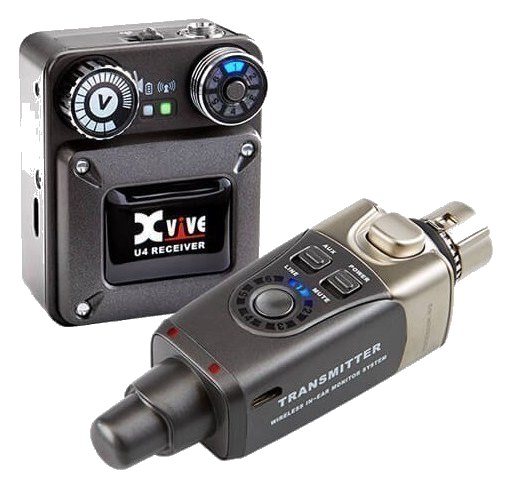
The Xvive U4 is an ultra-compact wireless IEM system that plugs directly into a mixer or headphone amp output without any rack mounting required. It operates on 2.4GHz and is designed for musicians who want a quick, portable wireless monitoring solution for rehearsals, small gigs, or as an emergency backup. While not suitable for professional touring due to limited RF performance, it is hard to beat for convenience and price.
UnverifiedPower requirement is not verified in the catalog
Catalog estimate
~$249Use retailer rows for current price and stock
01 · What it does—and what that changes in your rig.
Product overview
Start with the payoff, then work through how it functions, where it fits, and the details that change a real build.
The payoff
IEM Transmitter decisions, organized around the whole rig.
The Xvive U4 is about as far from a traditional rack-mounted IEMIn-Ear Monitor — earpieces that replace floor wedges, feeding each player their own mix. The reason this whole rack exists. system as you can get while still solving the same core problem: cutting the cable between your mix and your ears. The transmitter plugs directly into a quarter-inch TRSTip-Ring-Sleeve — a 1/4″ jack with three contacts carrying a balanced signal or a stereo pair. A guitar plug with one extra ring. output on your mixer or headphone amp, the receiver clips to the performer, and you're on 2.4GHz with no rack space consumed, no antenna placement to fuss over, and no AC power draw. For a rehearsal room, a small club stage, or a fly-date where you genuinely cannot bring a full monitor rig, that simplicity is the whole pitch.
Documented outputs
1One destination connection
Documented inputs
1Based on documented inputs
Rack space
Outside rackPlan a shelf, tray, or stage position
Xvive product panelOutside rack · Unverified
Function
How it works in the path
The 2.4GHz band works well in low-traffic RFRadio Frequency — the wireless part of wireless. RF planning is why big rigs scan, coordinate, and combine antennas instead of hoping. environments but will compete with Wi-Fi networks, other 2.4GHz devices, and itself if you try to run multiple U4 systems simultaneously in close proximity. The mono signal path — TRSTip-Ring-Sleeve — a 1/4″ jack with three contacts carrying a balanced signal or a stereo pair. A guitar plug with one extra ring. quarter-inch in, 3.5mm headphone out — means your mix source needs to be already summed or pre-assigned before it hits the transmitter. There's no stereo spread here unless your mixer is sending a stereo-summed mono busA path where multiple channels sum into one signal — mixes, groups, and mains are all buses. A 25-bus console can build 25 blends at once.. Battery life on rechargeable units in this class is typically measured in hours per charge, so a multi-set evening gig requires attention to charge status in a way that a rack system plugged into house power simply doesn't.
Best fit
Where it earns its place in the system
If you're a solo performer, a keys player who moves between two rehearsal rooms, or a touring musician carrying an emergency IEMIn-Ear Monitor — earpieces that replace floor wedges, feeding each player their own mix. The reason this whole rack exists. backup in a backpack, the U4 earns its place. If you're building a monitor rig for a full band, running multiple performers from a single monitor worldThe side-stage domain of the monitor engineer — console, IEM racks, and everything feeding the band’s ears instead of the audience., or working in a venue where the 2.4GHz spectrum is congested, you need a proper UHFThe TV-band radio range (roughly 470–608 MHz in the US) where serious wireless mics and IEMs live — better behaved than crowded 2.4 GHz. system with dedicated antenna distributionOne pair of antennas feeding many receivers through an amplified splitter — replaces the forest of whips and keeps RF levels consistent.. The U4 is not a compromise version of a professional system — it's a different tool entirely, and it's only the right tool in the right context.
In the rack
Details worth deciding before load-in.
Plug the transmitter into an auxAn auxiliary mix output — each aux is its own independent blend of the channels, typically one per monitor mix or effects send. or cue output that's already bussed to mono — the U4 has no internal summing, so a stereo output will only give you one side of the mix.
Carry a fully charged spare receiver battery or a small USB power bank if the U4 uses USB charging; mid-set power death is the main failure mode on rechargeable pocket systems.
In venues with dense Wi-Fi (hotels, conference centers, festival compounds with production offices nearby), test range and dropoutA brief audio gap when the radio link fails — the thing diversity, distros, and coordination all exist to prevent. behavior during soundcheck rather than assuming the rehearsal-room performance will transfer.
Because it's not rack-mounted, the transmitter can vibrate loose from a quarter-inch jack during transport — secure it with a small cable tie or a piece of gaff around the connection point if it's living in a packed case.
02 · Know the whole path before you buy.
Signal path
Learn the route as a block diagram: source, product function, transport, and destination. Select any block to see what enters, what changes, and what leaves.
Interactive block diagramAuto-looping · hover, focus, or tap to hold a stage
Port-type signalProduct functionSystem boundary
Follow one signal from source to destination
Each block answers the same three questions: what arrives, what changes here, and what leaves.
01 · Source · selected
¼-inch TRS
trs eighth
01 · Source
1 documented input
¼-inch TRS
Arrives as
1 documented input
Connector
¼-inch TRS
Signal
analog audio
03 · What this product asks of the rest of the system.
Compatibility
Treat connector names as the start of the check—not the answer. These are the boundaries that determine a complete working path.
Best fit · IEM Transmitter
Use it as iem transmitter tracked outside rack rails; follow the manufacturer’s mounting and form-factor guidance.
Plan the companion path
Complete the path with upstream and downstream gear that matches connector, direction, signal type, protocol, and wiring standard.
Connector boundary
Documented connectors: ¼-inch TRS, trs eighth. Match connector, direction, and signal type—not shape alone.
04 · Every connector, grouped by job.
I/O ports
Switch the product view and the documented port inventory updates with it—hardware and data stay side by side.
Every connector, grouped by job.
Switch panels to keep the hardware view and the documented port list in sync.
Front panelRear panel
All documented ports for Xvive U4 Wireless IEM System
Port
Panel
Connector
Direction
Signal
Channels
Audio In (TRS)
rear
¼-inch TRS
input
analog audio
—
Headphone Out (3.5mm)
rear
trs eighth
output
analog audio
—
Showing 2 of 2 documented physical ports.
05 · Compare the decision, not just the price.
Alternatives
The rows are organized around fit, power, I/O, and system role so a cheaper unit cannot hide a more expensive workflow.
U4The Xvive U4 is an ultra-compact wireless IEM system that plugs directly into a mixer or headphone amp output without any rack mounting required. It operates on 2.4GHz and is designed for musicians who want a quick, portable wireless monitoring solution for rehearsals, small gigs, or as an emergency backup. While not suitable for professional touring due to limited RF performance, it is hard to beat for convenience and price.View gear →
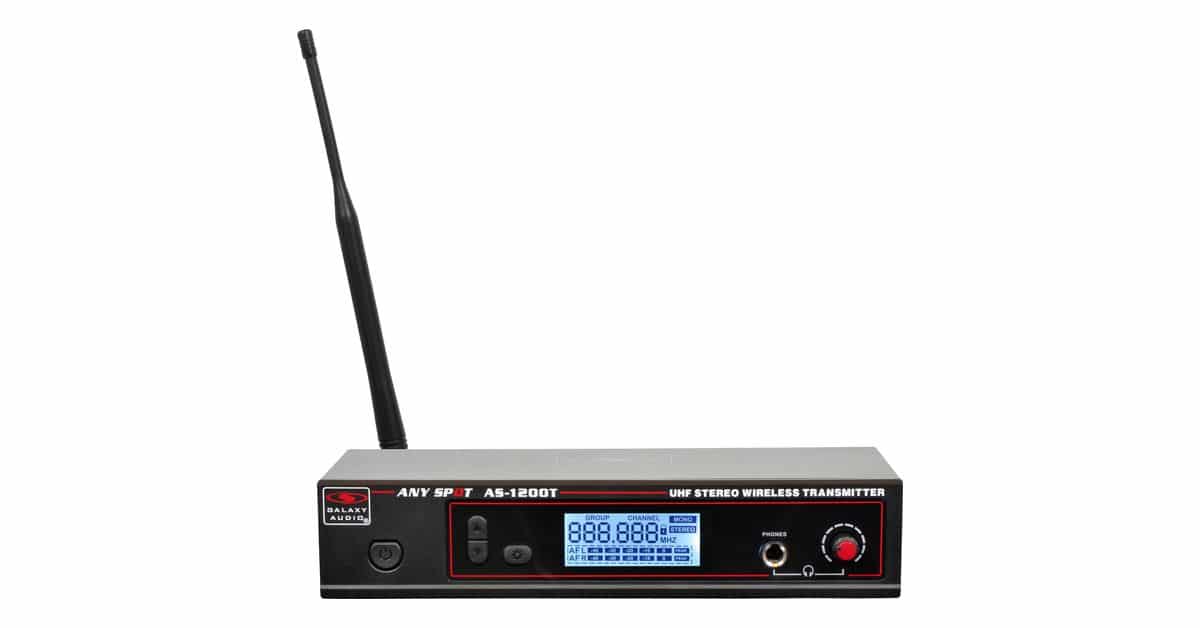
AS-1200TThe Galaxy Audio AS-1200T is the working-band budget pick for wireless ears: a half-rack stereo transmitter that ships with rack ears, antenna, and power supply for well under 300 dollars. Small venues and rehearsal rigs use it where a Sennheiser or Shure system per musician is out of reach. Honest entry-tier RF with the essentials done right.View gear →
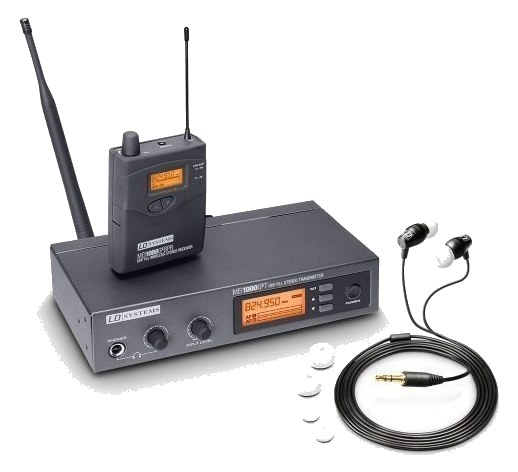
MEI 1000 G2The LD Systems MEI 1000 G2 is the European budget IEM standard: a half-rack stereo transmitter with 96 selectable channels, limiter, and three-band EQ per output. Users searched for it by name before this add - it fills the under-300-dollar tier with a brand touring musicians from the EU already trust. Bodypack sold in system bundles; US supply via Thomann and importers.View gear →
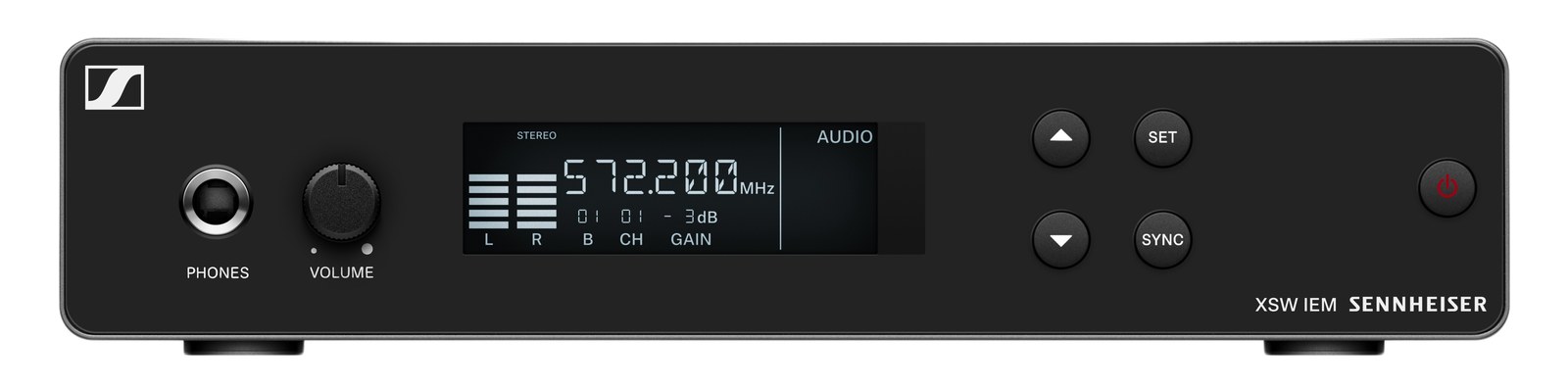
XSW IEM SRThe Sennheiser XSW IEM SR brings Sennheiser in-ear monitoring under four hundred dollars: a half-rack stereo transmitter with adjustable antenna, easy frequency sync, and Sennheiser reliability at the entry tier. It is the step between consumer systems and evolution wireless for bands buying their first ears. Surfaced repeatedly in zero-result searches before this add.View gear →
06 · Resolve the questions that can change the purchase or build plan.
Planning questions
Short, source-backed answers surface rack fit, power, cabling, and connection details before they become surprises.
Where does the Xvive U4 Wireless IEM System live in a complete rig?
The catalog assigns it no rack units. Builder tracks it as non-rack gear; follow the manufacturer’s mounting, case, and form-factor guidance.
How much power does the Xvive U4 Wireless IEM System draw?
Its power requirement is not yet verified in the catalog.
What connections does the Xvive U4 Wireless IEM System have?
2 documented physical ports, including Audio In (TRS), Headphone Out (3.5mm).
07 · See this gear inside a complete system plan.
Builder preview
Builder keeps non-rack gear in the same bill of materials, budget, dependency, and connection plan as the rack-mounted system around it.Open in Builder