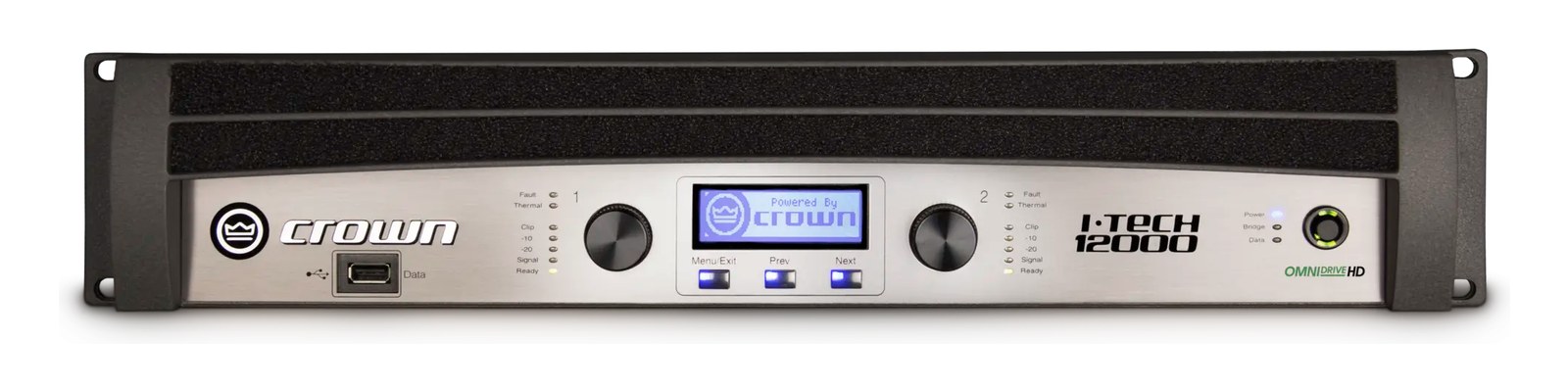
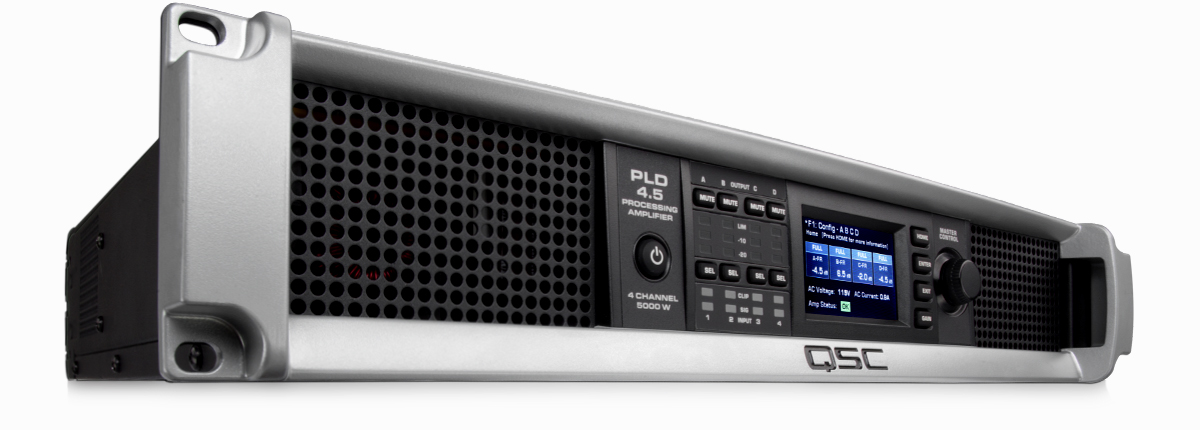
The Crown I-Tech 12000HD is a two-channel 4500W-per-side touring amplifier with onboard BSS Omnidrive HD DSP — crossover, alignment, EQ, and limiting in the amp itself, all controllable from BSS Audio Architect. Pairs naturally with BSS Soundweb London system processors and a JBL VTX or VRX line array system, since all three live in the Harman ecosystem and share control software.
~$4,499Use retailer rows for current price and stock
01 · What it does—and what that changes in your rig.
Product overview
Start with the payoff, then work through how it functions, where it fits, and the details that change a real build.
The payoff
Power Amplifier decisions, organized around the whole rig.
The Crown I-Tech 12000HD sits at the top end of what a two-channel touring amplifier can be: 4500 watts per side with onboard BSS Omnidrive HD DSPDigital Signal Processing — the number-crunching that does EQ, compression, and effects inside a box. More DSP means more processing at once. handling crossoverSplits audio into frequency bands so each speaker only gets what it can handle — lows to the subs, highs to the horns., alignment delay, EQ, and limiting all inside the amp itself. That last part is the real story. If you are running a JBL VTX or VRX system and already working in BSS Audio Architect, this amp is essentially a node in your network rather than just a power source — tuning, protection curves, and system alignment live in the box and travel with it.
Documented outputs
22 destination connections
Documented inputs
4Based on documented inputs
Rack space
2UBuilder checks available rail space
Crown product panel2U · 600W
Function
How it works in the path
The power numbers demand respect at the circuit level. Idle draw sits around 600 watts, but peak demand can reach 4500 watts, so this is not a one-per-circuit amplifier. Expect to budget a dedicated 20A leg for every unit, and verify your venue's distroOne pair of antennas feeding many receivers through an amplified splitter — replaces the forest of whips and keeps RF levels consistent. before load-in, not during. At 14.6 kg and 482 mm deep, it is dense for a 2UThe standard slice of rack height: 1U = 1.75″. A 3U box takes three slices; half-rack gear pairs two units side by side in one. frame — rail and shelf capacity matter. The POWERCONNeutrik’s locking AC power connector — twist to lock, rated for real current, standard on touring power distros and amps. 20A inlet is a locked connector, which is exactly what you want on a touring amp where a kicked cable is a real risk. AES digital input alongside the two analog XLRsThe standard 3-pin locking connector for mics and balanced line signals — pin 1 is the shield, pins 2 and 3 carry the balanced pair. gives you flexibility on signal routing without an external format converterThe circuitry that turns analog audio into digital data and back (A/D and D/A). Converter quality sets a digital rig’s sound ceiling..
Best fit
Where it earns its place in the rack
This amp earns its place in a serious touring or high-production install rig where you are already committed to the Harman ecosystem and need amplification that integrates natively with your system control software. If you are building a simpler two-way wedgeA floor monitor speaker angled up at the performer — the thing IEMs replace, and the thing you fall back on when they die. rig or an IEMIn-Ear Monitor — earpieces that replace floor wedges, feeding each player their own mix. The reason this whole rack exists. playback rack, the onboard DSPDigital Signal Processing — the number-crunching that does EQ, compression, and effects inside a box. More DSP means more processing at once. is cost you won't use, and there are lighter, cheaper options. If you are flying line arrays, driving subwoofer arrays with precise alignment requirements, or managing a complex multiamp rig remotely, the I-Tech 12000HD removes an entire processing layer from the chain and puts it somewhere it will not get bumped off a console.
In the rack
Details worth deciding before load-in.
Plan one dedicated 20A POWERCONNeutrik’s locking AC power connector — twist to lock, rated for real current, standard on touring power distros and amps. circuit per amplifier — running two of these on a shared leg will trip the breaker when both channels hit heavy transients simultaneously.
Store your system preset file on a laptop that travels with the rig; if an amp has to be swapped at a venue, loading the Audio Architect preset takes minutes and saves the whole show.
Leave at least 1UThe standard slice of rack height: 1U = 1.75″. A 3U box takes three slices; half-rack gear pairs two units side by side in one. of ventilation space above and below if your rack lid is enclosed — at full output this amp generates serious heat and needs airflow to maintain thermal headroomThe margin between your normal level and where things clip — headroom is what absorbs the snare hit you didn’t see coming. across a long set.
Use the AES input when your drive system supports it; keeping the signal digital all the way to the amp eliminates one analog conversion stage and any ground noise that comes with long analog cable runs.
02 · Know the whole path before you buy.
Signal path
Learn the route as a block diagram: source, product function, transport, and destination. Select any block to see what enters, what changes, and what leaves.
Interactive block diagramAuto-looping · hover, focus, or tap to hold a stage
Port-type signalProduct functionSystem boundary
Follow one signal from source to destination
Each block answers the same three questions: what arrives, what changes here, and what leaves.
01 · Source · selected
XLR female + aes3 xlr
aes3 xlr + RJ45
XLR female
01 · Source
4 documented inputs
XLR female + aes3 xlr
Arrives as
4 documented inputs
Connector
XLR female + aes3 xlr
Signal
analog audio
03 · What this product asks of the rest of the system.
Compatibility
Treat connector names as the start of the check—not the answer. These are the boundaries that determine a complete working path.
Best fit · Power Amplifier
Use it when 2U and 482 mm of depth fit the case.
Plan the companion path
Complete the path with upstream and downstream gear that matches connector, direction, signal type, protocol, and wiring standard.
Connector boundary
Documented connectors: XLR female, aes3 xlr, RJ45, powerCON. Match connector, direction, and signal type—not shape alone.
04 · Every connector, grouped by job.
I/O ports
Switch the product view and the documented port inventory updates with it—hardware and data stay side by side.
Every connector, grouped by job.
Switch panels to keep the hardware view and the documented port list in sync.
Front panelRear panel
All documented ports for Crown I-Tech 12000HD
Port
Panel
Connector
Direction
Signal
Channels
Analog In 1 (XLR)
rear
XLR female
input
analog audio
—
Analog In 2 (XLR)
rear
XLR female
input
analog audio
—
AES In
rear
aes3 xlr
input
digital audio
—
HiQnet Network (RJ45)
rear
RJ45
bidirectional
data
—
Speaker Out 1 (Speakon NL4)
rear
XLR female
output
analog audio
—
Speaker Out 2 (Speakon NL4)
rear
XLR female
output
analog audio
—
Power (POWERCON 20A)
rear
powerCON
input
power
—
Showing 7 of 7 documented physical ports.
05 · Compare the decision, not just the price.
Alternatives
The rows are organized around fit, power, I/O, and system role so a cheaper unit cannot hide a more expensive workflow.
I-Tech 12000HDThe Crown I-Tech 12000HD is a two-channel 4500W-per-side touring amplifier with onboard BSS Omnidrive HD DSP — crossover, alignment, EQ, and limiting in the amp itself, all controllable from BSS Audio Architect. Pairs naturally with BSS Soundweb London system processors and a JBL VTX or VRX line array system, since all three live in the Harman ecosystem and share control software.View gear →
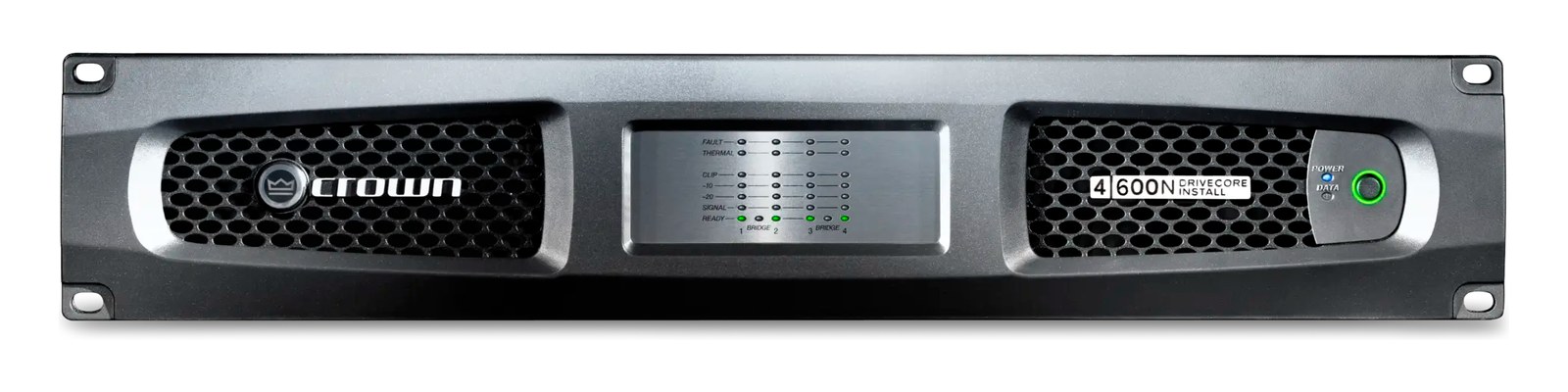
DCi 4|600NThe Crown DCi 4|600N is the touring + install workhorse from the DCi line — four channels of 600W @ 4Ω, onboard DSP for crossover and limiting, and BLU link networking so the amp room talks to FOH over a single Cat6 instead of analog runs. Drives top boxes on monitor wedges and small/mid PA tops; pairs with a system processor like a Lake LM or BSS BLU host for full loudspeaker management. Lives in countless venue install rigs and touring fly racks.View gear →
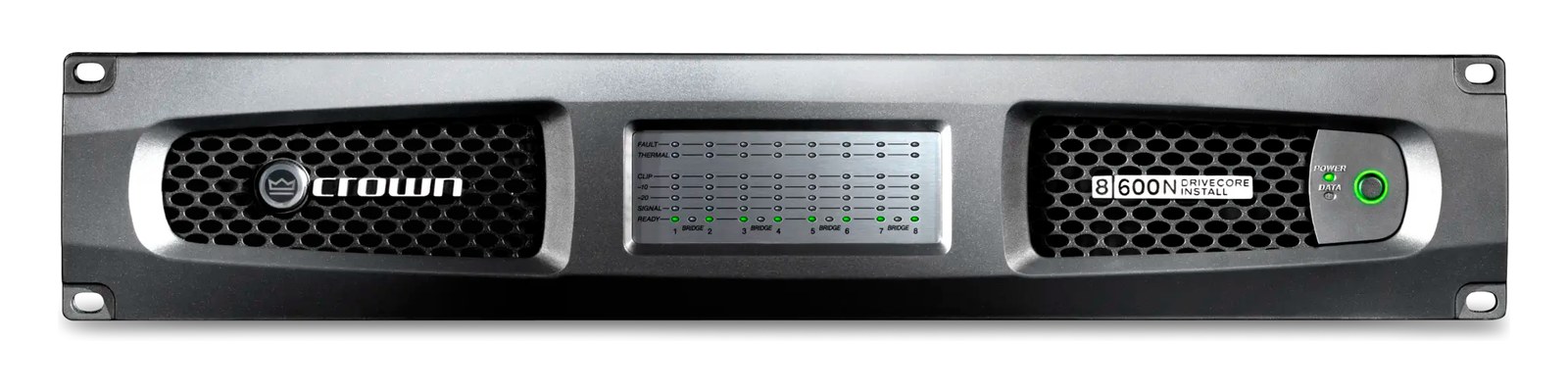
DCi 8|600NThe Crown DCi 8|600N doubles the channel density of the DCi 4|600N — 8 × 600W @ 4Ω in the same 2U footprint. Drives monitor wedge arrays, distributed PA zones, or full-range systems where you want each driver on its own amp channel for precise alignment. BLU link networking talks to a BSS Soundweb host upstream so EQ + crossover + limiting comes from there. Ubiquitous on install + house-of-worship + small-to-mid touring.View gear →
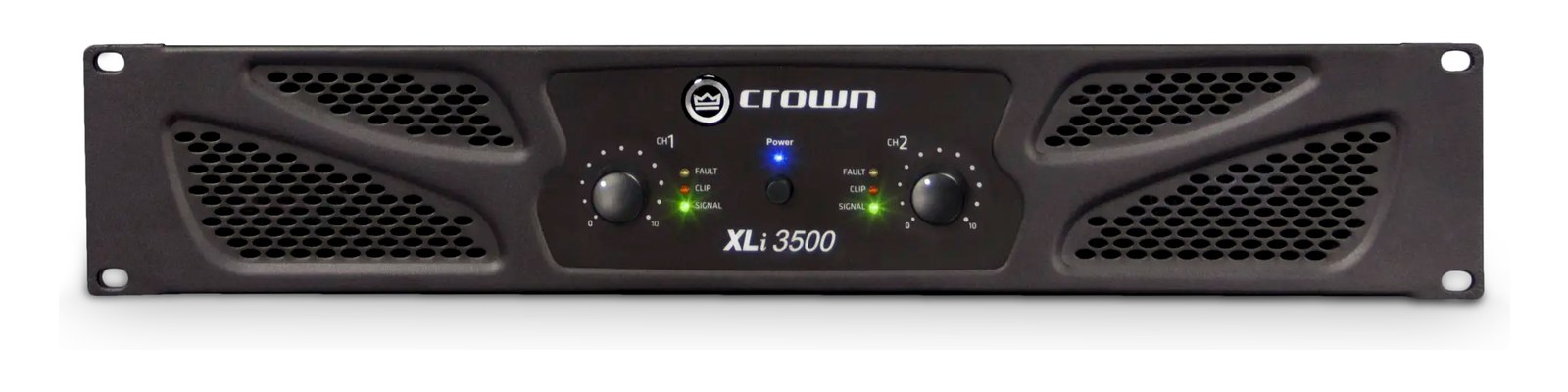
XLi 3500The Crown XLi 3500 is the no-nonsense two-channel power amp that has been the entry point to "real touring power" for two decades. 1350W per channel @ 4Ω, no fancy DSP, no networking — just clean analog amplification with bridge-mono switchable for sub duty. Lives in regional touring rigs, schools, churches, practice rooms, and house systems where simplicity and bulletproof reliability beat features.View gear →
06 · Resolve the questions that can change the purchase or build plan.
Planning questions
Short, source-backed answers surface rack fit, power, cabling, and connection details before they become surprises.
How will the Crown I-Tech 12000HD affect rack fit and case depth?
It occupies 2U. Its documented depth is 482 mm.
How much power does the Crown I-Tech 12000HD draw?
Typical draw is 600W and documented maximum draw is 4500W.
What connections does the Crown I-Tech 12000HD have?
7 documented physical ports, including Analog In 1 (XLR), Analog In 2 (XLR), AES In, HiQnet Network (RJ45), Speaker Out 1 (Speakon NL4), Speaker Out 2 (Speakon NL4).
07 · See this unit inside a real rack plan.
Builder preview
Placement is only the start. Builder checks space · depth · weight, power headroom, dependencies, and compatible signal paths around this exact catalog item.Open in Builder