Digital Mixer

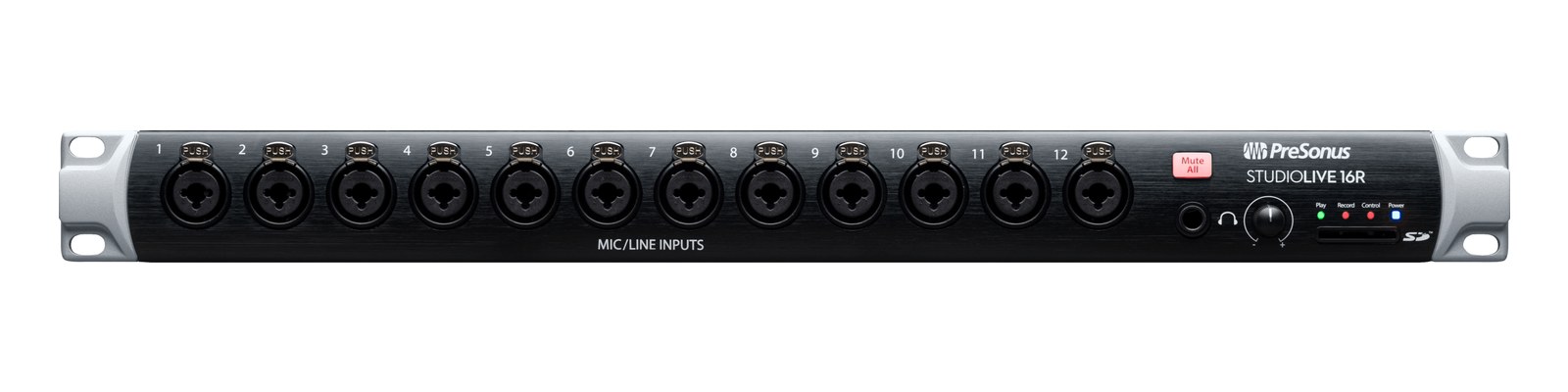
PreSonus StudioLive 16R

The PreSonus StudioLive 16R is a triple-duty 1U: a 16-preamp digital rack mixer, an AVB stage box for a StudioLive console, and an 18x18 USB interface. For compact IEM rigs it mixes monitors from an iPad while multitracking rehearsals over USB. Requested by users; the smallest of the R-series rack mixers.

Compare

Photos

Manufacturer product photography — the drawn faceplate stays true to panel layout; these show the hardware itself.

Photo: PreSonus1 / 2
Documented outputs
22 destination connections
Documented inputs
2Based on documented inputs
Rack space
1UBuilder checks available rail space
Power draw
40W60W documented maximum
Catalog estimate
~$800Use retailer rows for current price and stock

01 · What it does—and what that changes in your rig.

Product overview

Start with the payoff, then work through how it functions, where it fits, and the details that change a real build.

The payoff

Digital Mixer decisions, organized around the whole rig.

The StudioLive 16R earns its place by doing three things in one 1U slot: it's a standalone 16-channel digital rack mixer you can drive from an iPad over Wi-Fi, a network stage box that feeds a StudioLive console over AVB, and an 18×18 USB audio interface for multitrack recording or virtual soundcheck. For compact IEM rigs — the kind where the whole rack travels in a single Pelican-style case — that kind of consolidation matters. You're getting 16 combo preamps, a stereo main output, and six auxiliary outputs, all sitting at $800 and drawing a modest 40 watts under typical load.

Documented outputs
22 destination connections
Documented inputs
2Based on documented inputs
Rack space
1UBuilder checks available rail space
StudioLive 16R rear panel
Photo: PreSonus1U · 40W
Function

How it works in the path

In practice, those six analog aux outputs are the number to keep in mind when planning an IEM rig. Six mixes means six discrete monitor sends — enough for a moderate-sized band running wired or wireless in-ears without an additional mix engine. The AVB port on an EtherCon connector is genuinely useful if this unit lives at stage and ties back to a StudioLive console at FOH, passing up to 32 channels of digital audio over a single Cat6 run. At 300mm deep and 4.5kg, it fits standard shallow rack cases without drama, and the USB port lets you multitrack rehearsals directly to a laptop without touching the live signal path.
Best fit

Where it earns its place in the rack

The 16R makes the most sense for a touring musician or small-production monitor engineer who needs a self-contained mix solution without dedicating a full console to the task — especially if the rest of the rig already lives in PreSonus or AVB ecosystem. If you need more than six monitor mixes, or if your inputs routinely exceed 16 channels, you'll be looking at the 32R or a dedicated mix engine. It's also not the right answer if your workflow depends on Dante or MADI networking, since AVB is the only digital transport on offer here.

In the rack

Details worth deciding before load-in.

  • Route your six analog aux outputs in order of priority — IEM mixes first, then wedge or fill mixes — so that if you ever need to patch around a fault, the most critical ears stay connected.
  • Use the USB port during rehearsal to capture an 18-track multitrack, then load those files back for virtual soundcheck at the next venue before doors; you get an accurate picture of gain structure without needing the band on stage.
  • If you're running the 16R as a stage box over AVB, label the EtherCon run clearly at both ends and carry a tested spare Cat6 patch cable in the rack drawer — AVB won't fall back gracefully if that link drops mid-show.
  • Keep the IEC power cable strain-relieved at the back of the rack; the C14 inlet sits close to the AVB and USB ports, and a yanked cable in a tight rack lane can take out your network connection at the same time.

02 · Know the whole path before you buy.

Signal path

Learn the route as a block diagram: source, product function, transport, and destination. Select any block to see what enters, what changes, and what leaves.

Interactive block diagramAuto-looping · hover, focus, or tap to hold a stage
Port-type signalProduct functionSystem boundary
Follow one signal from source to destination

Each block answers the same three questions: what arrives, what changes here, and what leaves.

01 · Source · selected
01 · Source

2 documented inputs

XLR/TRS combo + IEC C14

Arrives as
2 documented inputs
Connector
XLR/TRS combo + IEC C14
Signal
analog audio

03 · What this product asks of the rest of the system.

Compatibility

Treat connector names as the start of the check—not the answer. These are the boundaries that determine a complete working path.

Best fit · Digital Mixer

Use it when 1U and 300 mm of depth fit the case.

Plan the companion path

Complete the path with upstream and downstream gear that matches connector, direction, signal type, protocol, and wiring standard.

Protocol boundary

This product declares AVB; matching plugs alone do not make other protocols compatible.

04 · Every connector, grouped by job.

I/O ports

Switch the product view and the documented port inventory updates with it—hardware and data stay side by side.

Every connector, grouped by job.

Switch panels to keep the hardware view and the documented port list in sync.

Front panel
StudioLive16R
Rear panel
PreSonusStudioLive Series III 16R
All documented ports for PreSonus StudioLive 16R
PortPanelConnectorDirectionSignalChannels
Mic/Line 1-16bothXLR/TRS combo inputanalog audio16
Main Out L/RrearXLR male outputanalog audio2
Aux/Monitor Out 1-6rearXLR male outputanalog audio6
AVB NetworkrearetherCON bidirectionaldigital audio32
USB (18x18)rearusb b bidirectionaldata—
PowerrearIEC C14 inputpower—

Showing 6 of 6 documented physical ports.

05 · Compare the decision, not just the price.

Alternatives

The rows are organized around fit, power, I/O, and system role so a cheaper unit cannot hide a more expensive workflow.

Compare
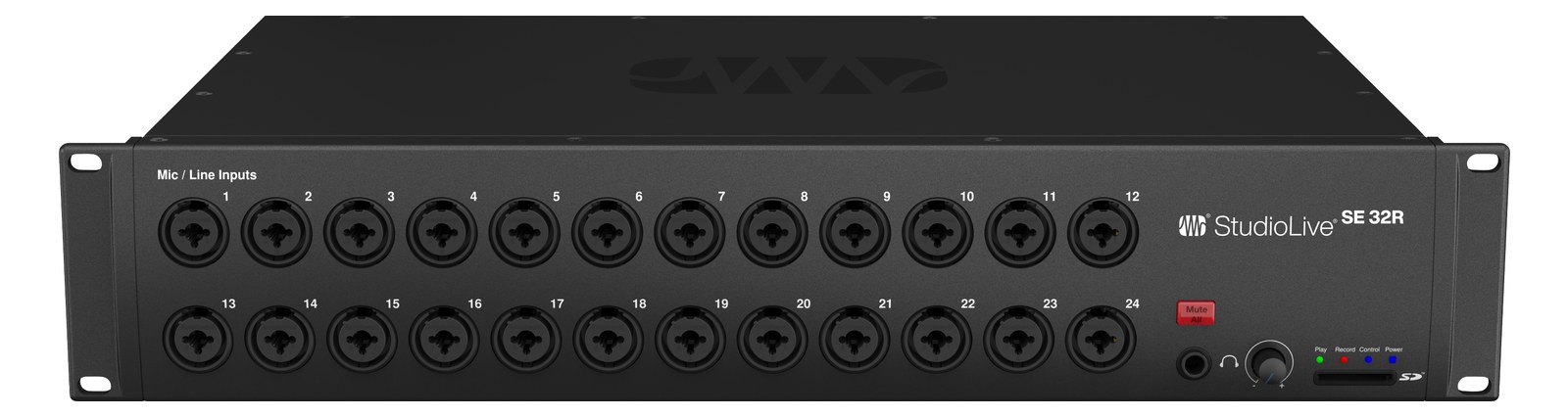
StudioLive 16R front panel
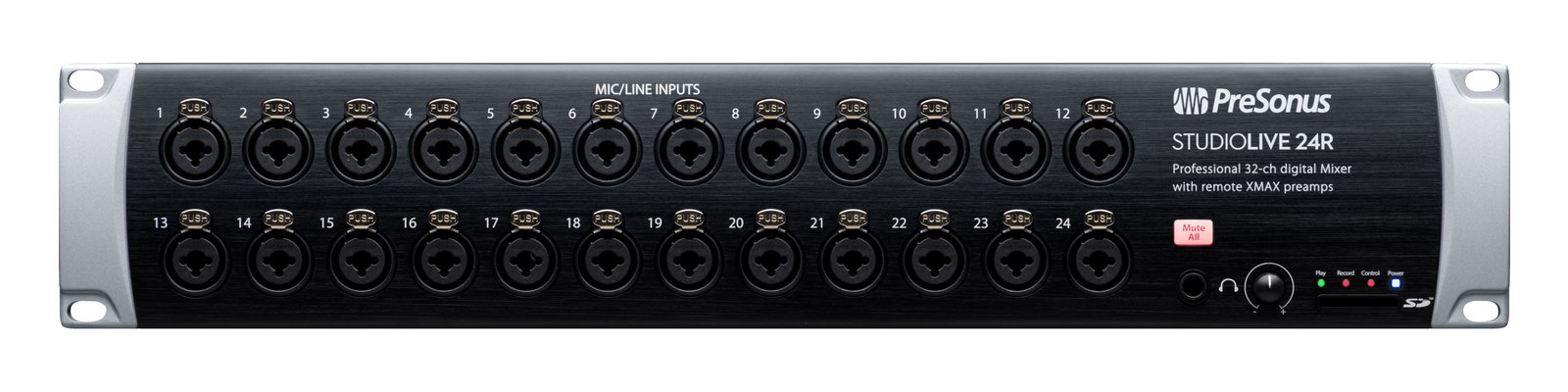
StudioLive 24R front panel
StudioLive 32R front panel
Fit📐 1U📐 2U📐 2U
Power⚡ 40W⚡ 25W⚡ 35W
Weight⚖️ 9.9 lb⚖️ 10.8 lb⚖️ 11.0 lb
I/O🔌 6🔌 45🔌 57
Estimate💵 ~$800💵 ~$1,270💵 ~$1,600
Deep diveCurrent selectionFull comparison →Full comparison →

06 · Resolve the questions that can change the purchase or build plan.

Planning questions

Short, source-backed answers surface rack fit, power, cabling, and connection details before they become surprises.

How will the PreSonus StudioLive 16R affect rack fit and case depth?

It occupies 1U. Its documented depth is 300 mm.

How much power does the PreSonus StudioLive 16R draw?

Typical draw is 40W and documented maximum draw is 60W.

What connections does the PreSonus StudioLive 16R have?

6 documented physical ports, including Mic/Line 1-16, Main Out L/R, Aux/Monitor Out 1-6, AVB Network, USB (18x18), Power.

07 · See this unit inside a real rack plan.

Builder preview

Placement is only the start. Builder checks space · depth · weight, power headroom, dependencies, and compatible signal paths around this exact catalog item.Open in Builder
StudioLive 16R positioned in a rack planA simplified plan shows the unit taking 1 rack units, with its documented connection path continuing to a planned destination.PreSonusStudioLive Series III 16RCONNECTED GEARnext signal destination1U · 300 mm deep

08 · Related gear, in the order you may need it.

Planning guides for digital mixer systems.