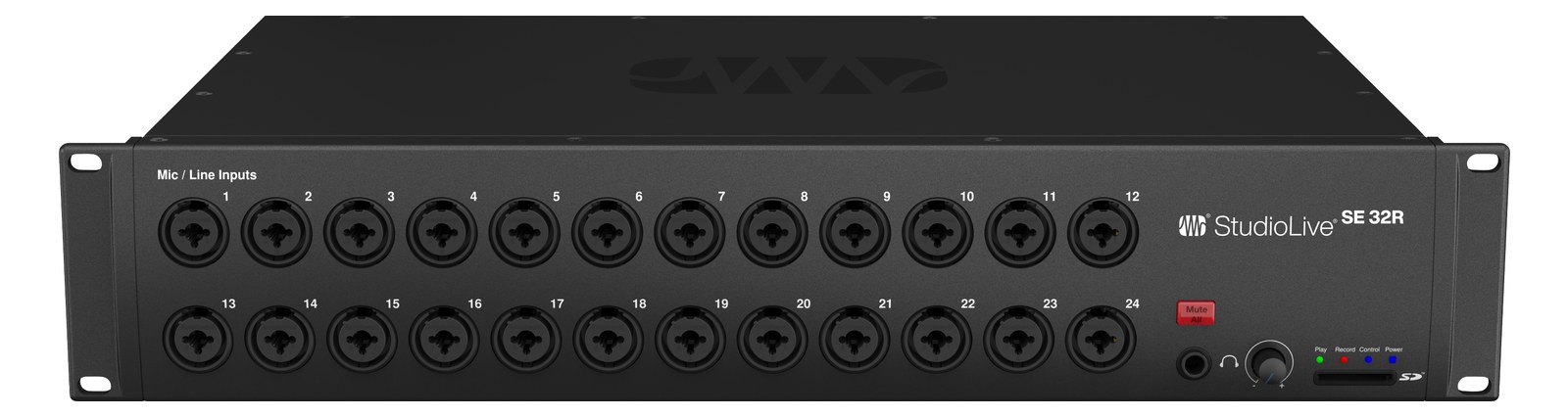
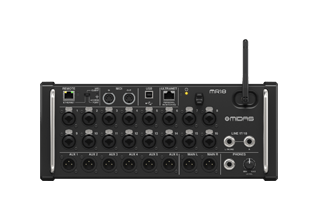
The PreSonus StudioLive 32R is the flagship R-series rack mixer: 32 preamps, 64x64 USB, AVB networking, and onboard SD multitrack in 2U. It runs full-band ears from a tablet, feeds broadcast splits over AVB, and records the show without a laptop. The top of the user-requested R-series trio.
~$1,600Use retailer rows for current price and stock
01 · What it does—and what that changes in your rig.
Product overview
Start with the payoff, then work through how it functions, where it fits, and the details that change a real build.
The payoff
Digital Mixer decisions, organized around the whole rig.
The StudioLive 32R is a 2UThe standard slice of rack height: 1U = 1.75″. A 3U box takes three slices; half-rack gear pairs two units side by side in one. rack mixer that earns its space by doing the work of several boxes at once. Thirty-two combo preampsThe gain stage that lifts a mic’s tiny signal up to line level — the first thing a signal hits, and a big part of how a console sounds., twelve analog auxAn auxiliary mix output — each aux is its own independent blend of the channels, typically one per monitor mix or effects send. outputs, a full AVBAudio Video Bridging — open network audio (MOTU, PreSonus) where the switch reserves bandwidth so streams can’t glitch. Milan is its pro profile. network port, and onboard multitrack recording land in a chassis that draws at most 60 watts and weighs under ten pounds. In a monitor rig it can drive twelve mixes straight off the analog outputs while simultaneously streaming split audio to a broadcast truck or a recording rig over AVB — without a laptop in the signal path. That combination of density and flexibility is the whole argument for it.
Documented outputs
1919 destination connections
Documented inputs
35Based on documented inputs
Rack space
2UBuilder checks available rail space
Photo: PreSonus2U · 35W
Function
How it works in the path
At load-in, 300mm of depth is shallow enough to fit most standard tour racks without fighting the lids, and the 40-watt idle draw means you're not burning a significant chunk of a conditioner's headroomThe margin between your normal level and where things clip — headroom is what absorbs the snare hit you didn’t see coming.. The EtherCONAn Ethernet plug inside a rugged XLR-style locking shell — tour-grade network connections that can’t be yanked loose.AVBAudio Video Bridging — open network audio (MOTU, PreSonus) where the switch reserves bandwidth so streams can’t glitch. Milan is its pro profile. port is the feature that changes your patching math: a single Cat6Standard network cable grades. In an audio rig one cheap Cat5e run can replace a 48-channel copper snake; AES50 wants it shielded. run can carry 64 channels bidirectionally to a compatible AVB device, which on a multi-act festival or broadcast show eliminates a lot of analog copper and splitter hardware. The 64×64 USB interface mode is equally useful in rehearsal — plug into a laptop and the whole board becomes a high-channel-count recording interface. Tablet control via the UC Surface app means your ME can walk the stage during soundcheck and pull a monitor mix without a second engineer at the rack.
Best fit
Where it earns its place in the rack
This unit belongs in a dedicated monitor rack or a compact FOHFront Of House — the main mix the audience hears, and the console position out in the room where it gets mixed. rack where you need real channel count without a full-size console footprint — touring support acts, corporate AV rigs, fixed installs doubling as broadcast feeds, or a fly-date IEMIn-Ear Monitor — earpieces that replace floor wedges, feeding each player their own mix. The reason this whole rack exists. rig where you're checking two bags and need everything in one box. It is not a surface; there are no faders, no physical mix controls, which means your entire workflow runs through a tablet or laptop. Engineers who prefer hands-on control under pressure, or who work in environments where Wi-Fi or USB connectivity is unreliable, will find that tradeoff uncomfortable. In those cases a compact surface like the StudioLive 32S or a console with a built-in control layer is the more honest tool.
In the rack
Details worth deciding before load-in.
Mount it with the EtherCONAn Ethernet plug inside a rugged XLR-style locking shell — tour-grade network connections that can’t be yanked loose. port accessible from the rear and run a dedicated Cat6Standard network cable grades. In an audio rig one cheap Cat5e run can replace a 48-channel copper snake; AES50 wants it shielded. cable to your AVBAudio Video Bridging — open network audio (MOTU, PreSonus) where the switch reserves bandwidth so streams can’t glitch. Milan is its pro profile. switch before anything else is patched — AVB network configuration has to happen at line checkThe quick pre-show pass confirming every input reaches the console, one line at a time. Not a soundcheck — just does it work., not during the scramble before doors.
If you're running twelve monitor mixes off the analog auxAn auxiliary mix output — each aux is its own independent blend of the channels, typically one per monitor mix or effects send. outputs, label the rear panel with a P-touch strip at the dock: aux assignment changes between shows and an unlabeled rear panel costs you minutes you don't have at a festival changeover.
Use the onboard SD recording as a silent backup rather than your primary multitrack — it runs independently of the USB and AVBAudio Video Bridging — open network audio (MOTU, PreSonus) where the switch reserves bandwidth so streams can’t glitch. Milan is its pro profile. streams, so even if your recording laptop drops out, the show is captured.
At 60 watts max draw, two 32Rs fit comfortably on a single 20-amp circuit with a monitor amp rack — useful to know when you're negotiating power drops with venue electricians on a fly dateA gig you fly to instead of driving — the whole rig has to shrink into checkable cases and carry-ons..
02 · Know the whole path before you buy.
Signal path
Learn the route as a block diagram: source, product function, transport, and destination. Select any block to see what enters, what changes, and what leaves.
Interactive block diagramAuto-looping · hover, focus, or tap to hold a stage
Port-type signalProduct functionSystem boundary
Follow one signal from source to destination
Each block answers the same three questions: what arrives, what changes here, and what leaves.
01 · Source · selected
XLR/TRS combo + IEC C14
etherCON + RJ45
XLR male + ¼-inch TRS
01 · Source
35 documented inputs
XLR/TRS combo + IEC C14
Arrives as
35 documented inputs
Connector
XLR/TRS combo + IEC C14
Signal
analog audio
03 · What this product asks of the rest of the system.
Compatibility
Treat connector names as the start of the check—not the answer. These are the boundaries that determine a complete working path.
Best fit · Digital Mixer
Use it when 2U and 305 mm of depth fit the case.
Plan the companion path
Complete the path with upstream and downstream gear that matches connector, direction, signal type, protocol, and wiring standard.
Protocol boundary
This product declares AVB; matching plugs alone do not make other protocols compatible.
04 · Every connector, grouped by job.
I/O ports
Switch the product view and the documented port inventory updates with it—hardware and data stay side by side.
Every connector, grouped by job.
Switch panels to keep the hardware view and the documented port list in sync.
Front panelRear panel
All documented ports for PreSonus StudioLive 32R
Port
Panel
Connector
Direction
Signal
Channels
INPUT 1
front
XLR/TRS combo
input
analog audio
—
INPUT 2
front
XLR/TRS combo
input
analog audio
—
INPUT 3
front
XLR/TRS combo
input
analog audio
—
INPUT 4
front
XLR/TRS combo
input
analog audio
—
INPUT 5
front
XLR/TRS combo
input
analog audio
—
INPUT 6
front
XLR/TRS combo
input
analog audio
—
INPUT 7
front
XLR/TRS combo
input
analog audio
—
INPUT 8
front
XLR/TRS combo
input
analog audio
—
INPUT 9
front
XLR/TRS combo
input
analog audio
—
INPUT 10
front
XLR/TRS combo
input
analog audio
—
INPUT 11
front
XLR/TRS combo
input
analog audio
—
INPUT 12
front
XLR/TRS combo
input
analog audio
—
INPUT 13
front
XLR/TRS combo
input
analog audio
—
INPUT 14
front
XLR/TRS combo
input
analog audio
—
INPUT 15
front
XLR/TRS combo
input
analog audio
—
INPUT 16
front
XLR/TRS combo
input
analog audio
—
INPUT 17
front
XLR/TRS combo
input
analog audio
—
INPUT 18
front
XLR/TRS combo
input
analog audio
—
INPUT 19
front
XLR/TRS combo
input
analog audio
—
INPUT 20
front
XLR/TRS combo
input
analog audio
—
INPUT 21
front
XLR/TRS combo
input
analog audio
—
INPUT 22
front
XLR/TRS combo
input
analog audio
—
INPUT 23
front
XLR/TRS combo
input
analog audio
—
INPUT 24
front
XLR/TRS combo
input
analog audio
—
INPUT 25
rear
XLR/TRS combo
input
analog audio
—
INPUT 26
rear
XLR/TRS combo
input
analog audio
—
INPUT 27
rear
XLR/TRS combo
input
analog audio
—
INPUT 28
rear
XLR/TRS combo
input
analog audio
—
INPUT 29
rear
XLR/TRS combo
input
analog audio
—
INPUT 30
rear
XLR/TRS combo
input
analog audio
—
INPUT 31
rear
XLR/TRS combo
input
analog audio
—
INPUT 32
rear
XLR/TRS combo
input
analog audio
—
MAIN LEFT
rear
XLR male
output
analog audio
—
MAIN RIGHT
rear
XLR male
output
analog audio
—
MIX 1
rear
¼-inch TRS
output
analog audio
—
MIX 2
rear
¼-inch TRS
output
analog audio
—
MIX 3
rear
¼-inch TRS
output
analog audio
—
MIX 4
rear
¼-inch TRS
output
analog audio
—
MIX 5
rear
¼-inch TRS
output
analog audio
—
MIX 6
rear
¼-inch TRS
output
analog audio
—
MIX 7
rear
¼-inch TRS
output
analog audio
—
MIX 8
rear
¼-inch TRS
output
analog audio
—
MIX 9
rear
¼-inch TRS
output
analog audio
—
MIX 10
rear
¼-inch TRS
output
analog audio
—
MIX 11
rear
¼-inch TRS
output
analog audio
—
MIX 12
rear
¼-inch TRS
output
analog audio
—
AUDIO NETWORK
rear
etherCON
bidirectional
digital audio
64
USB
rear
usb b
bidirectional
data
—
POWER INPUT
rear
IEC C14
input
power
—
CONTROL
rear
RJ45
bidirectional
data
—
MIX 13
rear
¼-inch TRS
output
analog audio
—
MIX 14
rear
¼-inch TRS
output
analog audio
—
MIX 15
rear
¼-inch TRS
output
analog audio
—
MIX 16
rear
¼-inch TRS
output
analog audio
—
PHONES
front
¼-inch TRS
output
analog audio
—
RCA 31
rear
rca
input
analog audio
—
RCA 32
rear
rca
input
analog audio
—
Showing 57 of 57 documented physical ports. Scroll to review the remaining rows.
05 · Compare the decision, not just the price.
Alternatives
The rows are organized around fit, power, I/O, and system role so a cheaper unit cannot hide a more expensive workflow.
StudioLive Series III SE 32RThe PreSonus StudioLive 32R is the flagship R-series rack mixer: 32 preamps, 64x64 USB, AVB networking, and onboard SD multitrack in 2U. It runs full-band ears from a tablet, feeds broadcast splits over AVB, and records the show without a laptop. The top of the user-requested R-series trio.View gear →
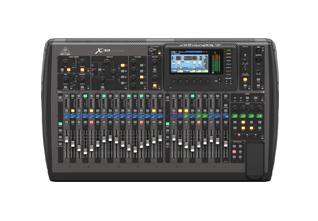
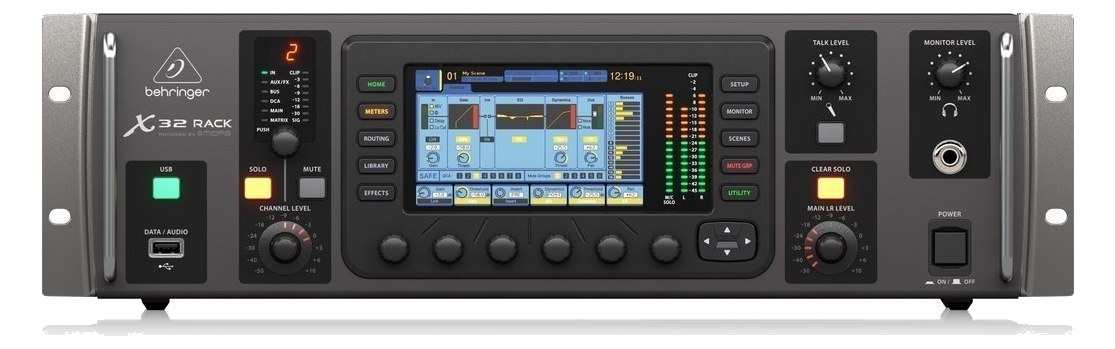
X32The full-size Behringer X32 brings 32 Midas-designed mic preamps and 16 XLR outputs onto the console itself, eliminating the need for a stage box on small-to-mid stages. Two AES50 ports still let you hang DL or S-series stage boxes when the rig grows. The 25-bus engine delivers a healthy supply of independent IEM mixes, and Ultranet runs to P-16 personal mixers off a single Cat5 to the stage. A long-running workhorse of monitor world for budget-conscious productions.View gear →
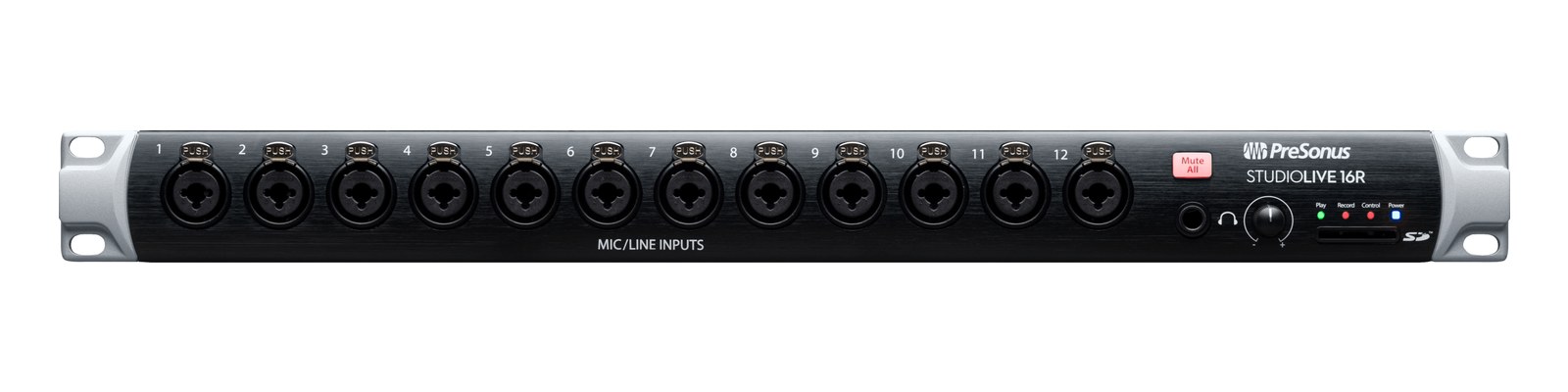
StudioLive Series III 16RThe PreSonus StudioLive 16R is a triple-duty 1U: a 16-preamp digital rack mixer, an AVB stage box for a StudioLive console, and an 18x18 USB interface. For compact IEM rigs it mixes monitors from an iPad while multitracking rehearsals over USB. Requested by users; the smallest of the R-series rack mixers.View gear →
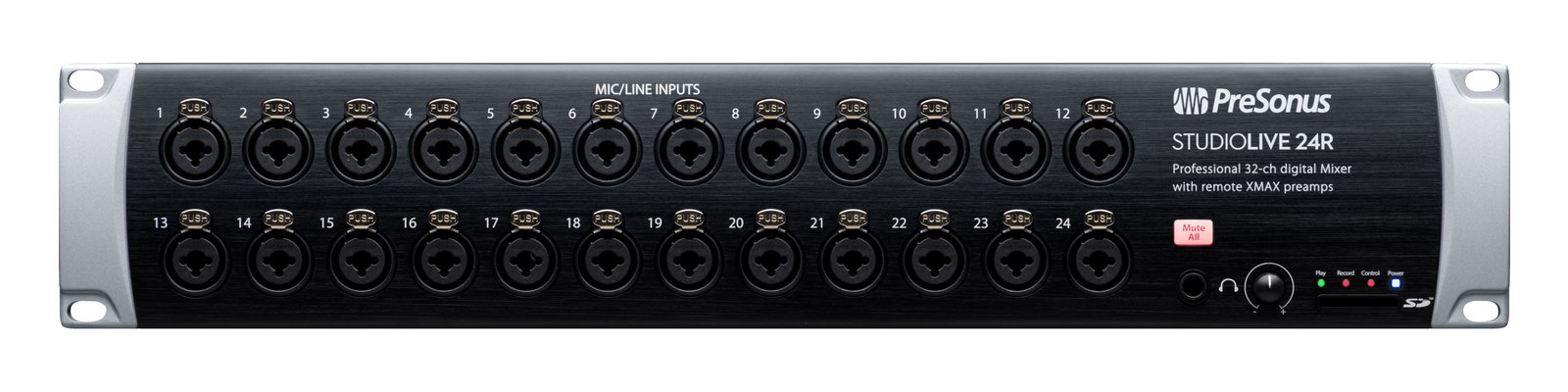
StudioLive Series III 24RThe PreSonus StudioLive 24R gives a monitor rig 24 recallable XLMAX preamps and full Series III DSP in two rack spaces, doubling as an AVB stage box and 26x26 USB interface. It is the mid-size R-series pick for bands running their own ears with UC Surface or Earmix personal mixers downstream. Requested by users.View gear →
Placement is only the start. Builder checks space · depth · weight, power headroom, dependencies, and compatible signal paths around this exact catalog item.Open in Builder