Audio Interface

RME Babyface Pro FS

The RME Babyface Pro FS is a portable powerhouse with the same legendary driver stability and low latency that RME is known for in their rack-mount units. Bus-powered over USB means no external power supply to worry about, and the 12 channels provide enough I/O for a compact playback rig. Its TotalMix FX software mixer is exceptionally capable for monitoring and routing, making it a favorite among touring musicians who need reliability in a small package.

Compare

Photos

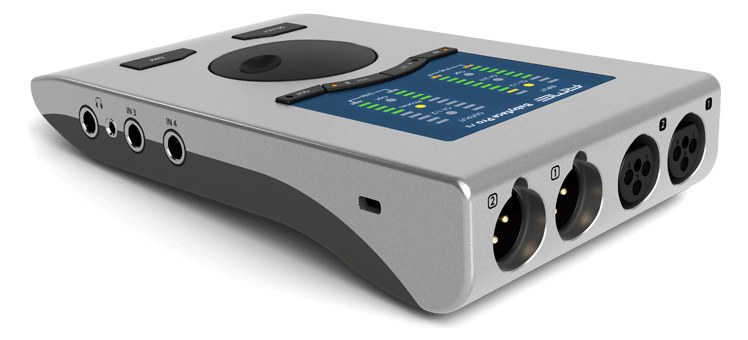
Manufacturer product photography showing the hardware, controls, and physical form.

Photo: RMEClick to zoom
Documented outputs
22 destination connections
Documented inputs
2Based on documented inputs
Rack space
Outside rackPlan a shelf, tray, or stage position
Power draw
8W10W documented maximum
Catalog estimate
~$999Use retailer rows for current price and stock

01 · What it does—and what that changes in your rig.

Product overview

Start with the payoff, then work through how it functions, where it fits, and the details that change a real build.

The payoff

Audio Interface decisions, organized around the whole rig.

The Babyface Pro FS is RME's compact USB interface, and in a live context it earns its place as the engine of a stripped-down playback or IEM rig. It handles 12 channels over USB-C, offers two mic preamps on XLR and two TRS line outputs, and draws the whole picture from bus power — no wall wart, no IEC tail, just a cable to your laptop or playback machine. For a solo performer, small touring act, or pit musician running tracks and routing their own in-ear mix, this is the kind of interface that disappears into the workflow.

Documented outputs
22 destination connections
Documented inputs
2Based on documented inputs
Rack space
Outside rackPlan a shelf, tray, or stage position
RMEPro FSOUT 1/2IN 3IN 4VOLGAIN
RME product panelOutside rack · 8W
Function

How it works in the path

Eight watts bus-powered is genuinely light work on a rack's power strip, but the real operational story is RME's driver reputation and TotalMix FX. Low-latency, rock-solid operation under macOS and Windows is what separates this from similarly sized competitors — show time is not when you want to be troubleshooting a dropout. The two XLR inputs let you bring in a click return or audience mic without a separate preamp, and the two TRS outputs feed your IEM transmitter or FOH send cleanly. The FS designation indicates femtosecond clock — internal clocking is tight enough that external word clock is a non-issue for most applications at this scale.
Best fit

Where it earns its place in the system

If you're running a compact self-contained playback rig and your channel count fits inside 12, the Babyface Pro FS is a serious, proven choice at $999. Where it stops making sense is when you need more than two analog outputs — feeding multiple aux mixes, running stems to both FOH and monitors simultaneously, or needing ADAT expansion for larger channel counts all push you toward something like RME's own Fireface UCX II or a rack-mount interface with more I/O. Also worth being honest about: it is not rack-mountable in the conventional sense — it needs a shelf or a mounting adapter, which adds a little planning work.

In the rack

Details worth deciding before load-in.

  • Mount it on a half-rack shelf with a piece of hook-and-loop securing the unit — at 0.6 kg it will slide around on a bare shelf if the rack sees any road vibration.
  • Use a quality USB-C cable under 1 meter between the interface and your playback machine; longer or cheaper cables introduce the exact kind of intermittent connection issues that are hard to diagnose mid-show.
  • TotalMix FX can save and recall snapshots — build your show routing before load-in, save it to a named preset, and reopen it on arrival so you're not rebuilding from scratch on a borrowed laptop.
  • Bus power means the interface draws from your computer's USB bus; verify your laptop or playback machine actually delivers enough current on its USB-C port, especially if it's also powering a dongle or drive on the same controller.

02 · Know the whole path before you buy.

Signal path

Learn the route as a block diagram: source, product function, transport, and destination. Select any block to see what enters, what changes, and what leaves.

Interactive block diagramAuto-looping · hover, focus, or tap to hold a stage
Port-type signalProduct functionSystem boundary
Follow one signal from source to destination

Each block answers the same three questions: what arrives, what changes here, and what leaves.

01 · Source · selected
01 · Source

2 documented inputs

XLR female

Arrives as
2 documented inputs
Connector
XLR female
Signal
analog audio

03 · What this product asks of the rest of the system.

Compatibility

Treat connector names as the start of the check—not the answer. These are the boundaries that determine a complete working path.

Best fit · Audio Interface

Use it as audio interface tracked outside rack rails; follow the manufacturer’s mounting and form-factor guidance.

Companion gear required

Plan Penn Elcom 1U Half-Rack Shelf before treating this path as complete.

Connector boundary

Documented connectors: XLR female, ¼-inch TRS, usb c. Match connector, direction, and signal type—not shape alone.

04 · Every connector, grouped by job.

I/O ports

Switch the product view and the documented port inventory updates with it—hardware and data stay side by side.

Every connector, grouped by job.

Switch panels to keep the hardware view and the documented port list in sync.

Front panel
front connector map for RME Babyface Pro FSEXTERNAL UNIT · FRONTNo documented front ports
Rear panel
rear connector map for RME Babyface Pro FSEXTERNAL UNIT · REARXLR femaleinputXLR femaleinput¼-inch TRSoutput¼-inch TRSoutputusb cbidirectional
All documented ports for RME Babyface Pro FS
PortPanelConnectorDirectionSignalChannels
Mic In 1 (XLR)rearXLR female inputanalog audio—
Mic In 2 (XLR)rearXLR female inputanalog audio—
Line Out 1 (TRS)rear¼-inch TRS outputanalog audio—
Line Out 2 (TRS)rear¼-inch TRS outputanalog audio—
USB-Crearusb c bidirectionaldata—

Showing 5 of 5 documented physical ports.

05 · Compare the decision, not just the price.

Alternatives

The rows are organized around fit, power, I/O, and system role so a cheaper unit cannot hide a more expensive workflow.

Compare
RME Babyface Pro FS
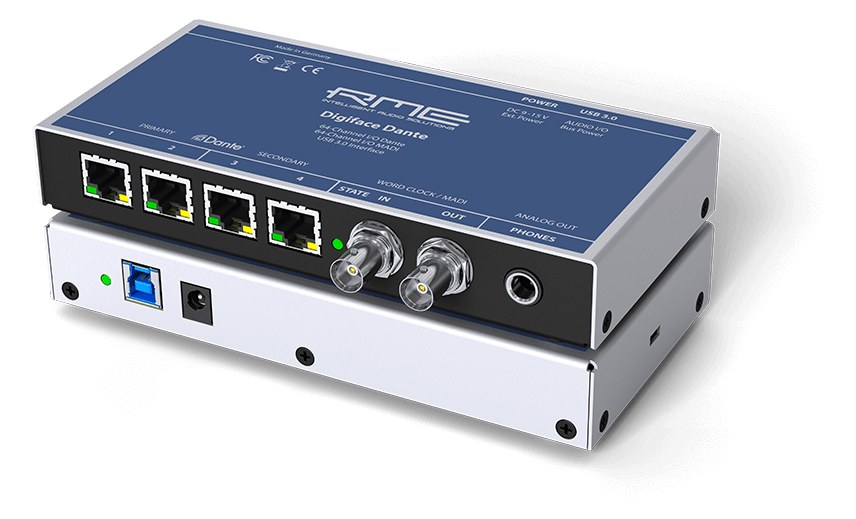
RME Digiface Dante
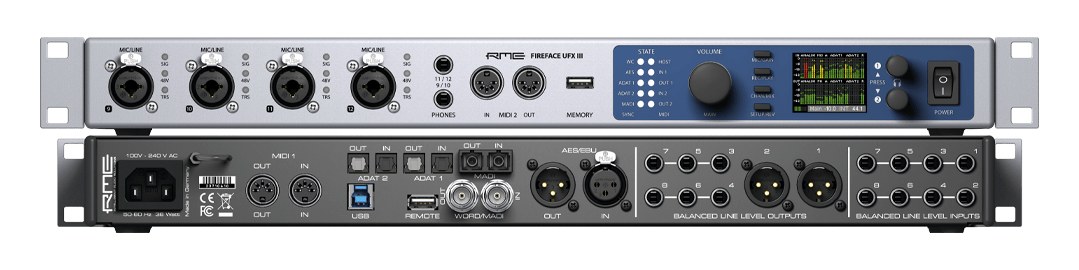
RME Fireface UFX III
Fit📐 Outside rack📐 Outside rack📐 1U
Power⚡ 8W⚡ 10W⚡ 30W
Weight⚖️ 1.3 lb⚖️ 1.5 lb⚖️ 6.4 lb
I/O🔌 5🔌 6🔌 10
Estimate💵 ~$999💵 ~$1,749💵 ~$3,199
Deep diveCurrent selectionFull comparison →Full comparison →

06 · Resolve the questions that can change the purchase or build plan.

Planning questions

Short, source-backed answers surface rack fit, power, cabling, and connection details before they become surprises.

Where does the RME Babyface Pro FS live in a complete rig?

The catalog assigns it no rack units. Builder tracks it as non-rack gear; follow the manufacturer’s mounting, case, and form-factor guidance.

How much power does the RME Babyface Pro FS draw?

Typical draw is 8W and documented maximum draw is 10W.

What connections does the RME Babyface Pro FS have?

5 documented physical ports, including Mic In 1 (XLR), Mic In 2 (XLR), Line Out 1 (TRS), Line Out 2 (TRS), USB-C.

07 · See this gear inside a complete system plan.

Builder preview

Builder keeps non-rack gear in the same bill of materials, budget, dependency, and connection plan as the rack-mounted system around it.Open in Builder
Babyface Pro FS tracked in a complete system planA simplified plan shows the gear tracked outside rack rails, with its documented connection path continuing to a planned destination.Tracked outside rack railsRMEBabyface Pro FSCONNECTED GEARnext signal destinationExternal system gear · no rack units assigned

08 · Related gear, in the order you may need it.

Planning guides for audio interface systems.