MOTU Stage-B16 Stagebox
MOTU·Model Stage-B16·motu-stage-b16
Photos
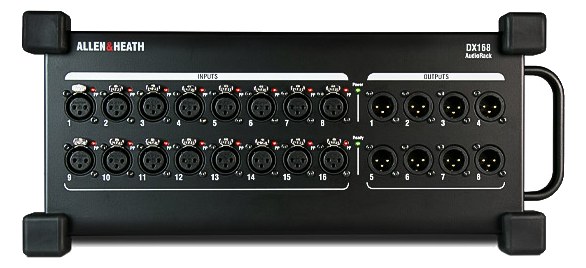
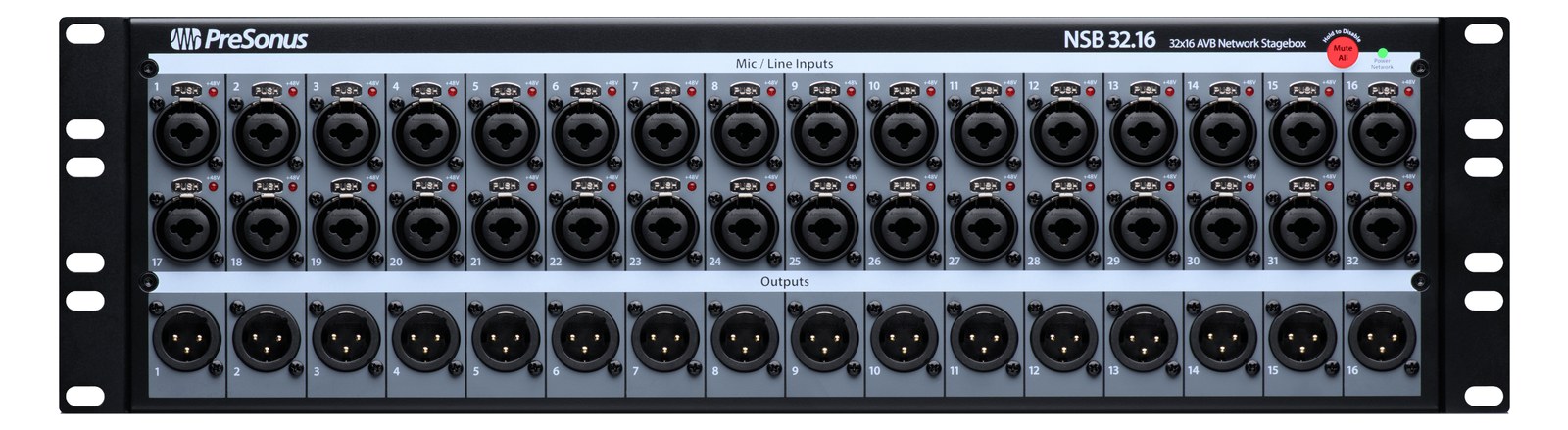
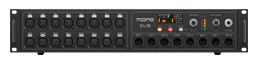
Manufacturer product photography — the drawn faceplate above stays true to panel layout; these show the hardware itself.
About the MOTU Stage-B16
The MOTU Stage-B16 is built for the road with a rugged 1UThe standard slice of rack height: 1U = 1.75″. A 3U box takes three slices; half-rack gear pairs two units side by side in one. chassis, locking combo jacks, and front-panel headphone monitoring. It offers 16 mic/line inputs and 12 analog outputs with onboard DSPDigital Signal Processing — the number-crunching that does EQ, compression, and effects inside a box. More DSP means more processing at once. mixing and effects, plus AVBAudio Video Bridging — open network audio (MOTU, PreSonus) where the switch reserves bandwidth so streams can’t glitch. Milan is its pro profile./TSN networking and USB connectivity. The dedicated headphone output with independent mix is invaluable for quick monitor checks, and the robust build quality handles the rigors of touring. A strong choice for the front end of a playback or IEMIn-Ear Monitor — earpieces that replace floor wedges, feeding each player their own mix. The reason this whole rack exists. rig.
The MOTU Stage-B16 is a network-connected stageboxThe I/O endpoint on stage: mics plug in there and one digital line (AES50, Dante) carries everything to the console. The snake, digitized. that lives at the analog edge of your rig — the point where microphones, DIDirect Injection box — converts an instrument’s unbalanced signal to a balanced mic-level XLR so it can run long cables without noise. boxes, and playback sources enter the digital domain and where monitor feeds return to the stage as analog signals. Its sixteen inputs and twelve outputs, combined with onboard DSPDigital Signal Processing — the number-crunching that does EQ, compression, and effects inside a box. More DSP means more processing at once. and dual AVBAudio Video Bridging — open network audio (MOTU, PreSonus) where the switch reserves bandwidth so streams can’t glitch. Milan is its pro profile. ports, make it a serious front-end for an IEMIn-Ear Monitor — earpieces that replace floor wedges, feeding each player their own mix. The reason this whole rack exists. rack or a compact playback system. The headphone output on the front panel is a genuine working tool: you can sanity-check a mix or verify signal flow without pulling out a laptop or walking to FOHFront Of House — the main mix the audience hears, and the console position out in the room where it gets mixed..
At load-in the numbers matter. Eight of the sixteen inputs are XLRThe standard 3-pin locking connector for mics and balanced line signals — pin 1 is the shield, pins 2 and 3 carry the balanced pair. combo jacks suited for microphones or line-levelThe strong signal that runs between pieces of gear (about a volt) — hotter than mic level, far below speaker level. sources; the remaining eight are quarter-inch TRSTip-Ring-Sleeve — a 1/4″ jack with three contacts carrying a balanced signal or a stereo pair. A guitar plug with one extra ring., which works well for keyboard submixes, playback outputs, or anything already at line level. Two of the twelve outputs are XLR male — useful for the mains or a FOHFront Of House — the main mix the audience hears, and the console position out in the room where it gets mixed. send — while the rest are TRS. The two AVBAudio Video Bridging — open network audio (MOTU, PreSonus) where the switch reserves bandwidth so streams can’t glitch. Milan is its pro profile. Ethernet ports let you daisy-chain or connect to a network switch without losing a port, which keeps cabling tidy when the Stage-B16 is talking to a MOTU interface or another AVB device across the stage. At 35 watts nominal draw in a 2UThe standard slice of rack height: 1U = 1.75″. A 3U box takes three slices; half-rack gear pairs two units side by side in one. chassis weighing 3.2 kg, it is light enough that the rack weight budget stays reasonable.
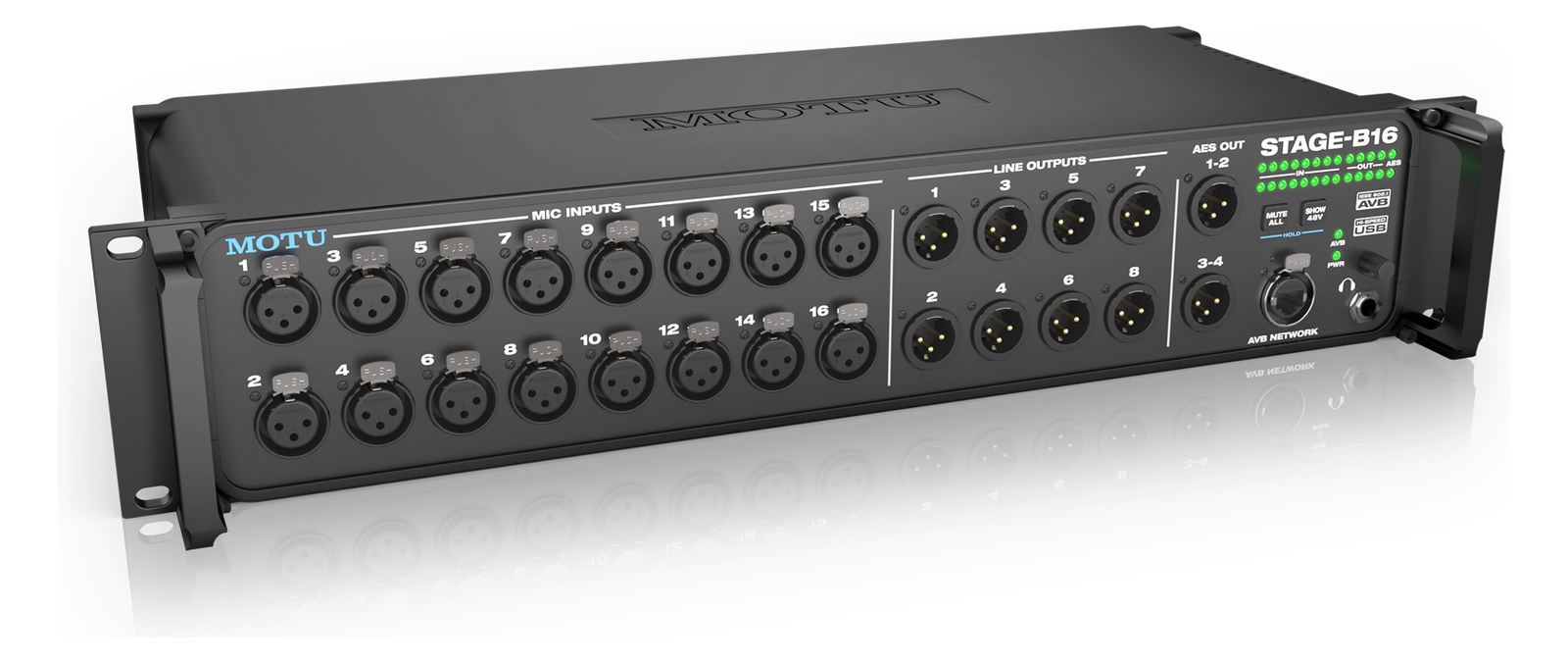
This unit belongs in a rig where AVBAudio Video Bridging — open network audio (MOTU, PreSonus) where the switch reserves bandwidth so streams can’t glitch. Milan is its pro profile. is already the transport or where you are building a MOTU-native system from scratch. If your console or interface speaks DanteThe most common audio-over-network standard: dozens of channels of uncompressed digital audio down one ordinary Ethernet cable between Dante boxes. or MADIA pro digital format carrying 64 channels on one coax or optical cable. Point-to-point — one sender, one receiver, no network required., you will need a protocol bridge and that erases much of the value here. Engineers running hybrid rigs with a mix of analog and network I/O will appreciate the flexible input pairing, but anyone expecting straightforward AES67The interop standard that lets different audio-network flavors (Dante, Ravenna, Livewire) exchange streams on the same network. interop should verify compatibility before committing. The $1,695 price puts it in direct conversation with other 16-input stageboxesThe I/O endpoint on stage: mics plug in there and one digital line (AES50, Dante) carries everything to the console. The snake, digitized. in the AVB space; where it earns its keep is the onboard DSPDigital Signal Processing — the number-crunching that does EQ, compression, and effects inside a box. More DSP means more processing at once. and that front-panel headphone amp, which together reduce your dependency on a laptop for basic monitoring tasks on busy show days.
In the rack
- Use the dual AVBAudio Video Bridging — open network audio (MOTU, PreSonus) where the switch reserves bandwidth so streams can’t glitch. Milan is its pro profile. ports in a daisy-chain to a second MOTU device rather than running separate home-runs — it keeps your Cat6Standard network cable grades. In an audio rig one cheap Cat5e run can replace a 48-channel copper snake; AES50 wants it shielded. count low and the network topology simple to troubleshoot mid-show.
- Assign the two XLRThe standard 3-pin locking connector for mics and balanced line signals — pin 1 is the shield, pins 2 and 3 carry the balanced pair. outputs to your main IEMIn-Ear Monitor — earpieces that replace floor wedges, feeding each player their own mix. The reason this whole rack exists. transmitter feeds and reserve the TRSTip-Ring-Sleeve — a 1/4″ jack with three contacts carrying a balanced signal or a stereo pair. A guitar plug with one extra ring. outputs for auxiliary or utility sends; the XLR locks are more reliable on cables that get yanked during changeovers.
- Plug a set of in-ears directly into the front-panel headphone output and assign it an independent mix for line-checkThe quick pre-show pass confirming every input reaches the console, one line at a time. Not a soundcheck — just does it work. — you can verify every input and output without disturbing the running mix going to the transmitters.
- Budget the full 45-watt maximum draw figure when calculating your rack's power needs, not the 35-watt nominal — a fully loaded analog I/O section under phantom powerThe +48 V a console sends up the mic cable to power condenser mics and active DI boxes — invisible to gear that doesn’t need it. load will push closer to that ceiling.
16x12 stageboxThe I/O endpoint on stage: mics plug in there and one digital line (AES50, Dante) carries everything to the console. The snake, digitized. with DSPDigital Signal Processing — the number-crunching that does EQ, compression, and effects inside a box. More DSP means more processing at once., AVBAudio Video Bridging — open network audio (MOTU, PreSonus) where the switch reserves bandwidth so streams can’t glitch. Milan is its pro profile./USB, and rugged design for live use.
I/O Ports (35)
| Port | Connector | Direction | Signal | Channels |
|---|---|---|---|---|
| Mic/Line In 1 (XLR) | XLR FEMALE | input | analog audio | — |
| Mic/Line In 2 (XLR) | XLR FEMALE | input | analog audio | — |
| Mic/Line In 3 (XLR) | XLR FEMALE | input | analog audio | — |
| Mic/Line In 4 (XLR) | XLR FEMALE | input | analog audio | — |
| Mic/Line In 5 (XLR) | XLR FEMALE | input | analog audio | — |
| Mic/Line In 6 (XLR) | XLR FEMALE | input | analog audio | — |
| Mic/Line In 7 (XLR) | XLR FEMALE | input | analog audio | — |
| Mic/Line In 8 (XLR) | XLR FEMALE | input | analog audio | — |
| Line In 9 (TRS) | TRS QUARTER | input | analog audio | — |
| Line In 10 (TRS) | TRS QUARTER | input | analog audio | — |
| Line In 11 (TRS) | TRS QUARTER | input | analog audio | — |
| Line In 12 (TRS) | TRS QUARTER | input | analog audio | — |
| Line In 13 (TRS) | TRS QUARTER | input | analog audio | — |
| Line In 14 (TRS) | TRS QUARTER | input | analog audio | — |
| Line In 15 (TRS) | TRS QUARTER | input | analog audio | — |
| Line In 16 (TRS) | TRS QUARTER | input | analog audio | — |
| Analog Out 1 (XLR) | XLR MALE | output | analog audio | — |
| Analog Out 2 (XLR) | XLR MALE | output | analog audio | — |
| Analog Out 3 (TRS) | TRS QUARTER | output | analog audio | — |
| Analog Out 4 (TRS) | TRS QUARTER | output | analog audio | — |
| Analog Out 5 (TRS) | TRS QUARTER | output | analog audio | — |
| Analog Out 6 (TRS) | TRS QUARTER | output | analog audio | — |
| Analog Out 7 (TRS) | TRS QUARTER | output | analog audio | — |
| Analog Out 8 (TRS) | TRS QUARTER | output | analog audio | — |
| Analog Out 9 (TRS) | TRS QUARTER | output | analog audio | — |
| Analog Out 10 (TRS) | TRS QUARTER | output | analog audio | — |
| Analog Out 11 (TRS) | TRS QUARTER | output | analog audio | — |
| Analog Out 12 (TRS) | TRS QUARTER | output | analog audio | — |
| Headphone Out (TRS) | TRS QUARTER | output | analog audio | — |
| AVB Network 1 (RJ45) | RJ45 | bidirectional | digital audio | — |
| AVB Network 2 (RJ45) | RJ45 | bidirectional | digital audio | — |
| USB-C | USB C | bidirectional | data | — |
| MIDI In | MIDI DIN5 | input | data | — |
| MIDI Out | MIDI DIN5 | output | data | — |
- Power (IEC) (IEC C14)
Deciding between two?
Rack space, watts, weight and every connector, side by side.
Related gear


Related articles
Guides from our library that cover planning around stage box gear.
A walking tour of the signal path from microphone to in-ear monitor, with what every box in the rack actually does to the audio along the way.
A plain-English guide to writing the input list, stage plot, and patch sheet that house engineers want — without the jargon, with examples, and with a free way to generate one.
Step-by-step: linking aux buses into stereo pairs, pre-fader vs post-fader, routing buses to Ultranet vs physical XLRs vs AES50, and adding a bus-level limiter.
A practical comparison of the three audio-over-network protocols you’ll encounter in a rack rig, with guidance on when each one is the right pick.