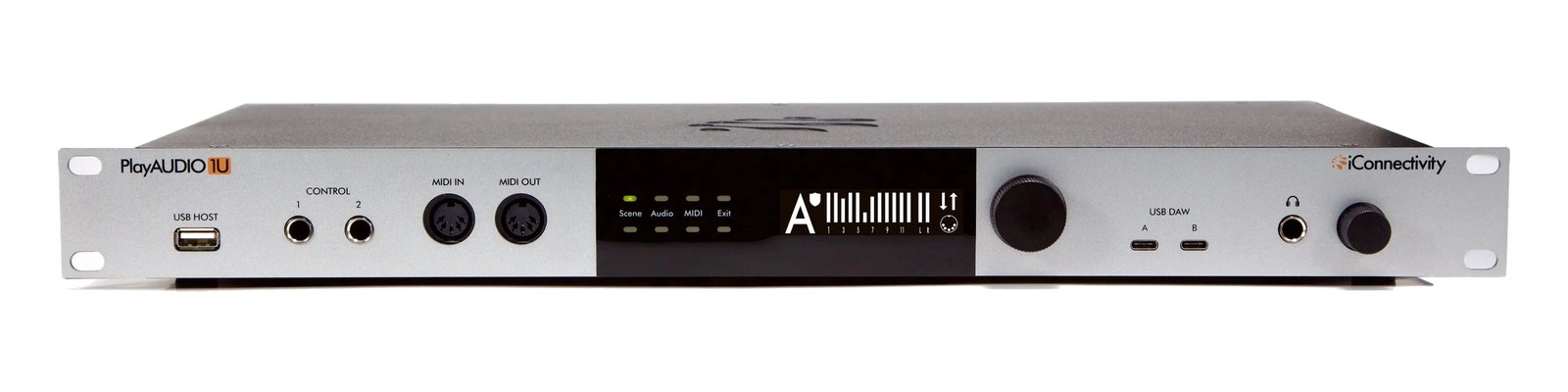
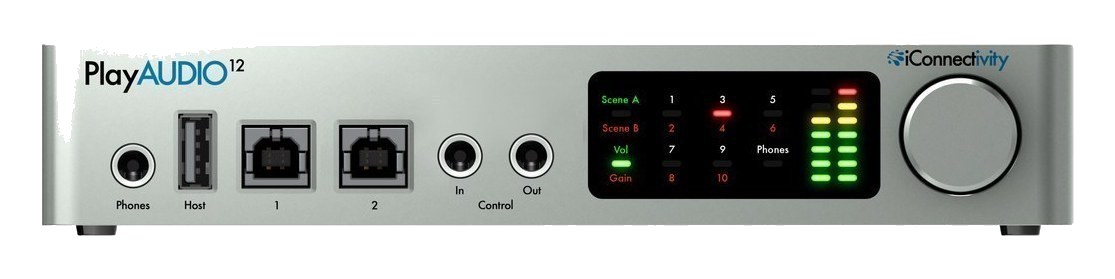
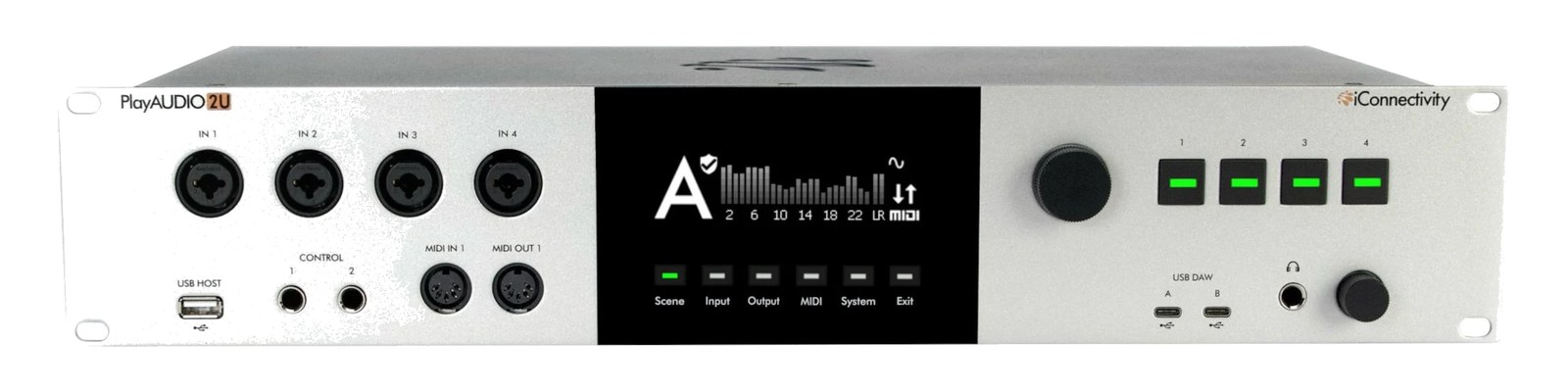
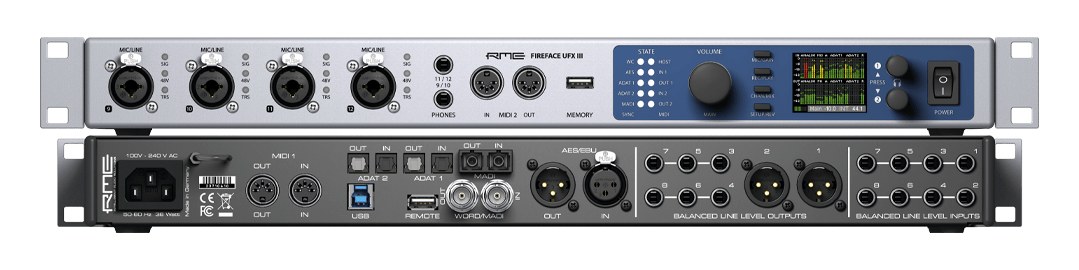
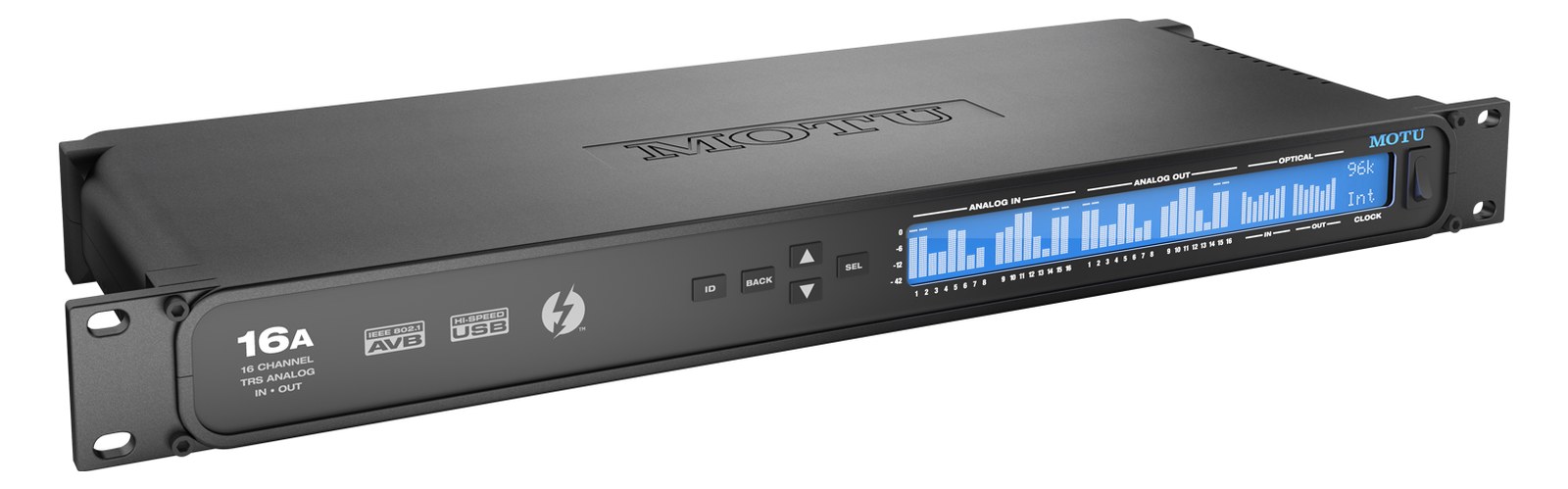
The PlayAUDIO1U expands on the PlayAUDIO12 with a full 1U rack-mount form factor and additional I/O. It provides the same dual USB host failover that makes the PlayAUDIO12 a touring standard, but adds more outputs and routing flexibility for larger playback rigs. The extra headphone outputs allow independent monitoring for the playback engineer and musical director, and the additional MIDI ports handle more complex show control setups.
~$1,200Use retailer rows for current price and stock
01 · What it does—and what that changes in your rig.
Product overview
Start with the payoff, then work through how it functions, where it fits, and the details that change a real build.
The payoff
Audio Interface decisions, organized around the whole rig.
The PlayAUDIO1U is iConnectivity's rack-format answer to the question every playback engineer eventually asks: what happens to the show if my computer dies mid-set? It connects two host computers simultaneously over USB — typically a primary MacBook running the show and a backup machine sitting idle — and can switch between them without dropping audio to the outputs. That core failoverThe automatic switch to the backup when the primary dies — good failover is seamless enough that the audience never knows. architecture is what made the PlayAUDIO12 a touring standard, and the 1UThe standard slice of rack height: 1U = 1.75″. A 3U box takes three slices; half-rack gear pairs two units side by side in one. takes the same idea into a proper rackmount chassis with ten analog outputs across five stereo pairs, four analog inputs, two headphone outputs, and four TRSTip-Ring-Sleeve — a 1/4″ jack with three contacts carrying a balanced signal or a stereo pair. A guitar plug with one extra ring. MIDI ports.
Documented outputs
1414 destination connections
Documented inputs
4Based on documented inputs
Rack space
1UBuilder checks available rail space
Photo: iConnectivity1U · 10W
Function
How it works in the path
In practice, ten outputs means you can cover a serious playback split: stereo to FOHFront Of House — the main mix the audience hears, and the console position out in the room where it gets mixed., stereo to monitors, a click feed, a guide track feed, and still have a pair left for broadcast or recording. The two dedicated headphone outputs are genuinely useful — the playback op and the musical director can both monitor without sharing a single source or daisy-chaining a headphone amp. At 15 watts maximum draw and 180mm deep, it sits cleanly in a shallow touring rack. The TRSTip-Ring-Sleeve — a 1/4″ jack with three contacts carrying a balanced signal or a stereo pair. A guitar plug with one extra ring. MIDI ports use the TRS-A standard common in modern gear, so have your adapters sorted before load-in if you're patching into legacy 5-pin equipment.
Best fit
Where it earns its place in the rack
This box belongs in any serious touring playback rig where redundancyA second copy of anything critical — supply, computer, network path — already running so one failure can’t stop the show. is non-negotiable and the show cannot stop. If you're running a single laptop for rehearsals or small club dates and failoverThe automatic switch to the backup when the primary dies — good failover is seamless enough that the audience never knows. isn't a priority, the price point is hard to justify — a simpler interface will do the job. Similarly, if your rig is primarily IEMIn-Ear Monitor — earpieces that replace floor wedges, feeding each player their own mix. The reason this whole rack exists. distribution and playback is a minor function, the output count here is more than you need. But if you're the person responsible for keeping the track running while something fails on a headline tour or a theatrical run, the PlayAUDIO1U is purpose-built for exactly that weight.
In the rack
Details worth deciding before load-in.
Label your USB cables at both ends — Host A is primary, Host B is backup — so anyone troubleshooting in the dark during a show knows exactly which machine to check first.
Map your MIDI outputs before tech rehearsal: with two MIDI outs available, you can route show control to stage gear on one port and keep a separate line for in-ear or lighting cue triggers, avoiding merge conflicts entirely.
The TRSTip-Ring-Sleeve — a 1/4″ jack with three contacts carrying a balanced signal or a stereo pair. A guitar plug with one extra ring. MIDI ports are 1/8-inch, not 5-pin DINThe round 5-pin connector classic MIDI uses — the original way synths, pedals, and playback rigs talk to each other. — pack at least two TRS-A to DIN adapters in your spares kit so you're not hunting at load-in when the stage boxThe I/O endpoint on stage: mics plug in there and one digital line (AES50, Dante) carries everything to the console. The snake, digitized. only has 5-pin returns.
Run a short sanity-check failoverThe automatic switch to the backup when the primary dies — good failover is seamless enough that the audience never knows. drill during soundcheck, not during the show: confirm audio switches cleanly from Host A to Host B with your actual session files loaded, so you know your backup computer is genuinely ready and not just sitting there looking reassuring.
02 · Know the whole path before you buy.
Signal path
Learn the route as a block diagram: source, product function, transport, and destination. Select any block to see what enters, what changes, and what leaves.
Interactive block diagramAuto-looping · hover, focus, or tap to hold a stage
Port-type signalProduct functionSystem boundary
Follow one signal from source to destination
Each block answers the same three questions: what arrives, what changes here, and what leaves.
01 · Source · selected
midi din5 + IEC C14
RJ45
XLR male + ¼-inch TRS
01 · Source
4 documented inputs
midi din5 + IEC C14
Arrives as
4 documented inputs
Connector
midi din5 + IEC C14
Signal
data
03 · What this product asks of the rest of the system.
Compatibility
Treat connector names as the start of the check—not the answer. These are the boundaries that determine a complete working path.
Best fit · Audio Interface
Use it when 1U and 200 mm of depth fit the case.
Plan the companion path
Complete the path with upstream and downstream gear that matches connector, direction, signal type, protocol, and wiring standard.
Connector boundary
Documented connectors: XLR male, ¼-inch TRS, usb c, midi din5. Match connector, direction, and signal type—not shape alone.
04 · Every connector, grouped by job.
I/O ports
Switch the product view and the documented port inventory updates with it—hardware and data stay side by side.
Every connector, grouped by job.
Switch panels to keep the hardware view and the documented port list in sync.
Front panelRear panel
All documented ports for iConnectivity PlayAUDIO1U
Port
Panel
Connector
Direction
Signal
Channels
OUT 1
rear
XLR male
output
analog audio
—
OUT 2
rear
XLR male
output
analog audio
—
OUT 3
rear
XLR male
output
analog audio
—
OUT 4
rear
XLR male
output
analog audio
—
OUT 5
rear
XLR male
output
analog audio
—
OUT 6
rear
XLR male
output
analog audio
—
OUT 7
rear
XLR male
output
analog audio
—
OUT 8
rear
XLR male
output
analog audio
—
OUT 9
rear
XLR male
output
analog audio
—
OUT 10
rear
XLR male
output
analog audio
—
PHONES
front
¼-inch TRS
output
analog audio
—
USB DAW A
front
usb c
bidirectional
data
—
USB DAW B
front
usb c
bidirectional
data
—
MIDI IN
front
midi din5
input
data
—
MIDI OUT
front
midi din5
output
data
—
AC POWER
rear
IEC C14
input
power
—
CONTROL 1
front
¼-inch TRS
input
analog audio
—
CONTROL 2
front
¼-inch TRS
input
analog audio
—
OUT 11
rear
XLR male
output
analog audio
—
OUT 12
rear
XLR male
output
analog audio
—
RTP-MIDI
rear
RJ45
bidirectional
data
—
USB HOST
front
usb a
bidirectional
data
—
Showing 22 of 22 documented physical ports. Scroll to review the remaining rows.
05 · Compare the decision, not just the price.
Alternatives
The rows are organized around fit, power, I/O, and system role so a cheaper unit cannot hide a more expensive workflow.
PlayAUDIO1UThe PlayAUDIO1U expands on the PlayAUDIO12 with a full 1U rack-mount form factor and additional I/O. It provides the same dual USB host failover that makes the PlayAUDIO12 a touring standard, but adds more outputs and routing flexibility for larger playback rigs. The extra headphone outputs allow independent monitoring for the playback engineer and musical director, and the additional MIDI ports handle more complex show control setups.View gear →
PlayAUDIO12The PlayAUDIO12 is purpose-built for live playback rigs, offering dual USB host connections that automatically fail over between a primary and backup computer with zero gap in audio. It provides 4 stereo outputs for click, tracks, backing, and spare, plus 2 inputs for talkback or ambient mics. The dual MIDI ports handle show control and patch changes. Its half-rack size pairs perfectly with a MIDI controller, and the automatic failover is the killer feature that makes it a touring standard for playback engineers.View gear →
PlayAUDIO2UThe iConnectivity PlayAUDIO2U (2026) is the flagship of the failover playback line: a 2U interface with 24 panel-reinforced XLR outputs, four inputs, and the automatic dual-computer A/B switching that made the PlayAUDIO name the standard for shows that cannot stop. Front-panel control buttons and MIDI make it the brain of a redundant rig without a laptop onstage. The successor tier above the PlayAUDIO1U.View gear →
06 · Resolve the questions that can change the purchase or build plan.
Planning questions
Short, source-backed answers surface rack fit, power, cabling, and connection details before they become surprises.
How will the iConnectivity PlayAUDIO1U affect rack fit and case depth?
It occupies 1U. Its documented depth is 200 mm.
How much power does the iConnectivity PlayAUDIO1U draw?
Typical draw is 10W and documented maximum draw is 24W.
What connections does the iConnectivity PlayAUDIO1U have?
22 documented physical ports, including OUT 1, OUT 2, OUT 3, OUT 4, OUT 5, OUT 6.
07 · See this unit inside a real rack plan.
Builder preview
Placement is only the start. Builder checks space · depth · weight, power headroom, dependencies, and compatible signal paths around this exact catalog item.Open in Builder