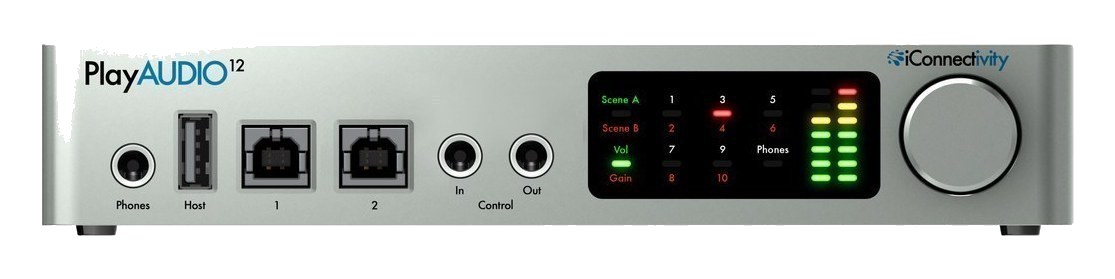
The PlayAUDIO12 is purpose-built for live playback rigs, offering dual USB host connections that automatically fail over between a primary and backup computer with zero gap in audio. It provides 4 stereo outputs for click, tracks, backing, and spare, plus 2 inputs for talkback or ambient mics. The dual MIDI ports handle show control and patch changes. Its half-rack size pairs perfectly with a MIDI controller, and the automatic failover is the killer feature that makes it a touring standard for playback engineers.
~$399Use retailer rows for current price and stock
01 · What it does—and what that changes in your rig.
Product overview
Start with the payoff, then work through how it functions, where it fits, and the details that change a real build.
The payoff
Audio Interface decisions, organized around the whole rig.
The PlayAUDIO12 exists because of one specific nightmare: the playback computer dying mid-song in front of an audience. Its answer is two USB host ports wired to two computers running identical sessions, with automatic failoverThe automatic switch to the backup when the primary dies — good failover is seamless enough that the audience never knows. — when the A machine stops presenting audio, the unit switches to B fast enough that the audience hears a show, not a crash. That single feature is why this 1UThe standard slice of rack height: 1U = 1.75″. A 3U box takes three slices; half-rack gear pairs two units side by side in one. box is de facto standard in tracks rigs.
Documented outputs
1111 destination connections
Documented inputs
4Based on documented inputs
Rack space
1UBuilder checks available rail space
Photo: iConnectivity1U · 8W
Function
How it works in the path
Around that core it's a sensible playback interface: ten quarter-inch TRSTip-Ring-Sleeve — a 1/4″ jack with three contacts carrying a balanced signal or a stereo pair. A guitar plug with one extra ring. outputs for stemsSub-mixes of a session grouped by instrument (drums, keys, vocals) — how playback rigs run tracks with live control over each group. — click, tracks, keys, vocal effects — plus a stereo input pair, and MIDI routing deep enough to mirror control data to both computers so the B machine is genuinely in lockstep, scenes and all. The 1UThe standard slice of rack height: 1U = 1.75″. A 3U box takes three slices; half-rack gear pairs two units side by side in one. full-width chassis racks above the computers it babysits, and the 8–12W draw is happy on the UPSUninterruptible Power Supply — a battery that rides the rig through brownouts and generator hiccups so computers never reboot mid-song. bank where the rest of the playback brain lives.
Best fit
Where it earns its place in the rack
Design honestly around the redundancyA second copy of anything critical — supply, computer, network path — already running so one failure can’t stop the show.: two computers, two identical sessions, disciplined session management — the box fails over, it doesn't sync your arrangements. And if the show's stem count is creeping past ten outputs, that's the signal to look at the larger interfaces or a DanteThe most common audio-over-network standard: dozens of channels of uncompressed digital audio down one ordinary Ethernet cable between Dante boxes.-based playback topology before buying, not after.
iConnectivity PlayAUDIO12 — front-left detail: Phones, Host and USB device portsPhoto: iConnectivity
In the rack
Details worth deciding before load-in.
FailoverThe automatic switch to the backup when the primary dies — good failover is seamless enough that the audience never knows. only works as well as your session discipline — mirror the A and B machines religiously.
Put it and both computers on the UPSUninterruptible Power Supply — a battery that rides the rig through brownouts and generator hiccups so computers never reboot mid-song. bank; failoverThe automatic switch to the backup when the primary dies — good failover is seamless enough that the audience never knows. cannot save you from a power dropoutA brief audio gap when the radio link fails — the thing diversity, distros, and coordination all exist to prevent..
Test the failoverThe automatic switch to the backup when the primary dies — good failover is seamless enough that the audience never knows. in rehearsal by pulling the A cable mid-song — the first time should not be on a Friday night.
02 · Know the whole path before you buy.
Signal path
Learn the route as a block diagram: source, product function, transport, and destination. Select any block to see what enters, what changes, and what leaves.
Interactive block diagramAuto-looping · hover, focus, or tap to hold a stage
Port-type signalProduct functionSystem boundary
Follow one signal from source to destination
Each block answers the same three questions: what arrives, what changes here, and what leaves.
01 · Source · selected
¼-inch TRS + trs eighth
¼-inch TRS + trs eighth
01 · Source
4 documented inputs
¼-inch TRS + trs eighth
Arrives as
4 documented inputs
Connector
¼-inch TRS + trs eighth
Signal
analog audio
03 · What this product asks of the rest of the system.
Compatibility
Treat connector names as the start of the check—not the answer. These are the boundaries that determine a complete working path.
Best fit · Audio Interface
Use it when 1U and 140 mm of depth fit the case.
Plan the companion path
Complete the path with upstream and downstream gear that matches connector, direction, signal type, protocol, and wiring standard.
Connector boundary
Documented connectors: ¼-inch TRS, usb b, trs eighth, dc barrel. Match connector, direction, and signal type—not shape alone.
04 · Every connector, grouped by job.
I/O ports
Switch the product view and the documented port inventory updates with it—hardware and data stay side by side.
Every connector, grouped by job.
Switch panels to keep the hardware view and the documented port list in sync.
Front panelRear panel
All documented ports for iConnectivity PlayAUDIO12
Port
Panel
Connector
Direction
Signal
Channels
Output 1 L (TRS)
rear
¼-inch TRS
output
analog audio
—
Output 1 R (TRS)
rear
¼-inch TRS
output
analog audio
—
Output 2 L (TRS)
rear
¼-inch TRS
output
analog audio
—
Output 2 R (TRS)
rear
¼-inch TRS
output
analog audio
—
Output 3 L (TRS)
rear
¼-inch TRS
output
analog audio
—
Output 3 R (TRS)
rear
¼-inch TRS
output
analog audio
—
Output 4 L (TRS)
rear
¼-inch TRS
output
analog audio
—
Output 4 R (TRS)
rear
¼-inch TRS
output
analog audio
—
Input 1 (TRS)
rear
¼-inch TRS
input
analog audio
—
Input 2 (TRS)
rear
¼-inch TRS
input
analog audio
—
Headphone 1 (TRS)
rear
¼-inch TRS
output
analog audio
—
Headphone 2 (TRS)
rear
¼-inch TRS
output
analog audio
—
USB Host A
rear
usb b
bidirectional
data
—
USB Host B
rear
usb b
bidirectional
data
—
MIDI In
rear
trs eighth
input
data
—
MIDI Out
rear
trs eighth
output
data
—
Power (DC)
rear
dc barrel
input
power
—
Showing 17 of 17 documented physical ports. Scroll to review the remaining rows.
05 · Compare the decision, not just the price.
Alternatives
The rows are organized around fit, power, I/O, and system role so a cheaper unit cannot hide a more expensive workflow.
PlayAUDIO12The PlayAUDIO12 is purpose-built for live playback rigs, offering dual USB host connections that automatically fail over between a primary and backup computer with zero gap in audio. It provides 4 stereo outputs for click, tracks, backing, and spare, plus 2 inputs for talkback or ambient mics. The dual MIDI ports handle show control and patch changes. Its half-rack size pairs perfectly with a MIDI controller, and the automatic failover is the killer feature that makes it a touring standard for playback engineers.View gear →
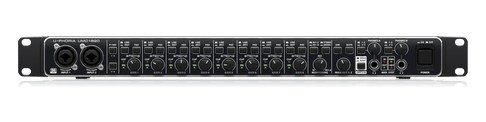
UMC1820The Behringer U-Phoria UMC1820 is the budget workhorse of rack interfaces: eight Midas-designed mic preamps, 18x20 total I/O with ADAT expansion, and MIDI, for around what one boutique preamp channel costs. It is the pragmatic pick for a first playback or recording rack where channel count matters more than pedigree. The most-searched interface the catalog was missing.View gear →
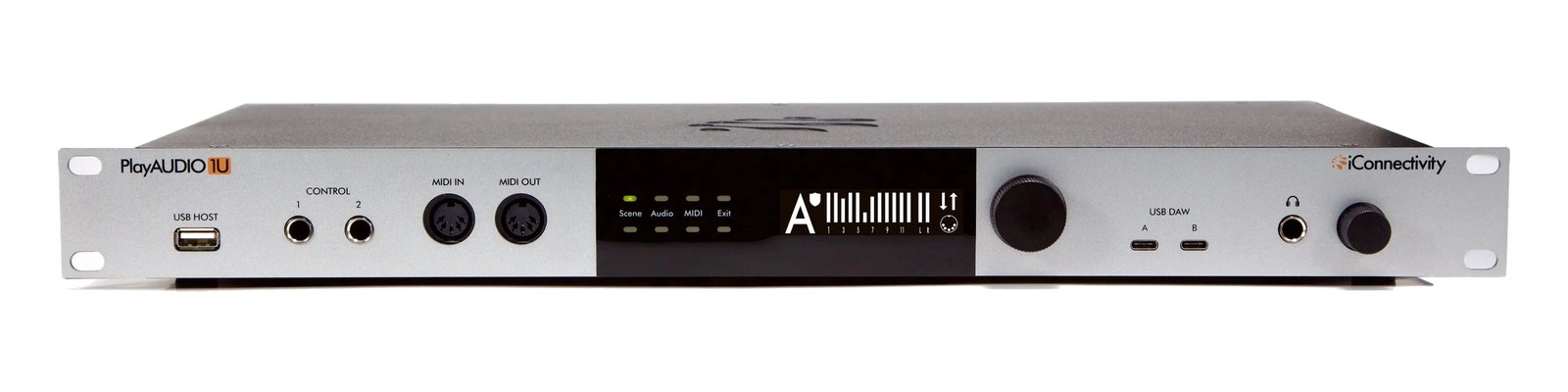
PlayAUDIO1UThe PlayAUDIO1U expands on the PlayAUDIO12 with a full 1U rack-mount form factor and additional I/O. It provides the same dual USB host failover that makes the PlayAUDIO12 a touring standard, but adds more outputs and routing flexibility for larger playback rigs. The extra headphone outputs allow independent monitoring for the playback engineer and musical director, and the additional MIDI ports handle more complex show control setups.View gear →
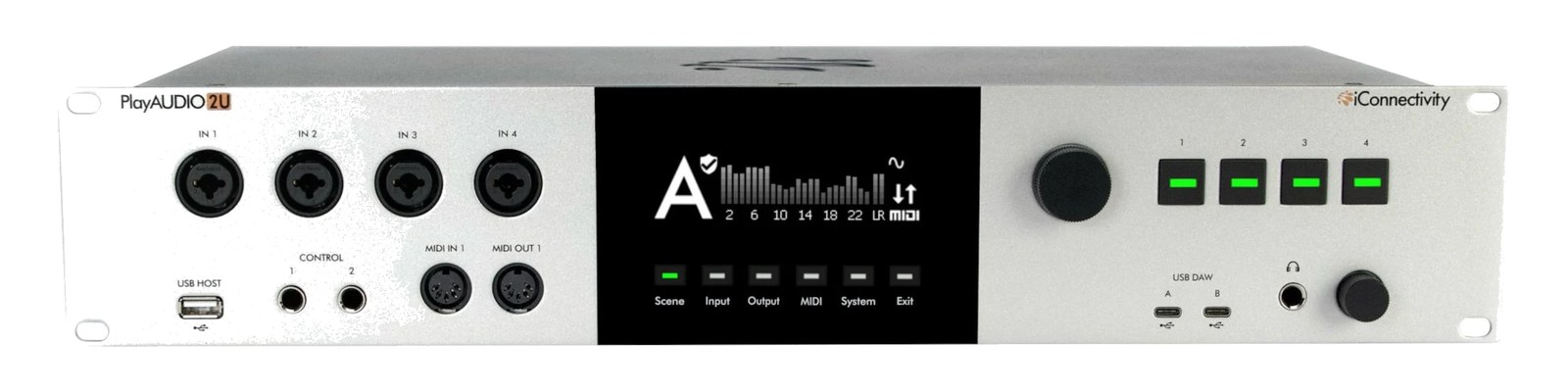
PlayAUDIO2UThe iConnectivity PlayAUDIO2U (2026) is the flagship of the failover playback line: a 2U interface with 24 panel-reinforced XLR outputs, four inputs, and the automatic dual-computer A/B switching that made the PlayAUDIO name the standard for shows that cannot stop. Front-panel control buttons and MIDI make it the brain of a redundant rig without a laptop onstage. The successor tier above the PlayAUDIO1U.View gear →
06 · Resolve the questions that can change the purchase or build plan.
Planning questions
Short, source-backed answers surface rack fit, power, cabling, and connection details before they become surprises.
How will the iConnectivity PlayAUDIO12 affect rack fit and case depth?
It occupies 1U. Its documented depth is 140 mm.
How much power does the iConnectivity PlayAUDIO12 draw?
Typical draw is 8W and documented maximum draw is 12W.
What connections does the iConnectivity PlayAUDIO12 have?
17 documented physical ports, including Output 1 L (TRS), Output 1 R (TRS), Output 2 L (TRS), Output 2 R (TRS), Output 3 L (TRS), Output 3 R (TRS).
Is the iConnectivity PlayAUDIO12 discontinued?
Discontinued; replaced by PlayAUDIO1U (iConnectivity product page redirects). Kept for owners — large installed base in playback rigs.
07 · See this unit inside a real rack plan.
Builder preview
Placement is only the start. Builder checks space · depth · weight, power headroom, dependencies, and compatible signal paths around this exact catalog item.Open in Builder