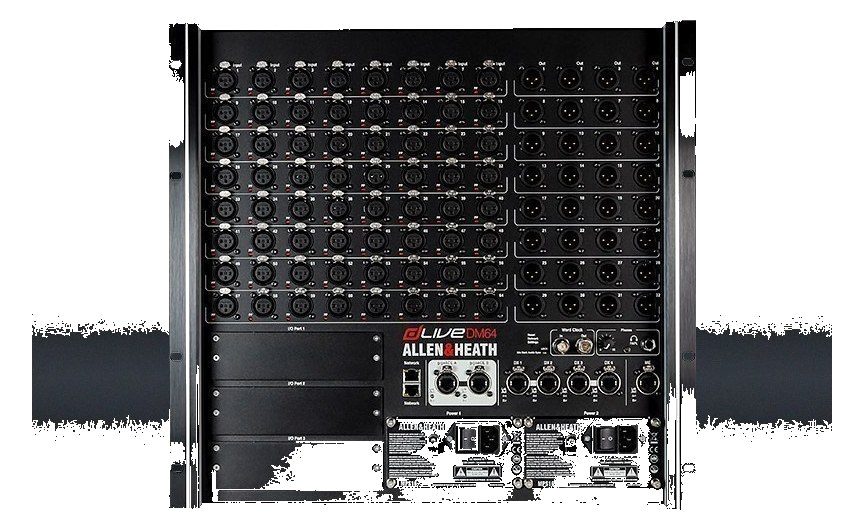
Allen & Heath dLive DM64 MixRack
Allen & Heath·Model dLive DM64·allen-heath-dlive-dm64
Photos
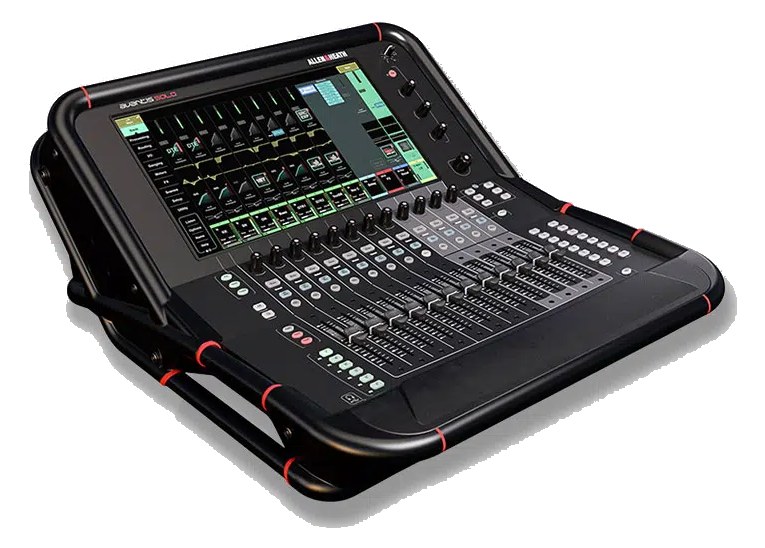
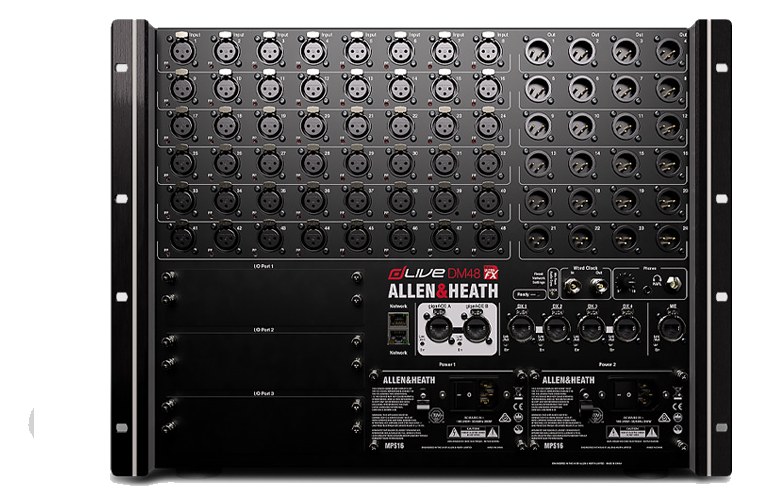
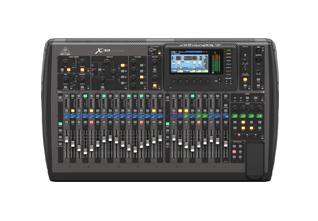
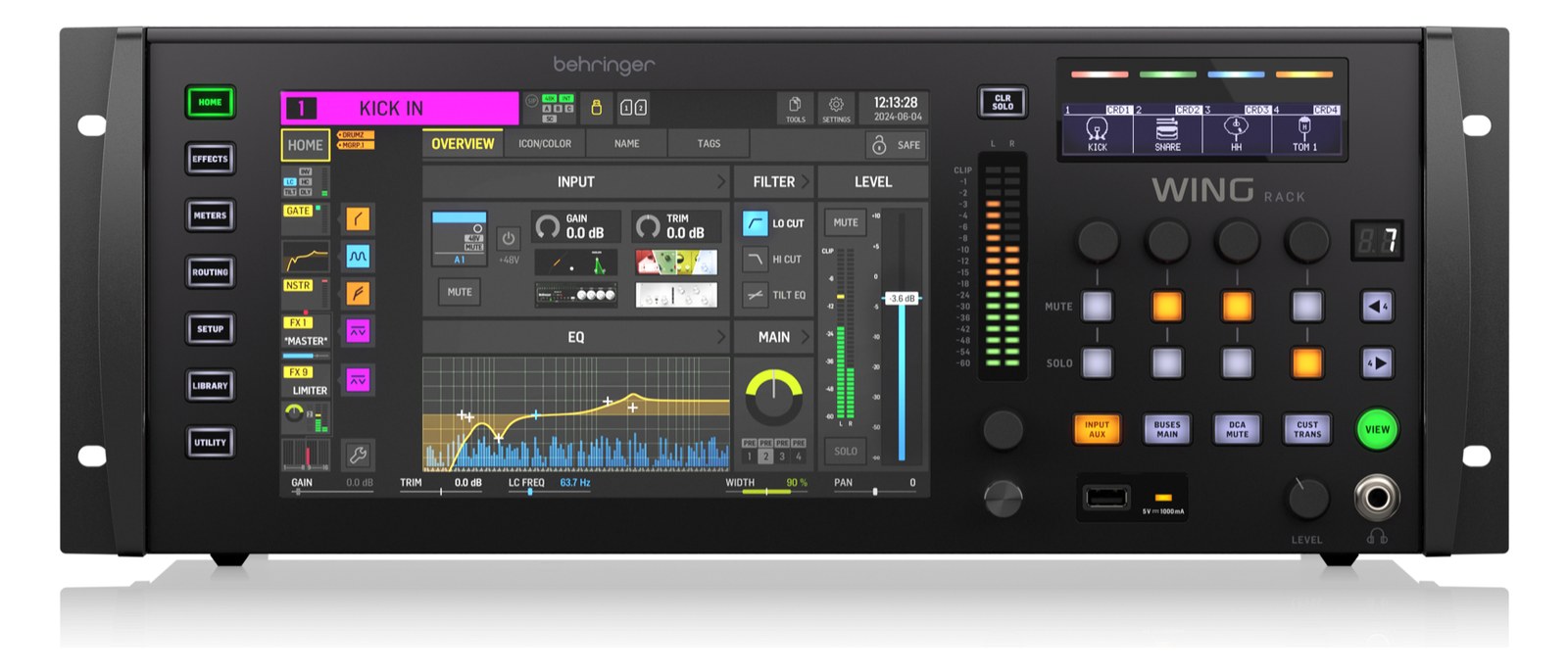
Manufacturer product photography — the drawn faceplate above stays true to panel layout; these show the hardware itself.
About the Allen & Heath dLive DM64
The dLive DM64 is the largest S Class MixRack: 64 mic/line inputs, 32 line outputs and the 128-input / 64-bus XCVI processing engine in a 10U chassis. It is used on major touring rigs that need high stage-I/O density and redundantA second copy of anything critical — supply, computer, network path — already running so one failure can’t stop the show. surface links. It pairs naturally with S5000 or S7000 surfaces and can also run without a surface under network control.
The dLive DM64 is Allen & Heath's largest MixRack in the dLive line — a dedicated stage boxThe I/O endpoint on stage: mics plug in there and one digital line (AES50, Dante) carries everything to the console. The snake, digitized. and processing engine that lives in your rack while a surface controls it remotely over gigaACE. There is no fader or screen on the unit itself; it is purely infrastructure. Its job is to convert 128 mic preampsThe gain stage that lifts a mic’s tiny signal up to line level — the first thing a signal hits, and a big part of how a console sounds. and route up to 64 analog outputs while the XCVI processing engine handles all the DSPDigital Signal Processing — the number-crunching that does EQ, compression, and effects inside a box. More DSP means more processing at once.. On a major touring rig where the monitor worldThe side-stage domain of the monitor engineer — console, IEM racks, and everything feeding the band’s ears instead of the audience. and FOHFront Of House — the main mix the audience hears, and the console position out in the room where it gets mixed. world are splitting a common stage snakeA multicore cable bundling many channels into one stage-to-console run. A sub-snake collects one corner of the stage into a drop box., or where an IEMIn-Ear Monitor — earpieces that replace floor wedges, feeding each player their own mix. The reason this whole rack exists. rig needs every input available independently, this is the piece that makes that possible without a compromise on channel count.
Eleven rack unitsThe standard slice of rack height: 1U = 1.75″. A 3U box takes three slices; half-rack gear pairs two units side by side in one. and 31.5 kg means this is not a fly-date decision — it's a commitment to a specific case and a specific truck position. The 472 mm depth demands a proper touring rack, not a shallow ATA shell. Power draw sits at 200 W nominal with a 280 W max, and critically, there are two IECThe standard three-prong appliance power inlet on rack gear — the kettle lead. C13/C14 in spec-sheet speak. inlets for redundantA second copy of anything critical — supply, computer, network path — already running so one failure can’t stop the show. power feeds — run each to a separate circuit or UPSUninterruptible Power Supply — a battery that rides the rig through brownouts and generator hiccups so computers never reboot mid-song. leg. The dual gigaACE ports (A and B on both the surface link and the stage expansion) mean you carry a redundant Cat6Standard network cable grades. In an audio rig one cheap Cat5e run can replace a 48-channel copper snake; AES50 wants it shielded. run as standard practice, not an afterthought. Two M-Series option slots let you add DanteThe most common audio-over-network standard: dozens of channels of uncompressed digital audio down one ordinary Ethernet cable between Dante boxes., MADIA pro digital format carrying 64 channels on one coax or optical cable. Point-to-point — one sender, one receiver, no network required., or other I/O cards to bridge into a house system or a broadcast split without touching your analog patch.
If you are running 48 or fewer inputs and a single monitor engineer, the DM64 is more rack than you need — the DM48 covers that territory in 6U and saves meaningful weight. The DM64 earns its place when the input list pushes past 64, when you need the full 64 analog outputs for a large IEMIn-Ear Monitor — earpieces that replace floor wedges, feeding each player their own mix. The reason this whole rack exists. and wedgeA floor monitor speaker angled up at the performer — the thing IEMs replace, and the thing you fall back on when they die. hybrid rig, or when a second engineer is sharing the MixRack over a second gigaACE surface link. Engineers already in the dLive ecosystem will find the show-file and preampThe gain stage that lifts a mic’s tiny signal up to line level — the first thing a signal hits, and a big part of how a console sounds.-recall workflow familiar. If your organization runs DiGiCo or Avid infrastructure everywhere else, the DM64 does not bridge into those ecosystems natively — the option slots can help, but plan that integration before the advance, not at load-in.
In the rack
- Run the two IECThe standard three-prong appliance power inlet on rack gear — the kettle lead. C13/C14 in spec-sheet speak. power feeds from physically separate circuits — if your venue or generator has a second leg available, use it. A single breaker trip should never kill the MixRack mid-show.
- Patch the gigaACE A and B surface links on different physical cable paths through the stage, not bundled in the same trunkThe main multichannel run between stage and console — one fat multicore (or one Cat5e, these days) carrying everything at once. — redundancyA second copy of anything critical — supply, computer, network path — already running so one failure can’t stop the show. only matters if the failure mode that kills one cable can't kill both simultaneously.
- Label the M-Series option slots in your show file and on the physical rack with their card type and signal format before the tour starts; swapping cards mid-tour to troubleshoot is a last resort, not a workflow.
- Budget the full 472 mm depth plus cable clearance at the rear — in a standard 500 mm deep ATA rack there is virtually no room for XLRThe standard 3-pin locking connector for mics and balanced line signals — pin 1 is the shield, pins 2 and 3 carry the balanced pair. breakoutA cable that splits one multichannel connector (like a DB25) into individual plugs — the octopus that turns 8 channels into 8 XLRs. tails. Either use a deeper case or plan to dress outputs to a patch bayA panel of front-facing jacks wired to everything behind it — re-route any signal with a short cable instead of climbing behind the rack. in an adjacent rack unitThe standard slice of rack height: 1U = 1.75″. A 3U box takes three slices; half-rack gear pairs two units side by side in one..
64 local mic inputs / 32 local line outputs; 128-input, 64-bus XCVI engine. 10U S Class MixRack.
I/O Ports (108)
| Port | Connector | Direction | Signal | Channels |
|---|---|---|---|---|
| Mic In 1 | XLR FEMALE | input | analog audio | — |
| Mic In 2 | XLR FEMALE | input | analog audio | — |
| Mic In 3 | XLR FEMALE | input | analog audio | — |
| Mic In 4 | XLR FEMALE | input | analog audio | — |
| Mic In 5 | XLR FEMALE | input | analog audio | — |
| Mic In 6 | XLR FEMALE | input | analog audio | — |
| Mic In 7 | XLR FEMALE | input | analog audio | — |
| Mic In 8 | XLR FEMALE | input | analog audio | — |
| Mic In 9 | XLR FEMALE | input | analog audio | — |
| Mic In 10 | XLR FEMALE | input | analog audio | — |
| Mic In 11 | XLR FEMALE | input | analog audio | — |
| Mic In 12 | XLR FEMALE | input | analog audio | — |
| Mic In 13 | XLR FEMALE | input | analog audio | — |
| Mic In 14 | XLR FEMALE | input | analog audio | — |
| Mic In 15 | XLR FEMALE | input | analog audio | — |
| Mic In 16 | XLR FEMALE | input | analog audio | — |
| Mic In 17 | XLR FEMALE | input | analog audio | — |
| Mic In 18 | XLR FEMALE | input | analog audio | — |
| Mic In 19 | XLR FEMALE | input | analog audio | — |
| Mic In 20 | XLR FEMALE | input | analog audio | — |
| Mic In 21 | XLR FEMALE | input | analog audio | — |
| Mic In 22 | XLR FEMALE | input | analog audio | — |
| Mic In 23 | XLR FEMALE | input | analog audio | — |
| Mic In 24 | XLR FEMALE | input | analog audio | — |
| Mic In 25 | XLR FEMALE | input | analog audio | — |
| Mic In 26 | XLR FEMALE | input | analog audio | — |
| Mic In 27 | XLR FEMALE | input | analog audio | — |
| Mic In 28 | XLR FEMALE | input | analog audio | — |
| Mic In 29 | XLR FEMALE | input | analog audio | — |
| Mic In 30 | XLR FEMALE | input | analog audio | — |
| Mic In 31 | XLR FEMALE | input | analog audio | — |
| Mic In 32 | XLR FEMALE | input | analog audio | — |
| Mic In 33 | XLR FEMALE | input | analog audio | — |
| Mic In 34 | XLR FEMALE | input | analog audio | — |
| Mic In 35 | XLR FEMALE | input | analog audio | — |
| Mic In 36 | XLR FEMALE | input | analog audio | — |
| Mic In 37 | XLR FEMALE | input | analog audio | — |
| Mic In 38 | XLR FEMALE | input | analog audio | — |
| Mic In 39 | XLR FEMALE | input | analog audio | — |
| Mic In 40 | XLR FEMALE | input | analog audio | — |
| Mic In 41 | XLR FEMALE | input | analog audio | — |
| Mic In 42 | XLR FEMALE | input | analog audio | — |
| Mic In 43 | XLR FEMALE | input | analog audio | — |
| Mic In 44 | XLR FEMALE | input | analog audio | — |
| Mic In 45 | XLR FEMALE | input | analog audio | — |
| Mic In 46 | XLR FEMALE | input | analog audio | — |
| Mic In 47 | XLR FEMALE | input | analog audio | — |
| Mic In 48 | XLR FEMALE | input | analog audio | — |
| Mic In 49 | XLR FEMALE | input | analog audio | — |
| Mic In 50 | XLR FEMALE | input | analog audio | — |
| Mic In 51 | XLR FEMALE | input | analog audio | — |
| Mic In 52 | XLR FEMALE | input | analog audio | — |
| Mic In 53 | XLR FEMALE | input | analog audio | — |
| Mic In 54 | XLR FEMALE | input | analog audio | — |
| Mic In 55 | XLR FEMALE | input | analog audio | — |
| Mic In 56 | XLR FEMALE | input | analog audio | — |
| Mic In 57 | XLR FEMALE | input | analog audio | — |
| Mic In 58 | XLR FEMALE | input | analog audio | — |
| Mic In 59 | XLR FEMALE | input | analog audio | — |
| Mic In 60 | XLR FEMALE | input | analog audio | — |
| Mic In 61 | XLR FEMALE | input | analog audio | — |
| Mic In 62 | XLR FEMALE | input | analog audio | — |
| Mic In 63 | XLR FEMALE | input | analog audio | — |
| Mic In 64 | XLR FEMALE | input | analog audio | — |
| XLR Out 1 | XLR MALE | output | analog audio | — |
| XLR Out 2 | XLR MALE | output | analog audio | — |
| XLR Out 3 | XLR MALE | output | analog audio | — |
| XLR Out 4 | XLR MALE | output | analog audio | — |
| XLR Out 5 | XLR MALE | output | analog audio | — |
| XLR Out 6 | XLR MALE | output | analog audio | — |
| XLR Out 7 | XLR MALE | output | analog audio | — |
| XLR Out 8 | XLR MALE | output | analog audio | — |
| XLR Out 9 | XLR MALE | output | analog audio | — |
| XLR Out 10 | XLR MALE | output | analog audio | — |
| XLR Out 11 | XLR MALE | output | analog audio | — |
| XLR Out 12 | XLR MALE | output | analog audio | — |
| XLR Out 13 | XLR MALE | output | analog audio | — |
| XLR Out 14 | XLR MALE | output | analog audio | — |
| XLR Out 15 | XLR MALE | output | analog audio | — |
| XLR Out 16 | XLR MALE | output | analog audio | — |
| XLR Out 17 | XLR MALE | output | analog audio | — |
| XLR Out 18 | XLR MALE | output | analog audio | — |
| XLR Out 19 | XLR MALE | output | analog audio | — |
| XLR Out 20 | XLR MALE | output | analog audio | — |
| XLR Out 21 | XLR MALE | output | analog audio | — |
| XLR Out 22 | XLR MALE | output | analog audio | — |
| XLR Out 23 | XLR MALE | output | analog audio | — |
| XLR Out 24 | XLR MALE | output | analog audio | — |
| XLR Out 25 | XLR MALE | output | analog audio | — |
| XLR Out 26 | XLR MALE | output | analog audio | — |
| XLR Out 27 | XLR MALE | output | analog audio | — |
| XLR Out 28 | XLR MALE | output | analog audio | — |
| XLR Out 29 | XLR MALE | output | analog audio | — |
| XLR Out 30 | XLR MALE | output | analog audio | — |
| XLR Out 31 | XLR MALE | output | analog audio | — |
| XLR Out 32 | XLR MALE | output | analog audio | — |
| gigaACE A to Surface (RJ45) | RJ45 | bidirectional | digital audio | 128 |
| gigaACE B to Surface (RJ45) [redundant] | RJ45 | bidirectional | digital audio | 128 |
| gigaACE Stage A (RJ45) | RJ45 | bidirectional | digital audio | 128 |
| gigaACE Stage B (RJ45) [redundant] | RJ45 | bidirectional | digital audio | 128 |
| AES In (XLR) | AES3 XLR | input | digital audio | — |
| AES Out (XLR) | AES3 XLR | output | digital audio | — |
| M-Series Option Slot 1 | RJ45 | bidirectional | digital audio | 128 |
| M-Series Option Slot 2 | RJ45 | bidirectional | digital audio | 128 |
| Network (RJ45) | RJ45 | bidirectional | data | — |
| Word Clock In (BNC) | BNC | input | digital audio | — |
- Power A (IEC) (IEC C14)
- Power B (IEC) [redundant] (IEC C14)
Deciding between two?
Rack space, watts, weight and every connector, side by side.
Related gear


Related articles
Guides from our library that cover planning around digital mixer gear.
A walking tour of the signal path from microphone to in-ear monitor, with what every box in the rack actually does to the audio along the way.
Why sealed IEMs make you feel disconnected from the room — and exactly how to put the audience back into your mix with one or two well-placed mics.
Step-by-step: linking aux buses into stereo pairs, pre-fader vs post-fader, routing buses to Ultranet vs physical XLRs vs AES50, and adding a bus-level limiter.
A practical comparison of the three audio-over-network protocols you’ll encounter in a rack rig, with guidance on when each one is the right pick.