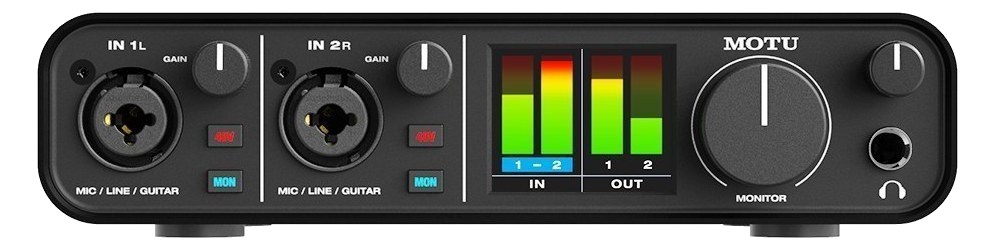
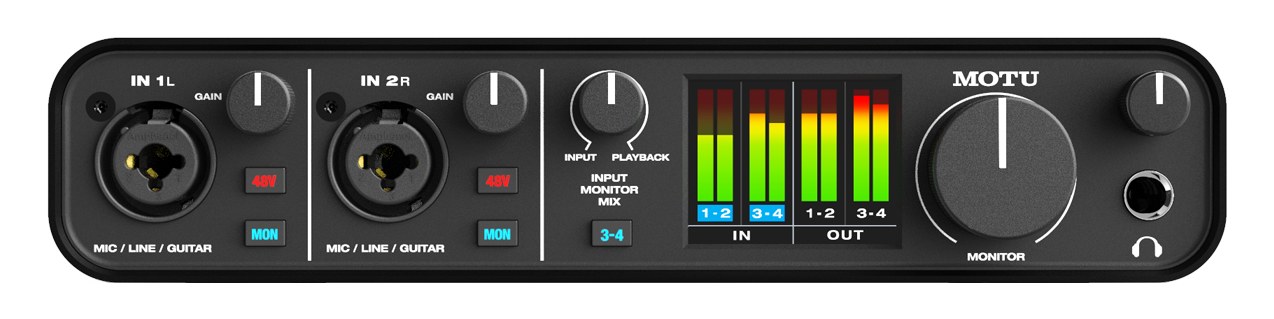
The MOTU M2 is a compact 2-in/2-out USB-C interface featuring the same ESS Sabre32 DAC technology found in MOTU's flagship models, delivering studio-grade conversion at a budget price. Its ultra-low latency and bus-powered design make it an excellent backup interface for live rigs or a dedicated headphone monitoring output. The large LCD level meter and simple layout keep things fast on stage.
~$200Use retailer rows for current price and stock
01 · What it does—and what that changes in your rig.
Product overview
Start with the payoff, then work through how it functions, where it fits, and the details that change a real build.
The payoff
Audio Interface decisions, organized around the whole rig.
The M2 is the interface that shows up in more small playback and writing rigs than anything else at its price, and the reason is unglamorous: the convertersThe circuitry that turns analog audio into digital data and back (A/D and D/A). Converter quality sets a digital rig’s sound ceiling. and metering are simply better than a $200 box has any right to have. The ESS Sabre32 DACDigital-to-Analog Converter — the chip that turns digital audio back into the analog signal headphones and amps need. section gives it a measured noise floorThe constant background hiss a device produces on its own. Everything you pass through it sits on top — lower is better. and dynamic rangeThe span between a device’s noise floor and its clipping point — the room between the quietest and loudest sounds it can pass. that embarrasses interfaces two price tiers up, and the full-color front-panel meters — real, fast, per-channel level with clip indication — mean you can trust what's hitting the converters without opening a meter bridge on screen.
Documented outputs
44 destination connections
Documented inputs
3Based on documented inputs
Rack space
Outside rackPlan a shelf, tray, or stage position
Photo: MOTUOutside rack · 5W
Function
How it works in the path
For rig planning the honest read is this: two ins, two outs, bus-powered over USB-C, and no rack earsThe flanges that bolt gear to the rack rails. Desktop boxes without them need a shelf, tray, or drawer to live in the case.. That makes it a desktop unit riding in a drawer or on a shelf, not a rack citizen — plan a rack drawer or a mount tray if it's going in the case. The 5–8W USB power draw is trivial, but it comes from the host computer, which matters if your laptop is already feeding a controller and a dongle chain through a hub.
Best fit
Where it earns its place in the system
Where it earns a permanent slot: stereo click-and-tracks rigs, broadcast/stream feeds off a console's matrixA routing grid that builds extra outputs from any mix of mixes or channels — fills, lobby, stream feeds — without touching the main mix., and writing sessions in the hotel. Where it doesn't: anything needing redundancyA second copy of anything critical — supply, computer, network path — already running so one failure can’t stop the show. or more than a stereo pair of outputs — that's PlayAUDIO12 territory, or a rack-format interface with DC-loop failoverThe automatic switch to the backup when the primary dies — good failover is seamless enough that the audience never knows..
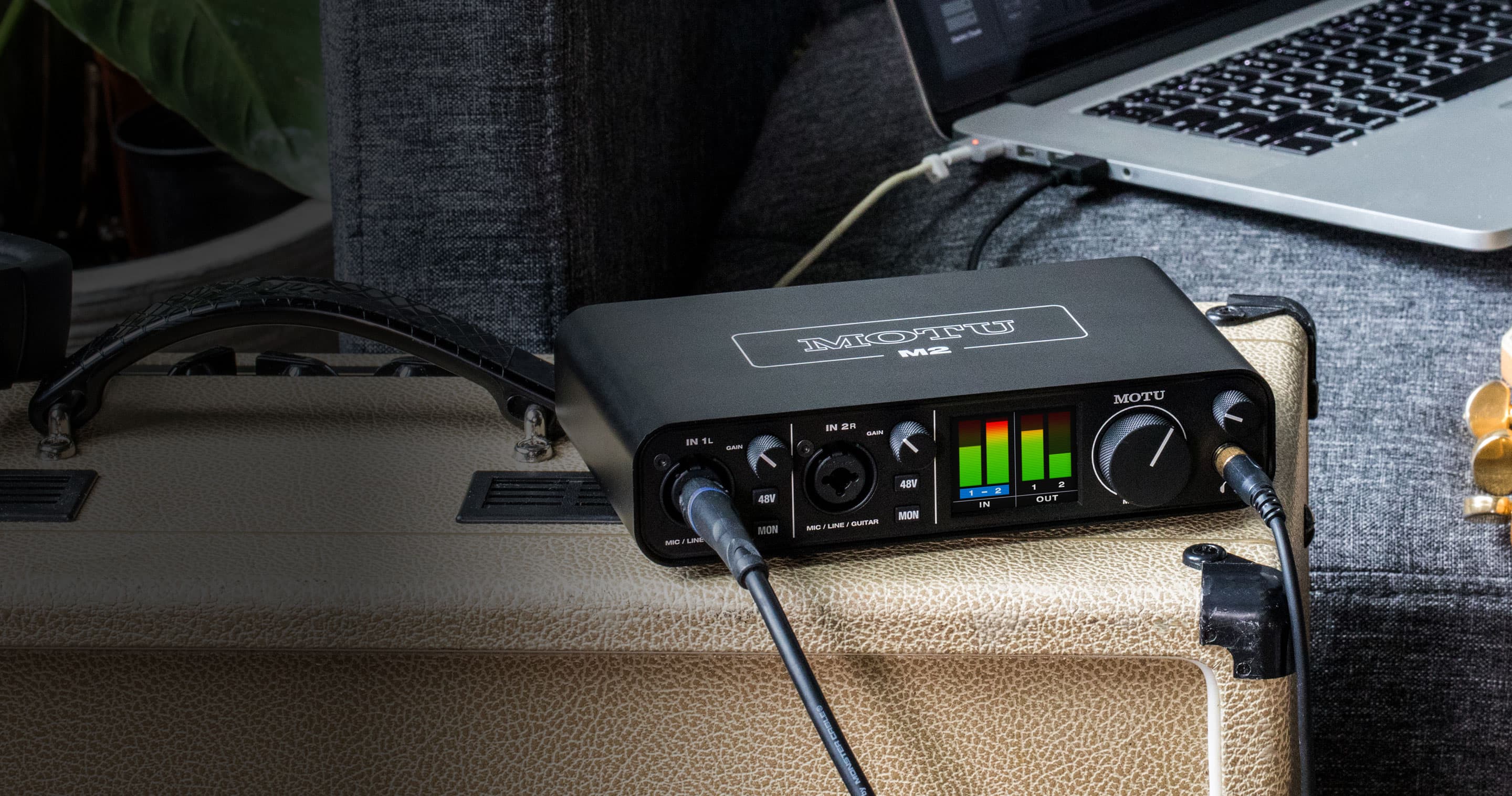
MOTU M2 on a guitar amp — level meters lit during trackingPhoto: MOTU
In the rack
Details worth deciding before load-in.
No rack earsThe flanges that bolt gear to the rack rails. Desktop boxes without them need a shelf, tray, or drawer to live in the case. — budget a rack drawer or shelf tray for it in the case.
Bus-powered from the computer: keep it on a powered hub if the laptop also feeds controllers.
The hardware loopback pair is the clean way to feed a stream or record the show mix without a console tap.
02 · Know the whole path before you buy.
Signal path
Learn the route as a block diagram: source, product function, transport, and destination. Select any block to see what enters, what changes, and what leaves.
Interactive block diagramAuto-looping · hover, focus, or tap to hold a stage
Port-type signalProduct functionSystem boundary
Follow one signal from source to destination
Each block answers the same three questions: what arrives, what changes here, and what leaves.
01 · Source · selected
XLR female + midi din5
¼-inch TRS + midi din5
01 · Source
3 documented inputs
XLR female + midi din5
Arrives as
3 documented inputs
Connector
XLR female + midi din5
Signal
analog audio
03 · What this product asks of the rest of the system.
Compatibility
Treat connector names as the start of the check—not the answer. These are the boundaries that determine a complete working path.
Best fit · Audio Interface
Use it as audio interface tracked outside rack rails; follow the manufacturer’s mounting and form-factor guidance.
Companion gear required
Plan Penn Elcom 1U Half-Rack Shelf before treating this path as complete.
Connector boundary
Documented connectors: XLR female, ¼-inch TRS, usb c, midi din5. Match connector, direction, and signal type—not shape alone.
04 · Every connector, grouped by job.
I/O ports
Switch the product view and the documented port inventory updates with it—hardware and data stay side by side.
Every connector, grouped by job.
Switch panels to keep the hardware view and the documented port list in sync.
Front panelRear panel
All documented ports for MOTU M2 Audio Interface
Port
Panel
Connector
Direction
Signal
Channels
Mic/Line In 1 (XLR/TRS)
front
XLR female
input
analog audio
—
Mic/Line In 2 (XLR/TRS)
front
XLR female
input
analog audio
—
Monitor Out L (TRS)
rear
¼-inch TRS
output
analog audio
—
Monitor Out R (TRS)
rear
¼-inch TRS
output
analog audio
—
Headphone Out (TRS)
front
¼-inch TRS
output
analog audio
—
USB-C
rear
usb c
bidirectional
data
—
MIDI In
rear
midi din5
input
data
—
MIDI Out
rear
midi din5
output
data
—
Showing 8 of 8 documented physical ports.
05 · Compare the decision, not just the price.
Alternatives
The rows are organized around fit, power, I/O, and system role so a cheaper unit cannot hide a more expensive workflow.
M2The MOTU M2 is a compact 2-in/2-out USB-C interface featuring the same ESS Sabre32 DAC technology found in MOTU's flagship models, delivering studio-grade conversion at a budget price. Its ultra-low latency and bus-powered design make it an excellent backup interface for live rigs or a dedicated headphone monitoring output. The large LCD level meter and simple layout keep things fast on stage.View gear →
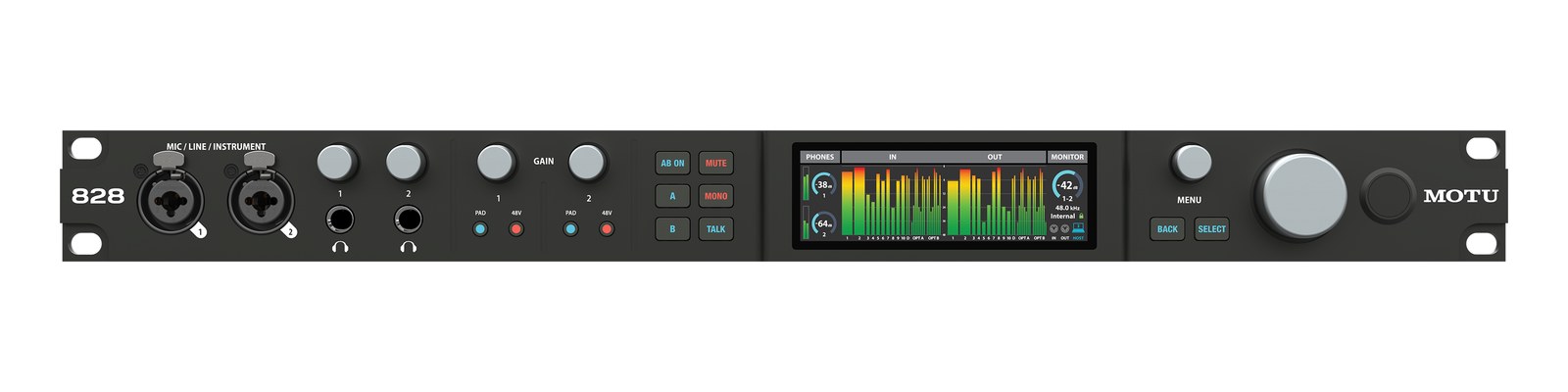
828The 2024 MOTU 828 carries the most famous name in project-rack interfaces into the current line: 28-in/32-out over USB3 with two mic preamps, eight balanced line ins and outs, dual ADAT expansion, and MOTU's CueMix Pro DSP. For playback rigs it is the do-everything 1U — line outs for stems, ADAT to expand, and rock-solid drivers. Replaces the discontinued 828es.View gear →
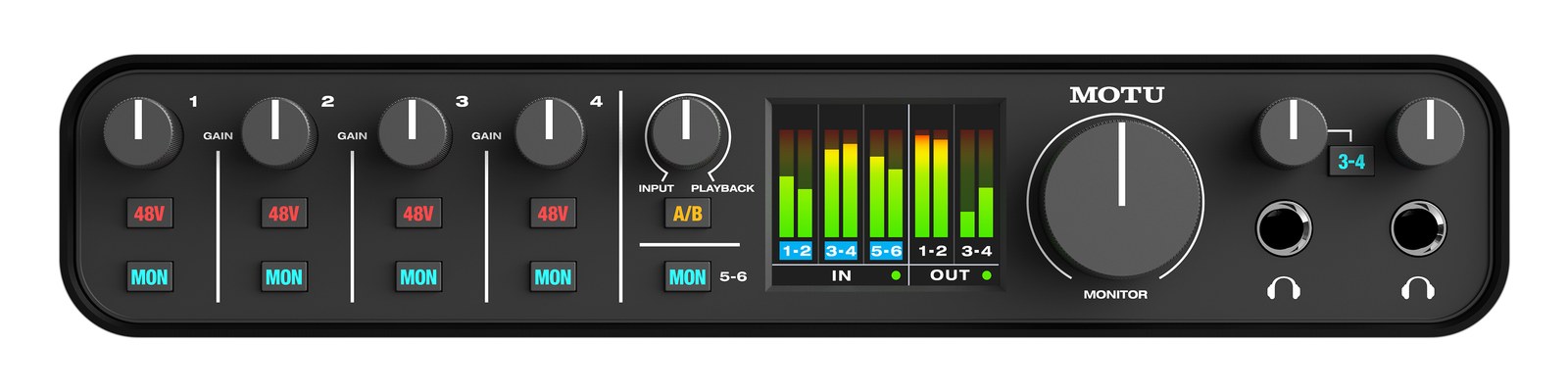
M6The MOTU M6 expands on the M4 with added MIDI I/O and a second headphone output, making it useful for rigs that need to drive MIDI-controlled devices alongside audio playback. The ESS Sabre32 DAC provides the same pristine conversion quality, and the additional outputs give more routing flexibility for monitor sends or click tracks. A solid desktop interface for medium playback rigs.View gear →
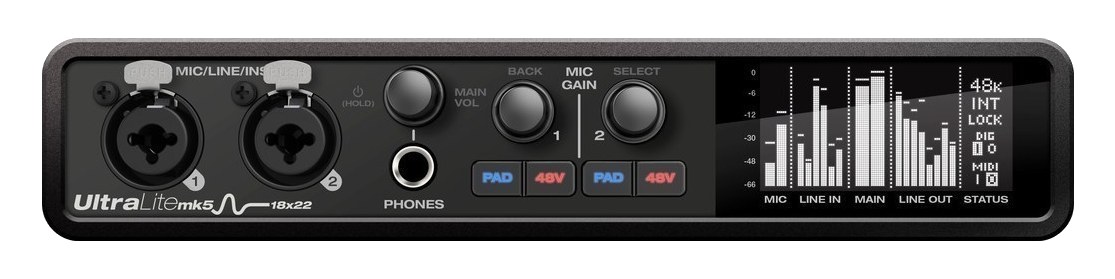
UltraLite mk5The MOTU UltraLite mk5 packs a massive 18x22 I/O count into a half-rack chassis, making it one of the most port-dense interfaces at its size. With two mic pres, six line outputs, S/PDIF, and a full 48-input DSP mixer, it handles complex monitoring setups without a computer. The half-rack form factor lets you pair it with another half-rack device to save space, and the USB-C bus-power option means one less cable in simple setups. A touring favorite for compact playback rigs.View gear →
06 · Resolve the questions that can change the purchase or build plan.
Planning questions
Short, source-backed answers surface rack fit, power, cabling, and connection details before they become surprises.
Where does the MOTU M2 Audio Interface live in a complete rig?
The catalog assigns it no rack units. Builder tracks it as non-rack gear; follow the manufacturer’s mounting, case, and form-factor guidance.
How much power does the MOTU M2 Audio Interface draw?
Typical draw is 5W and documented maximum draw is 8W.
What connections does the MOTU M2 Audio Interface have?
8 documented physical ports, including Mic/Line In 1 (XLR/TRS), Mic/Line In 2 (XLR/TRS), Monitor Out L (TRS), Monitor Out R (TRS), Headphone Out (TRS), USB-C.
07 · See this gear inside a complete system plan.
Builder preview
Builder keeps non-rack gear in the same bill of materials, budget, dependency, and connection plan as the rack-mounted system around it.Open in Builder